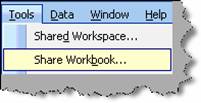
There are scenarios where we want multiple users to work on the same EXCEL sheet. At periodic intervals both user should see each other data. To achieve the same we need to share the workbook. To share a workbook click on tools à share workbook.
Figure: - Share workbook
Once you click on ‘Share workbook’ you will be popped with a dialog box as shown in below figure ‘Sharework book dialog box’. In the share work book dialog box there are two tabs ‘Editing’ and ‘Advanced’. In the editing tab you can use the ‘Remove user’ button for removing user who should not be allowed to access this file when shared. In the advanced tab you can specify the refresh time when the other user should see the data. In this case we have specified that data should be refreshed after 15 minutes. So when any one of the user changes data the other user will see the same after 15 minutes or when he saves the excel file.
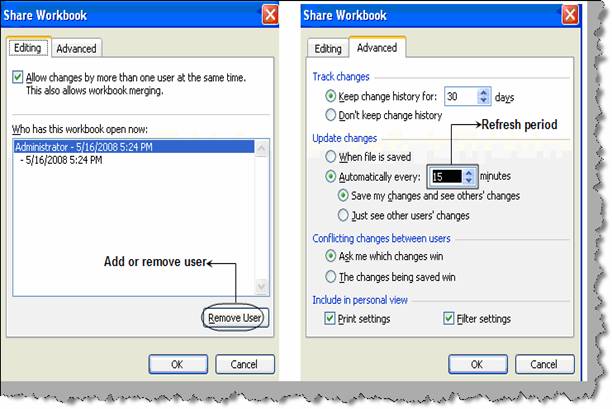
Figure: - Share workbook dialog box