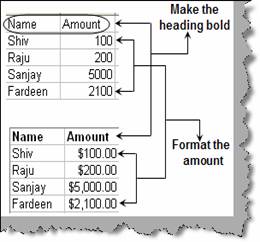
You can automate repeatable task on an EXCEL sheet using ‘Macros’. Lets consider the below task shown in figure ‘Task to be automated’. Let’s consider that we receive the data shown in ‘Task to be automated’ on a daily basis. We want to make the column bold and format the amount column.
Figure :- Task to be automated
The first step is to record the repetitive task. So click on tools à Macro and Record new Macro as shown in figure ‘record new macro’.
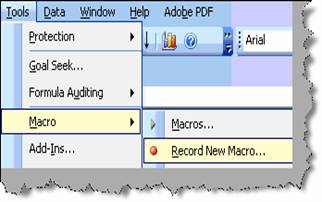
Figure: - Record New Macro
Once you click on ‘record new macro’ you will popped with a ‘record macro’ dialog box for macro name as shown in figure ‘Macro Name’.
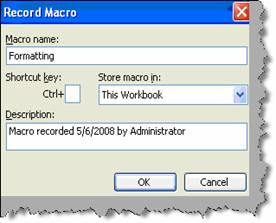
Figure: - Macro Name
Once you give the macro name and click ok, the recording starts. In this scenario we made the column bold and formatted the amount column with currency formatting. Once you are done with the activity click to stop recording as shown in figure ‘Recording in Action’.
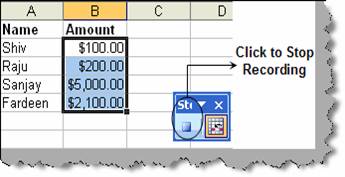
Figure: - Recording in Action
If you want to run the macro , click on tools à macro and select the macro ( ‘Formatting’) and click run as shown in figure ‘Run the Macro’. The macro will run and make your column bold and format the amount column with currency formatting.
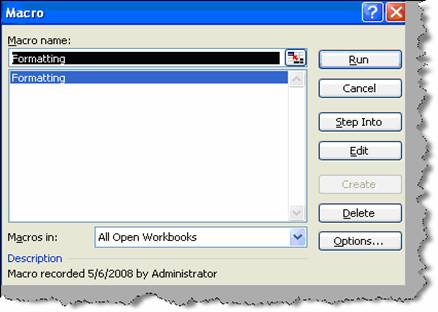
Figure: - Run the macro