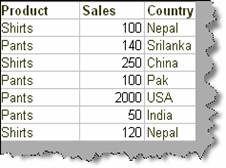
Many times we would like to format visual look of data depending on certain conditions. For instance consider the below sample data. Let’s say we want to strike and mark the sales columns which have value more than 200.
Figure: - Sample data
We can solve the above problem using ‘Conditional formatting’. To do conditional formatting select the column on which you want to apply conditional formatting and then click on menu Format à Conditional Formatting.
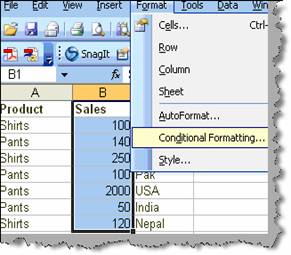
Figure: - Conditional formatting menu
Once you click on conditional formatting you will be popped with a dialog box as shown in ‘Conditional formatting in action’. We can now specify the condition using the condition dialog box as circled by number 1. Currently we have specified the condition of greater than 200. To specify format click on the format button. You can see the format dialog box where you can specify look and feel of the cell when the particular condition is met. Currently we have specified it as bold and strike. Once you click ok you can see the output. Sales cell which have value greater than 200 are stroked and bold.
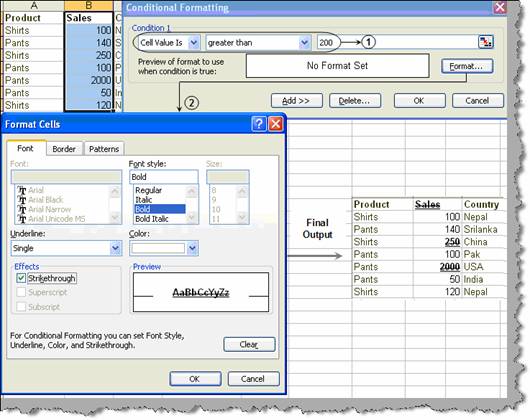
Figure: - Conditional formatting in action