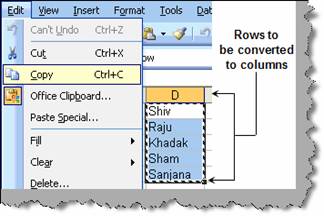
Many time we come across scenarios where we need to convert row data in to column. This can be easily achieved by using the transpose function in paste special. Below figure shows the row data which needs to converted to columns. Select it and copy the same.
Figure: - Rows to be converted to columns
Once copied click Edit and select paste special as shown in figure ‘paste special’. You will be popped up with a paste special dialog box. In the same dialog box there is a check box called as ‘Transpose’, check the same and click ok. All your row data is now pasted as column.
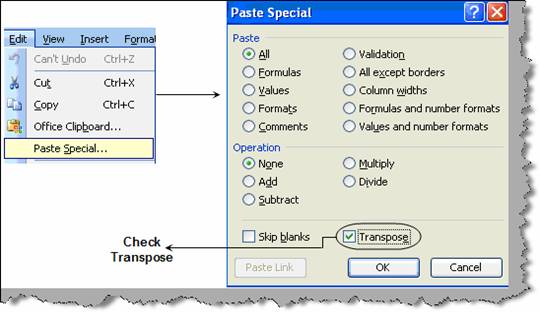
Figure: - Paste special