| My only Tut! |
| Male Spikey Hair |
| After noticing how little tutorials there are on making male hair I've decided to make one since mine is somewhat well done. What you need: MS Paint Minimum Pixel Shading Capabilities |
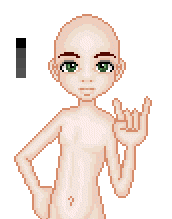
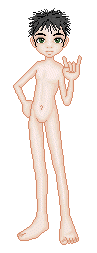
| Step 1: Find your male base. For this we will be using ILCK Cora Male base. Now here's are guy. First you'll want to specify your color pallet. This works better with darked colors such as black and brown but it can be used with blonde. For now we'll use black. > |
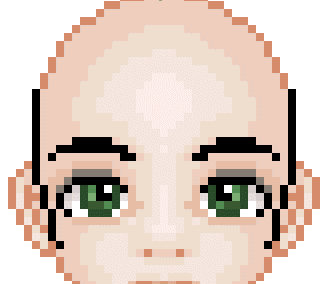
| Step 2: Alright now that you're ready you'll be using either your pencil tool or your line tool I preferably use the line because paint has a tendency to mess up and make marks where you had not intended. With the line it's easier to fix those marks. Zoom in as close as you can. With the darkest color you'll want to make some kind of side burn... make it bigguer smaller... whatever. Like in the <pictures. Simple enough? |
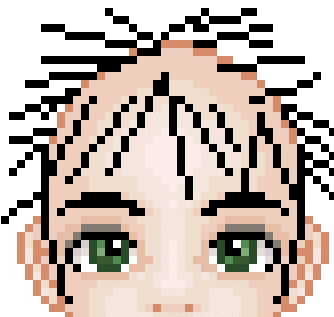
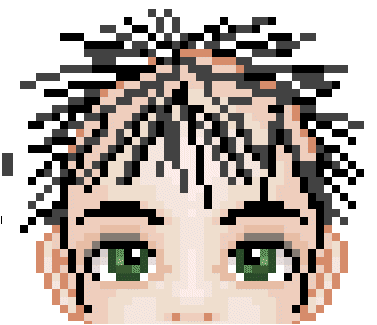
| Step 3: Now that you have your sexy side burns you'll have to make with again the darkest color some spikes in front of his face a bit and all around remember not to make too many you have 3 more colors to go through. Right now it looks pretty funky but it will. Just trust me and keep going. > |
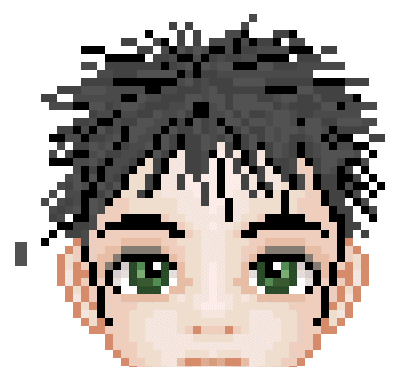
| Step 4: Alright. now go a shade lighter and continue to make strands standing on end in the center goin out to the edges. Do not neglect the center. It'll make it look weir in the end. Continue till your happy. <This is very simple. |
| Step 5: Can you guess then next step? Oh yeah NEXT SHADE! continue what you were doing kieed in line with the others don't be afraid to cross over your already made lines. Again no neglecting your center.but don't forget the outside either. |
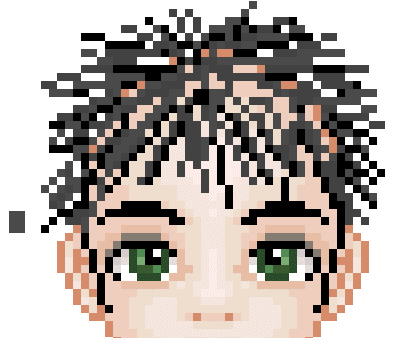
| Step 6: By now you should only have a few gaps left in between the colors if you have large gaping ones go in with the other shades and create more strands until it looks somewhat like the pictue. Now you are ready for the final shade. I use flood fill for this but you can contnue with you line or pencil. Fill in the gaps in the center and a few on the youtside and near his face. Right now it may still look weird . |
| But when you zoom out it looks like this. If you have the softare you can lighten and darken where desired. and if things look uneven do not threat you have a nifty cut crop tool and can move sides in and out till it looks right. Can also erase along the outside till it's the right shape. |
 |
 |
 |
 |
 |
 |
 |