|
-Collapsisable Computer- -Desk-
September - October 2003
SUMMARY
Using mostly plywood, I constructed a collapsable desk that I designed myself. Seeing as this was my first desk design, there were a couple of problems with the desk. Most significantly, the desk was unstable, and could easily be swung left to right to some degree. Fortunately, the desk is designed to stand in the corner of a room, which prevents this sideward movement. Additionally, the desk is not as convenient as it could be. I want to design a new one to correct the faults of this one. I got to test the desk myself during the Fall semester, so I know first hand about its pros and cons. All in all, it was a worthwhile project, and a pretty good introduction to woodworking. I have done a bit of woodworking before in my life, but never anything to this scale.
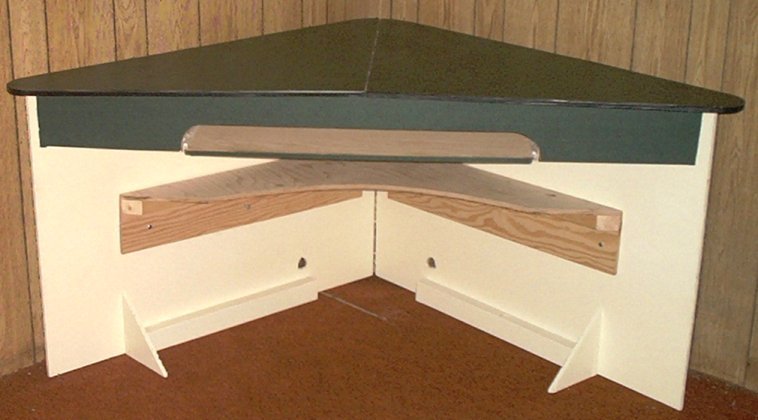
ASSEMBLED:
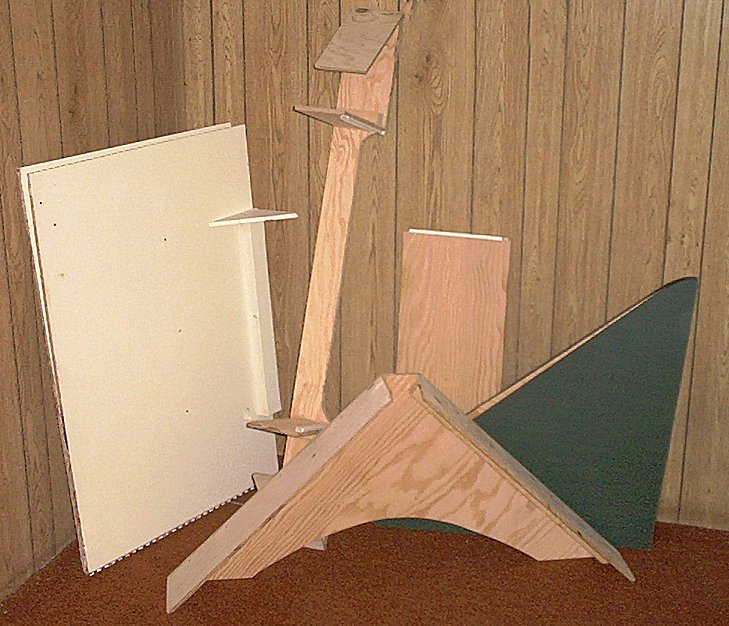
DISASSEMBLED:
DETAILS/FEATURES:
Imagine getting the completely assembled desk into a Toyota Corolla. Then imagine lugging the entire thing up or down a narrow flight of stairs. That simply will not happen. HOwever, in the collapsed state, it is much easier to find space somewhere in a car, or manuver it through difficult spots. The desk is held together by 1/4 inch bolts when assembled. The color scheme is alright, but it would have been nicer if the wood was stained nice and dark, and then varnished. I used a Lamica sheet for the desktop and the front beam.
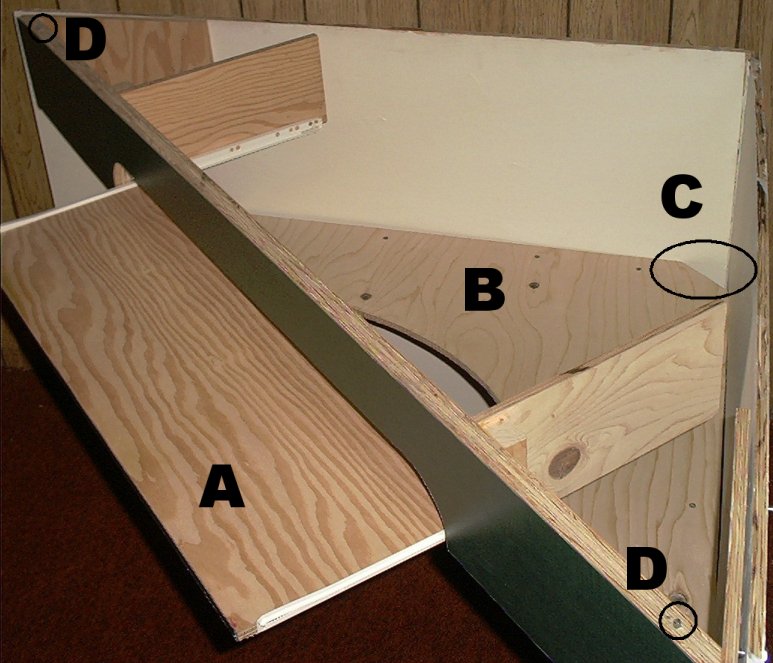
A: This is the keyboard\mouse tray. The keyboard slips easily under the beam when it is on the tray, but a person cannot fit a typing hand under the beam as well. This is somewhat annoying at times. Narrowing the beam would solve this problem, but that would compromise strengh in the vertical direction. Lowering the keyboard was another idea, but then it becomes ergonomically uncomfortable. Lowering the keyboard while raising the desk completely solves the problem, however, then the desktop is too high. For this reason, I want to redesign the desk completely. There should be no compromises.
B: This shelf is an excellent place to put a printer. I worked well for me last semester. Its easy simply to reach underneat to grab the printed item. Loading the paper is somewhat more difficult, but not a great inconvenience. The advantage of putting the printer here is seen in the amount of desk space gained. Part of the shelf is cut away to allow for more leg room. The shelf also helps with stability.
C: The back corner of the shelf was cut off to allow for computer cables to go through. This is, afterall, a computer desk.
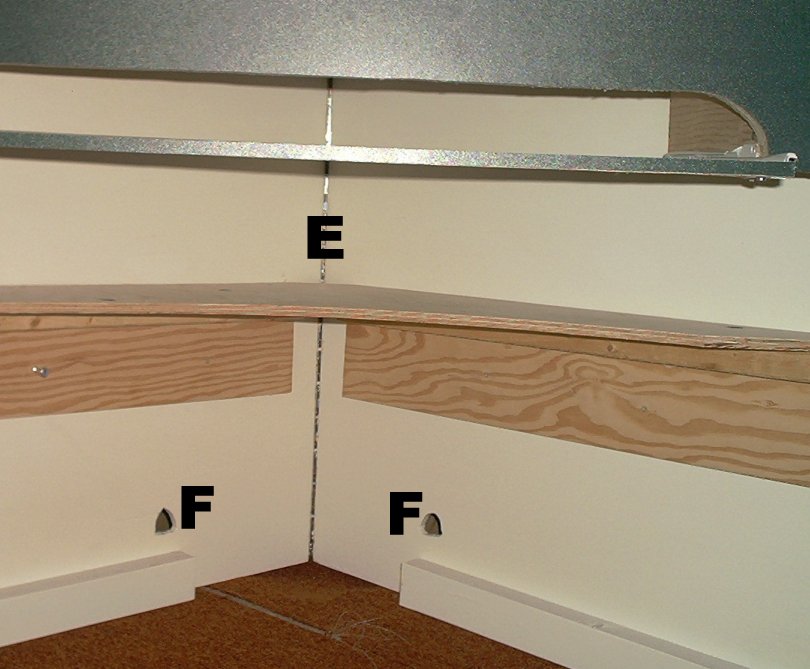
E: The two side sheets are held together in the middle with a piano hinge. The original concept was to have a single unit held together by hinges which could easily collapse or assembly. This proved to be disadvantageous with this design. Holding the side sheets together in the manner facilitates assembly, and provides stability.
F: These holes in the side sheets allow for a power cable to go through. WIthout this simple addition, a wire would run along the ground around a person feet. This is both bothersome and less safe.
|