 |
 |

|
| Site Accessed |
   |
|

|
|
| Hard Drive's and CD-ROM's speed up |
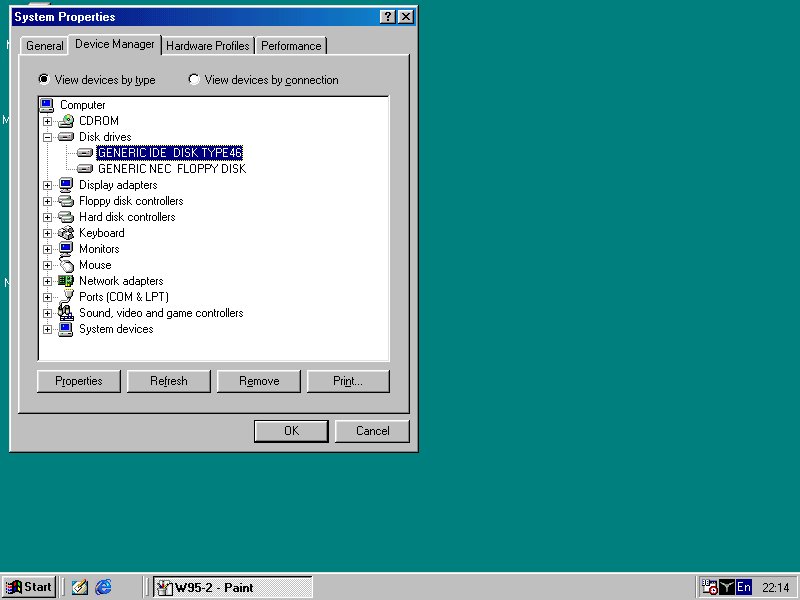
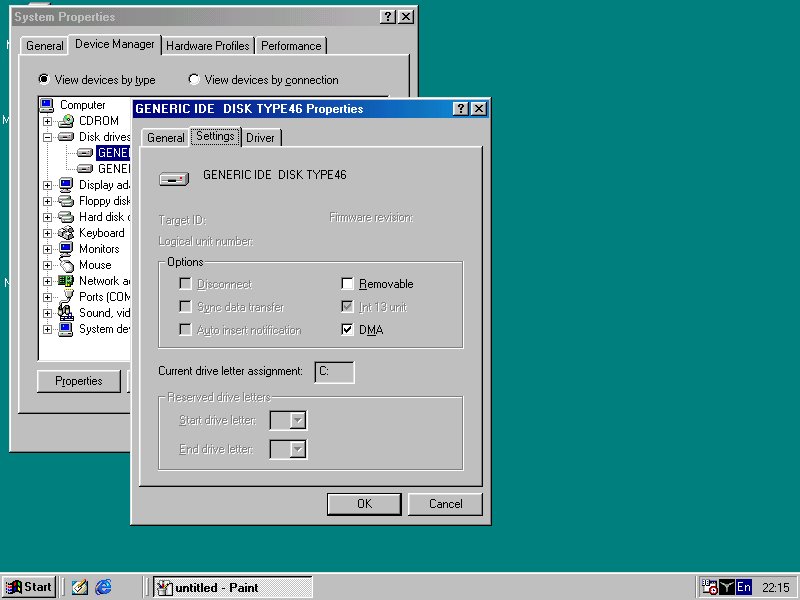
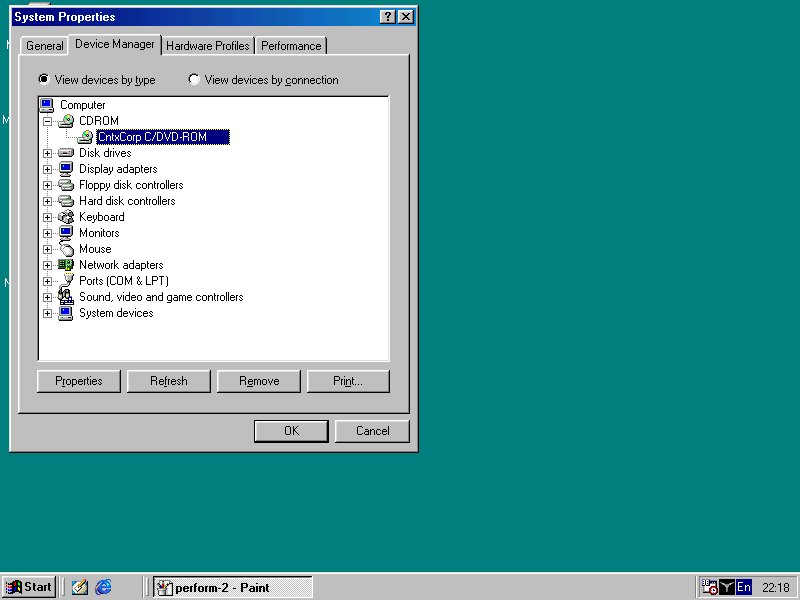
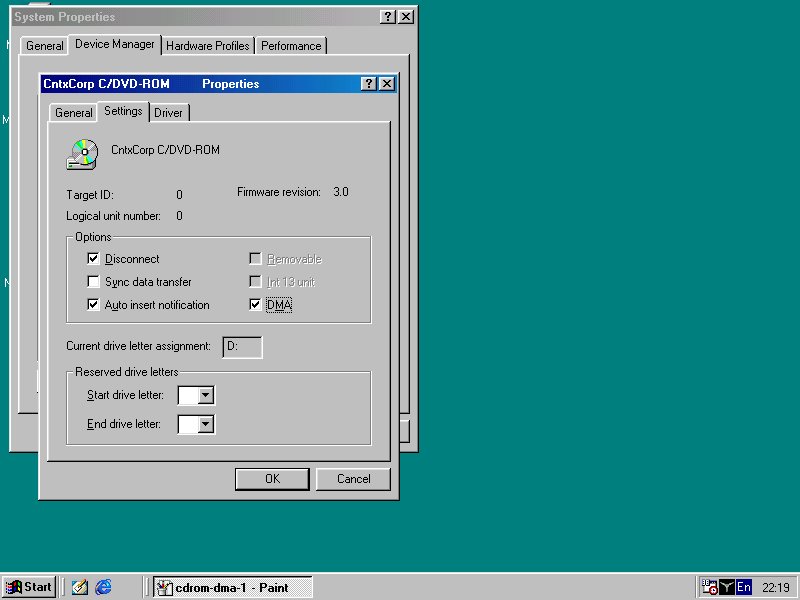
| If you have a HD 7200 ATA 33/66/100, a fast CPU and Motherboard and you wondering why MS Windows is taking to much time for loading up ? That becouse the windows registry is not configurd to work with a fast Hard drive, by default windows configurd for ATA 33(mb). The solusion is doing configuring it by yourself. Windows 98,98se : to configure it in W98 is simple, just look at these screen shot (1,2), in device manager go to 'disk drives>generic ide disk type46 and click on 'properties'. Here choose 'settings' and check the box 'DMA' answer ok and restart. (where 'generic ide disk type46' you could also see your hard drive name and type) for speeing up CD-ROM's just do the same (screen shots 1,2) After you configure all these and restart your computer, you sould see some performance in boot up, and during work. To see and feal the changes, try to run Defrag or Run a game or just copy some file from CD-Rom to HD and so on. Allways run Defrag once a week at least. |
| Increasing File Access Performance in Win98 |
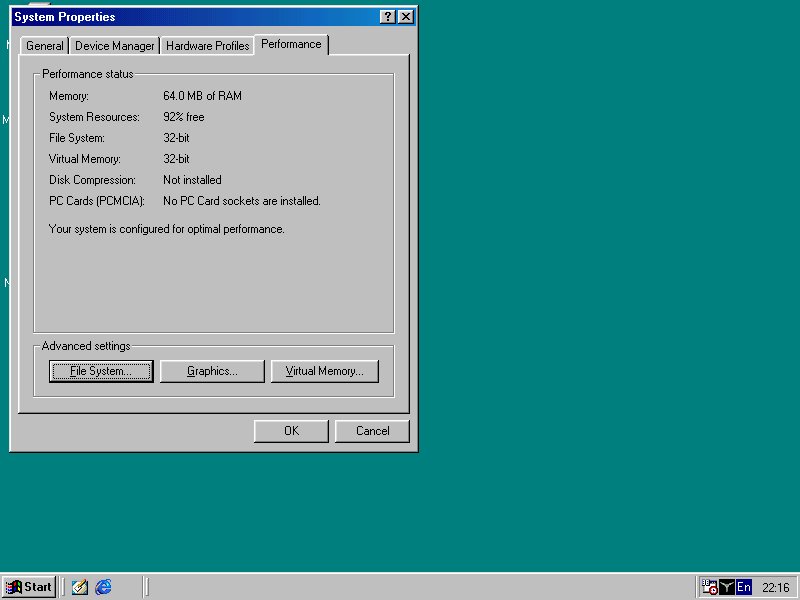
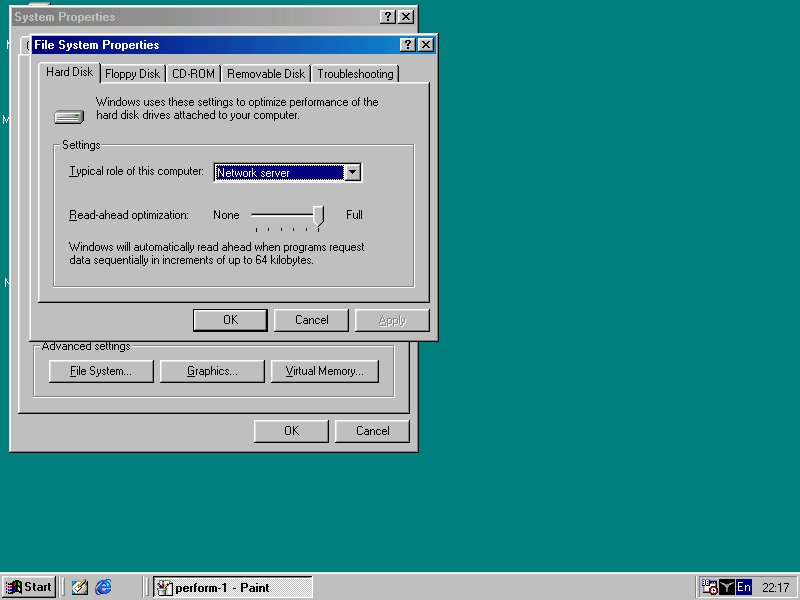
| You can gain more speed for your apps. by increasing the file system cache and the role of your computer. For doing this, got to 'device manager>performance click on 'file system' , in 'Hard drive' Tab select in the 'settings' menu 'Typical of this computer', select 'NETWORK SERVER', and below that ther is a slider, 'Read-ahead optimization' , slide it all the way to full. (see screen shots 1,2) click OK, click agin OK, and reset the computer. That change the speed of reading the files to memory, by reading ahead more bytes of data from the HD. |
| There are many software applications that can do this and more, one of them, and my favorites is 'Xteq System X-setup' that you can download from this site http://www.xteq.com. But be careful when you use it, some of the changes could be hamful for your Windows and destroy it if you don't understand it. |
|
|
