3.2
The Internet
3.2.2 World Wide Web
3.2.2.3 Web Page Navigation
Web Page Navigation
§Navigating Web pages:
•Most
Web pages contain hypertext
or hypermedia links.
•A
link,
short for hyperlink,
is a built-in connection to another
related Web page or part of a Web page.
§Navigating Web pages:
•Links
allow you to obtain
information in a nonlinear way.
•Surfing the Web,
refers to the activity of using links to explore the Web.
•A
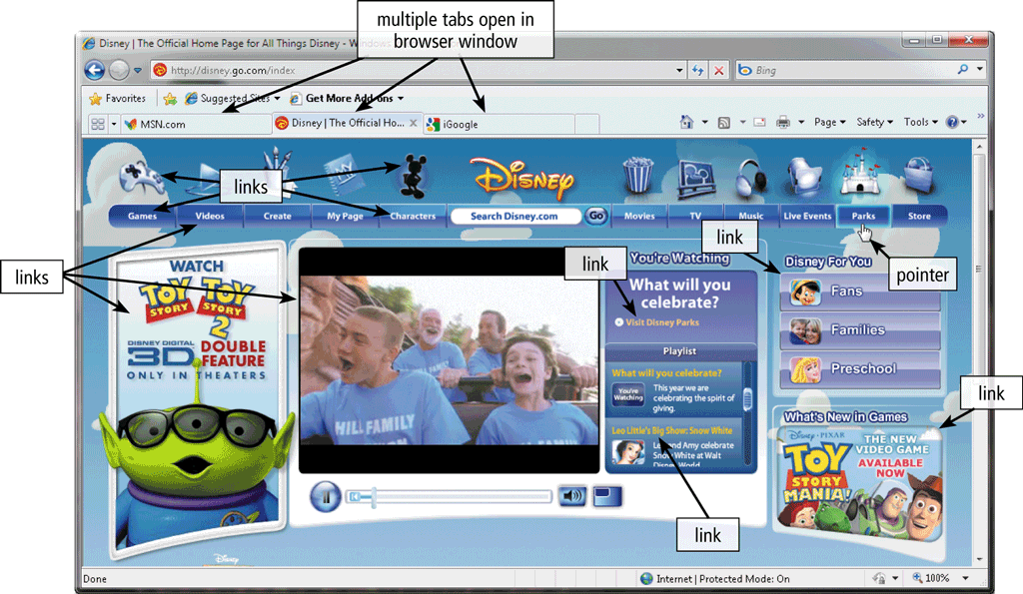
link can be text
or an image.
•Text links
may be underlined and/or displayed in a color different from other text on the
Web page.
|
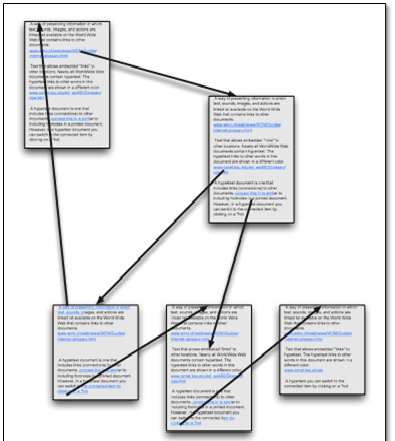
Hypertext
|
•Refers to links in text-based documents
or
•It is a text which contains links to other texts
|
|
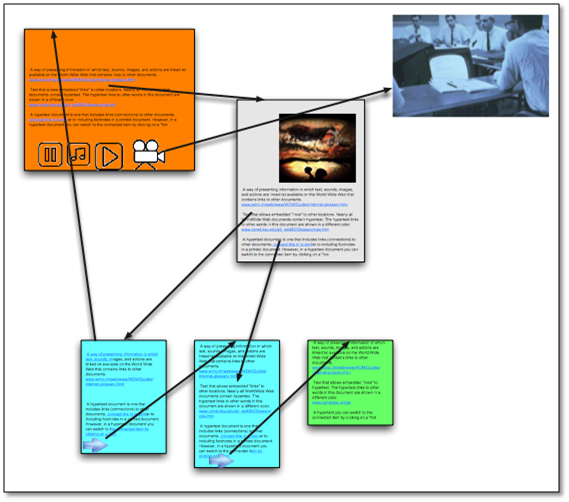
Hypermedia
|
•Combines text-based links with graphic,
audio, and video links
or
•Contain links not only to other
pieces of text, but also to other forms of media -
sounds, images, and movies
|
|
Hypertext
links
Hypermedia
links
§Navigating Web pages:
•Tabbed browsing allows
you to open and view multiple Web pages in a single Web browser window.
3.2
The Internet
3.2.2 World Wide Web
3.2.2.4 Web Searching
§Searching the Web:
•A
primary reason that people use the Web is to search for specific information,
including text, pictures, music, and video.
•A
search tool is
used to locate the information.
§Two types of search tools are search engines and
subject directories.
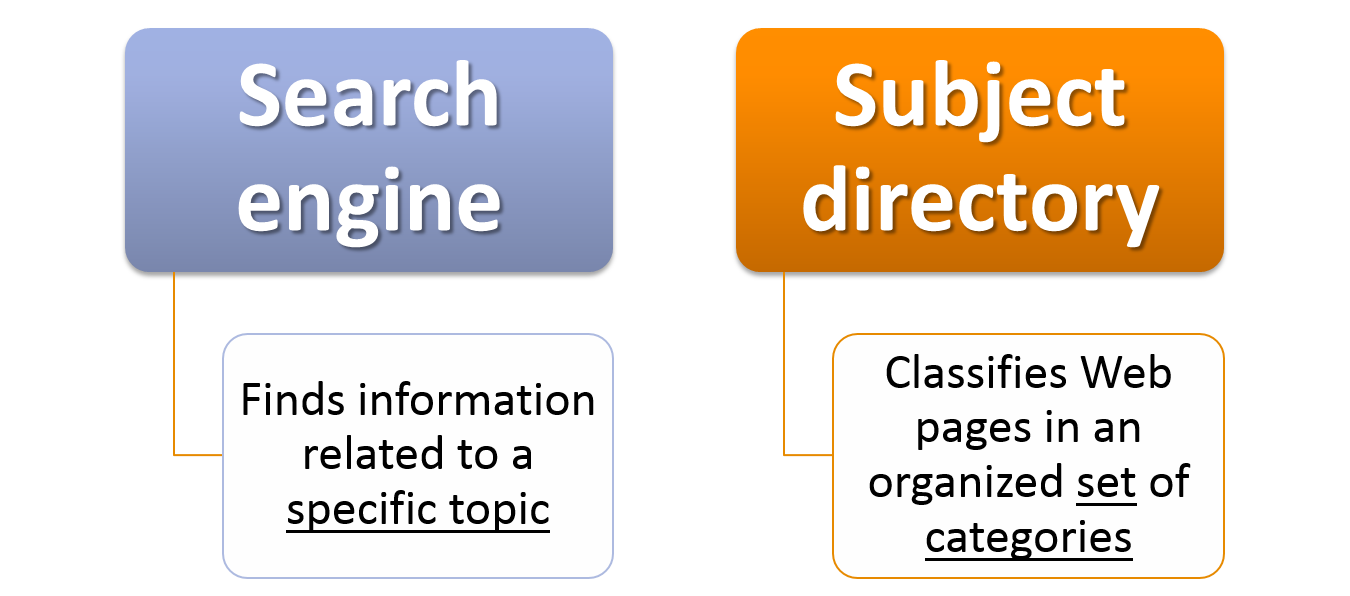
§What is a search engine?
•A
program that finds Web
sites, Web pages, images, videos, news, maps, and other information (information)
related to a specific topic.
Or
•A
program that finds information
by entering
words or phrases called search
text.
Or
•A
program designed to locate information on the web.
§Searching information using search
engine:
•Search
engines require that you enter
a word or
phrase,
called search text or search query.
•
•Each
word in the search text is known as a keyword.
•
•The
results of the search, called hits.
•Result
from the search engine can be in the form of:
•Images, videos, audio,
publications, maps, people or businesses, blogs.
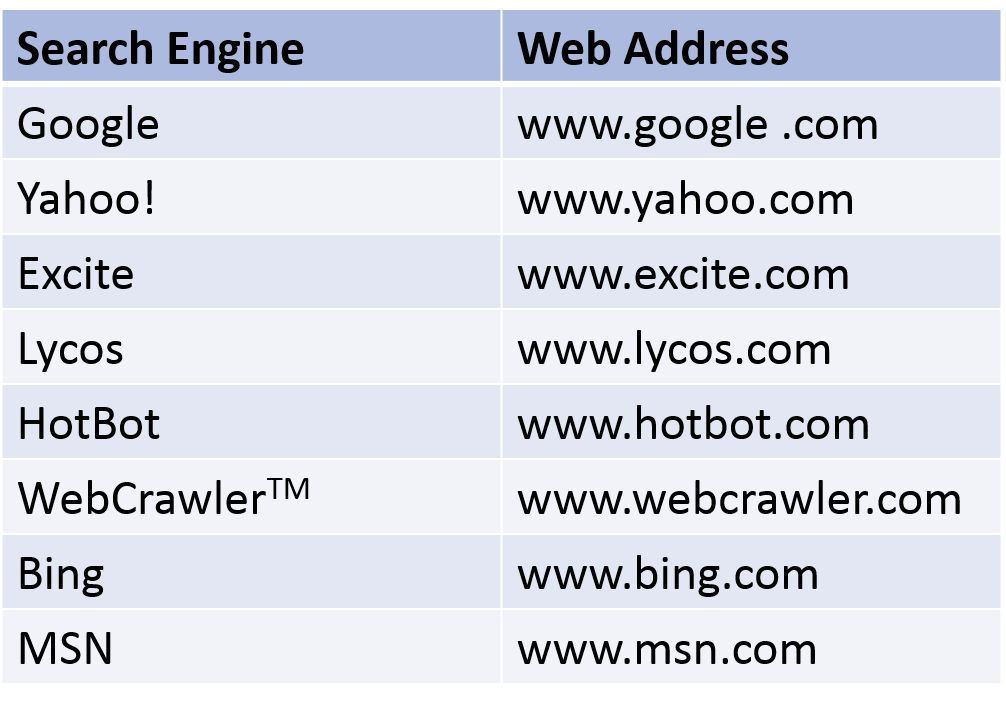
Example of search engine :
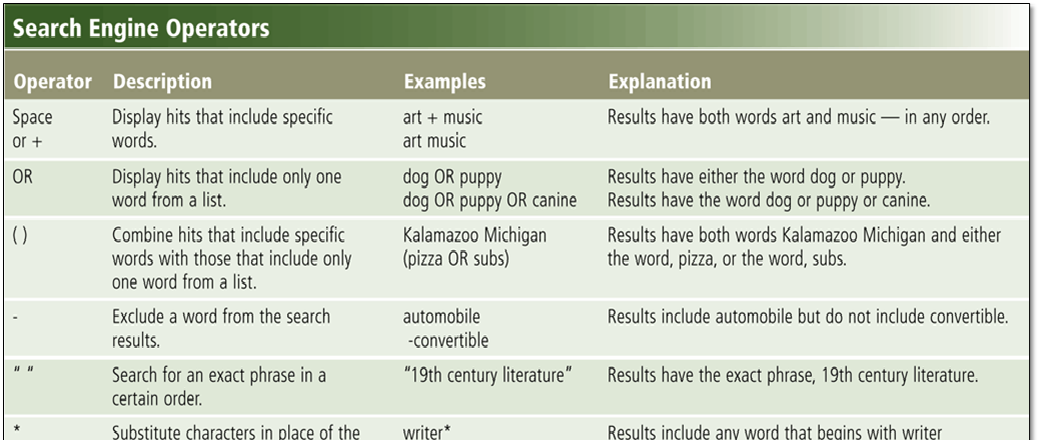
Search Operators
Subject Directory
•Search
tool that classifies Web pages in an
organized set
of categories and subcategories.

§A subject directory provides categorized lists of links
arranged by subject.
§When click on the category link,
the subject directory displays a list of subcategory
links.
§The disadvantage:
•Users
have difficulty deciding which categories to choose from the menus of links
presented.
ENTER:)