|
So you are using Mozilla Firefox?
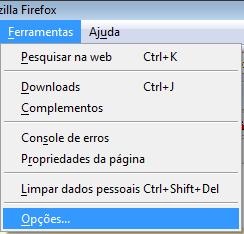
In the Mozilla Firefox browser, try doing something similar to what is done with Internet Explorer: Ferramentas > Opcoes > Conteudo: Permitir JavaScript. Click OK.
CHANGE THE SETTINGS
So in your menu bar, go first to Ferramentas and then to Opcoes:
In Opcoes, go to Conteudo. There leave unchecked option Bloquear janelas popup and click in the checkbox Permitir JavaScript. Then, click OK:
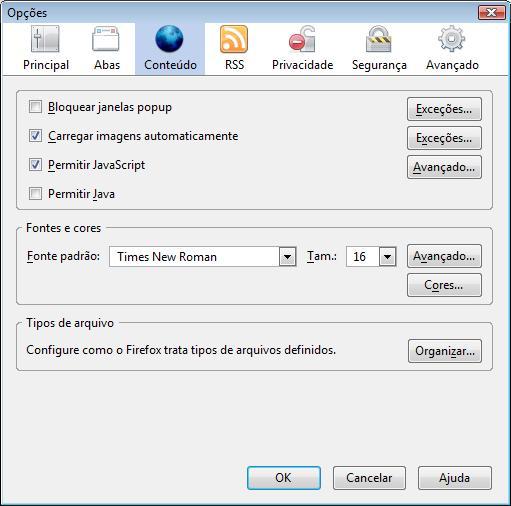
The page is then ready to let JavaScript code work properly.
RELOAD THE PAGE
Right after that box is closed, it could be a good idea to click CTRL+SHIFT+R to reload the page completely.
|
|
|
|


 back
back