

MS PAINT



|
|
|
|
|
|
|
|
|
|
|
|
|
|
|
|
|
|
|
|
|
|
|
|
|
|
|
|
|
|
|
|
|
|
|
|
|
|
|
|
|
|
||||||||||||||||||||||||||||||||||||||||
| HAIR TUTORIAL MS PAINT |
||||||||||||||||||||||||||||||||||||||||
|
||||||||||||||||||||||||||||||||||||||||
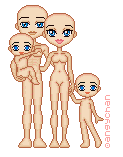
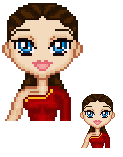
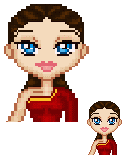
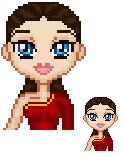
| 1. Select a base! I chose one from Angy-Chan (it's slightly cut off in the tutorial), and I gave her some clothes. The pallete we will be using is below: | ||||||||||||||||||||||||||||||||||||||||
|
||||||||||||||||||||||||||||||||||||||||
|
||||||||||||||||||||||||||||||||||||||||
|
||||||||||||||||||||||||||||||||||||||||
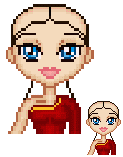
| Step 1: Draw the outline of the hair on the doll using the darkest colour. | ||||||||||||||||||||||||||||||||||||||||
| Step 2: Fill in the outline with the second lightest colour. | ||||||||||||||||||||||||||||||||||||||||
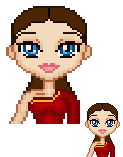
| Step 3: Use the darkest colour again to create lines from the face to the back of the head. Try and get the lines where the hair would be visibly pulled back in real life. Also, do a bit of shading next to the neck. | ||||||||||||||||||||||||||||||||||||||||
|
||||||||||||||||||||||||||||||||||||||||
|
||||||||||||||||||||||||||||||||||||||||
| Step 4: Shade the outline of the hair, as well as the lines you have just drawn with the second darkest colour. Also, shade out from the neck. | ||||||||||||||||||||||||||||||||||||||||
|
||||||||||||||||||||||||||||||||||||||||
|
||||||||||||||||||||||||||||||||||||||||
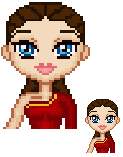
| Step 5: Use the middle colour to continue the shading on the head, and next to the neck. | ||||||||||||||||||||||||||||||||||||||||
| Step 6: Use the lightest colour to put a few well placed highlights. DON'T put the highlights on the darker parts of the hair. Highlight the lighter parts (ie. use common sense). | ||||||||||||||||||||||||||||||||||||||||
| Now, with a bit more work, some clothes and other things, your doll will be finished! | ||||||||||||||||||||||||||||||||||||||||
|
||||||||||||||||||||||||||||||||||||||||
| If this tutorial helped you, feel free to link to me on your website, to let others know. You may use the following image, and it's easy to link. (www.impish-girl.tk) | ||||||||||||||||||||||||||||||||||||||||
|
||||||||||||||||||||||||||||||||||||||||
| All content is copyright E.D. 2005- | ||||||||||||||||||||||||||||||||||||||||
|
|
||||||||||||||||||||||||||||||||||||||||