
Losted in Morphic
OK, we wish do something in Squeak.
Today we teach how to build a new Polygon from two overlapping Polygons.
Start a new Project clicking new on Navigator
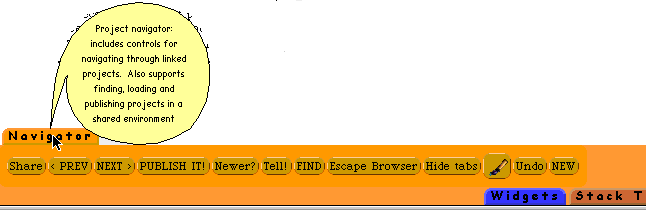
Your screen show something similar to
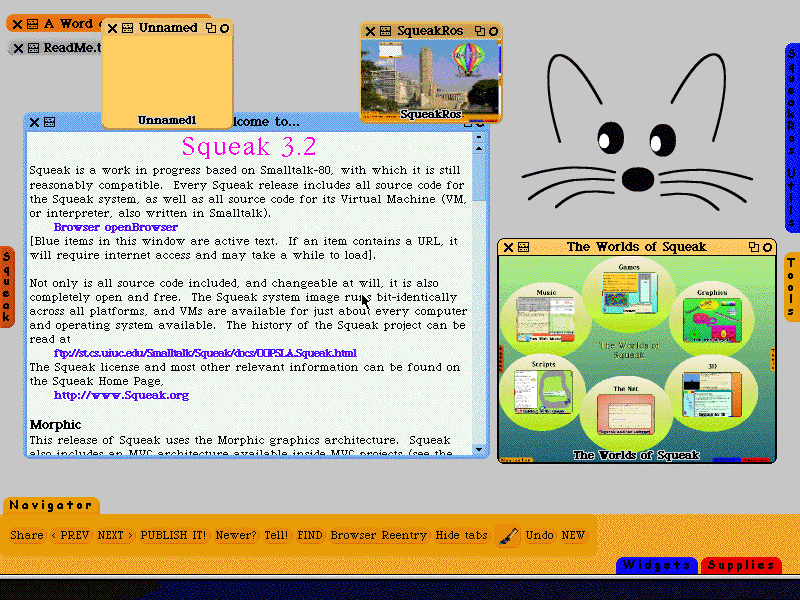
Now click on tiny square what show "Unnamed" this is the way your projects begins,
Your screen becomes white, only the flaps shows.
Open Supplies Flap and drag one Polygon to some place.
Press "Alt" or "Command" and click on it , This brings a "halo"
Moving the mouse over little circles , brings "balloon help".
Do rezoning, to your polygon for enlarge.
Duplicate and move the second one,. Two polygons should overlap. like this
 Open the Tools Flaps.
Drag a System Browser and find "PolygonMorph" class.
You find this
merge: aPolygon
"Expand myself to enclose the other polygon. (Later merge overlapping
or disjoint in a smart way.) For now, the two polygons must share at least
two vertices. Shared vertices must come one after the other in each polygon.
Polygons must not overlap.
Aha !! This marvelous people who build Squeak left something to us poor newbies !!.
Well, if we wish a new Polygon what becomes the logic union , we should do some code work.
Open a System Browser.
In the first pane , with the contextual menu, do add item.
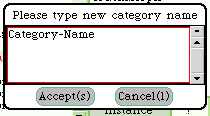 This is "FillInTheBlank " Morph, useful for read user input
in our code
This is "FillInTheBlank " Morph, useful for read user input
in our code
Answer the FillInTheBlank Morph, type SqueakRos or any Category Name you choose, click Accept and the System Browser changes.
Now go the second pane, the Class one.
In the code pane, move the mouse over ¨NameOfSubclas¨, change to
Object
subclass: #NewPolygon
instanceVariableNames: ''
classVariableNames: ''
poolDictionaries: ''
press button class.
The code pane reads
NewPolygon class
instanceVariableName ''
Now in the third pane, methods category pane, open the contextual menu and add new category
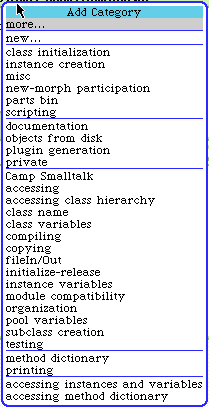 When
you choose more--- other menu shows .
When
you choose more--- other menu shows .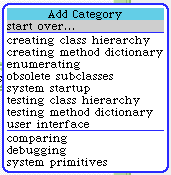
For now select instance creation.
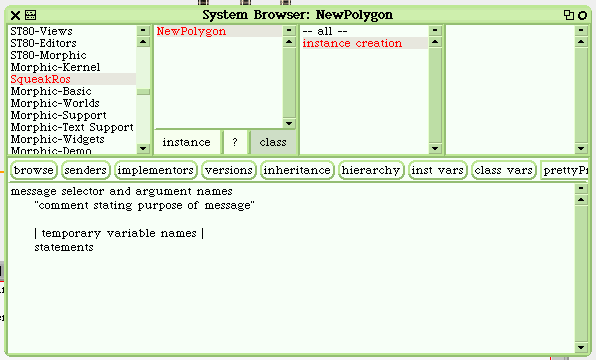 Select
all on the code pane and type union
Select
all on the code pane and type union
Click "accept" or Alt / Command and ¨s¨. Code in pane change to
union
^ self
Now you have a new Class with a method what do nothing.
Maybe we must think what Smalltalk/Squeak code do the trick.
First , we have to select the polygons .
All in Squeak are Morphs, the Flaps, all the Tools like System Browser, etc.,
All we see are in a World, we can ask ActiveWorld for the morphs inside.
allPolygons
_ ActiveWorld submorphs
select: [:any | any class == PolygonMorph]
thenCollect: [:p | p].
allPolygons now contains your two Polygons (Warning: this exercise only works for only two Polygons in World)
A little exploration of PolygonMorph show us useful methods like vertices (give us a collection of points) and containsPoint: (inform us if a point coordinates is inside Polygon).
newVertices _ OrderedCollection new. "For add the points of newPolygon"
allPolygons first vertices do: [ :each | (allPolygons last containsPoint: each) ifFalse: [ nuevosVertices add: each ]].
PolygonMorph lineSegments method give us a collection of segments.
For visual feedback of whats go on
allPolygons
first lineSegments do:[:s1 |
allPolygons
last lineSegments
do: [ :s2 | l1 _ LineMorph from: (s1 at: 1) to: (s1 at: 2) color: Color red
width: 2.
l1 openInWorld.
l2 _ LineMorph from: (s2 at: 1) to: (s2 at: 2) color: Color green width: 2.
l2 openInWorld.
ActiveWorld displayWorld.
(Delay forSeconds: 3) wait.
This create two new Morphs l1 and l2 from lineSegments "pairs" , one red and one green, and wait 3 seconds before continue processing code.
((s1 at: 1)
to: (s1 at: 2)
intersects: (s2 at: 1)
to: (s2 at: 2)) ifTrue: [puntoInterseccion _ self
intersectFrom: (s1 at: 1)
to: (s1 at: 2)
with: (s2 at: 1)
to:(s2 at: 2).
intersectFrom: is not a method of PolygonMorph, I copy of LineIntersections class on the class methods.
newVertices add: puntoInterseccion.
c _ self centro: newVertices.
newVertices := (newVertices asSortedCollection: [ :a :b | (a-c) degrees <
(b-c) degrees ])
.
You need the center of new Polygon, I take code and inspiration of BlobMorph.
polUnion _ self dibujar: newVertices.
polUnion openInWorld.
ActiveWorld displayWorld.
(Delay forSeconds: 3) wait. "Show what is building "
polUnion delete. "and delete all temporal morphs"
].
l1 delete.
l2 delete]].
And you must add the other Polygon vertices
allPolygons last vertices do: [ :each | (allPolygons
first containsPoint: each) ifFalse: [ newVertices add: each ]].
"Mostrar el poligono resultante "
c _ self centro: newVertices.
"Ordenar los puntos de acuerdo a su centro "
newVertices := (newVertices asSortedCollection: [ :a :b | (a-c) degrees <
(b-c) degrees ]) .
polUnion _ self dibujar: newVertices.
polUnion openInWorld.


