|
D'Zines by Grace
Two Sided Texture Ribbon/Bow Using Av Bros Curl 2.2
This tutorial was written and presented by me, ©D'Zines by Grace, 2008. Any resemblance to this tutorial is purely coincidental. What you create with this information, is owned solely by you.
This tutorial involves using Av Bros Curl 2.2. You can find it here. **This is not a free program.** This is considered a Technique. Every one of these you make will be different. What you need: Paint Shop Pro, any version should work. I am doing this in Paint Shop X2 Two textures
Have everything open. The second texture does not need to be open, but remember what you are wanting to use and where it is.
Open a 500 X 500 Pixel image. This is what I use mostly. Material Palette: Foreground null, Background to your chosen texture
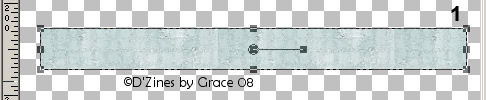
Preset Shape: Rectangle, Create as Vector, checked; Anti-alias, checked Draw out the size you want. Object/Align/Center in Canvas Layers/Convert to Raster Layer Note: Duplicate this several times. I usually do it so I have 4 copies. Close off 3 and work on one layer. You should have something like this:
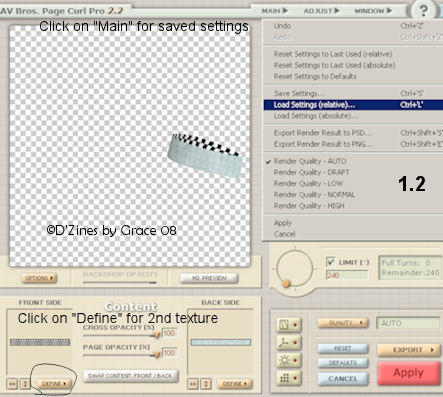
The Bow: Effects/Plugins/Av Bros 2.2 I have some settings saved already, so this is where you would find them. I would advise to save the settings where you can find them. If you'll notice, just above where it is highlighted, is a "Save Settings". Create a folder for the presets you want and like.
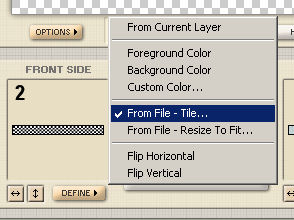
Click on the "Define" button at the bottom and you'll get a flyout. Choose From File - Tile and locate the other texture you want to use.
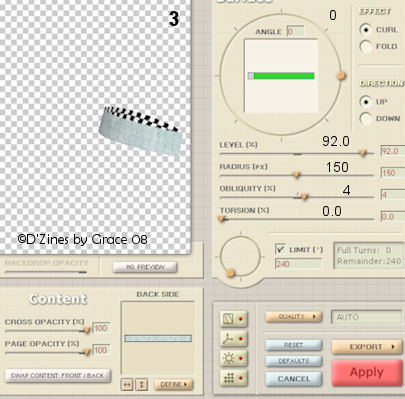
I used something really off the wall so you could see what I'm doing. Here you have the settings I used. Save them for future use. Depending on the size of your image, you may have to adjust the settings.
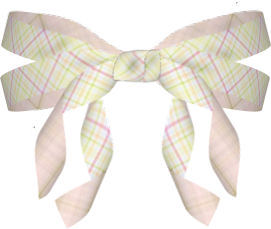
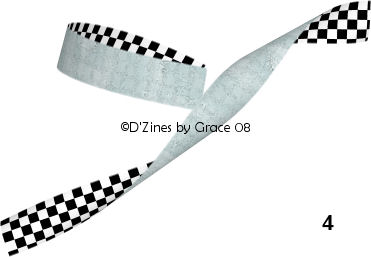
This is pretty much the procedure. I've shown what your ribbon would look like.
05/26/2008 ©D'Zines by Grace 2008 |