Dustin Stevens-Baier
Comp 575 Multi
Agents
6-20-06
I included a lot of the work
from Assignment #2 since it appears to be relavent. scroll down to the section
titled Whats New if you have read this before.
To Start with I had to fix a few bugs in the code. The first bug was
one in the addAgent method in the CIAgent class. When you first run the
PAManagerapp you get a stack error that can be traced back to the Introspection
logic in the JDK. The problem stems from the Java framework thinking that the
addAgent method is a listener method. I researched how this works and found that
introspection code used to get the target info of the object looks for methods
that begin with the add prefix, with 1 argument and a void return value. When
doing this it thinks that it is a listener method and then subtracts eight from
the length and sub strings the method. This causes the out of bounds condition
that I got when I first tried to implement the program.
This is fixed by
replacing the void return value with CIAgent and returning the child. The java
framework is no longer fooled.
After getting this bug fixed I was then
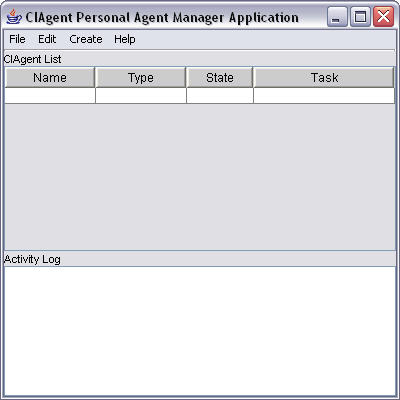
able to start up the Personal Agent Manager Application. To Create a File
Agent we just go to Create and choose File Agent.
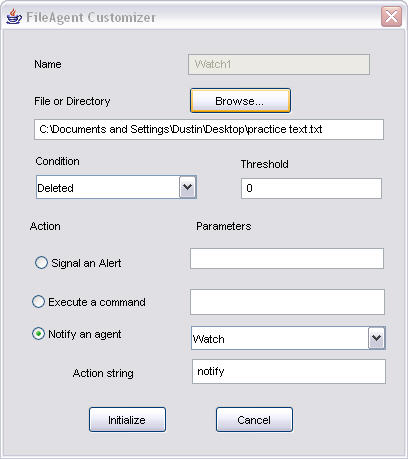
This is an example
of the dialogue that pops up after we create a FileAgent app. 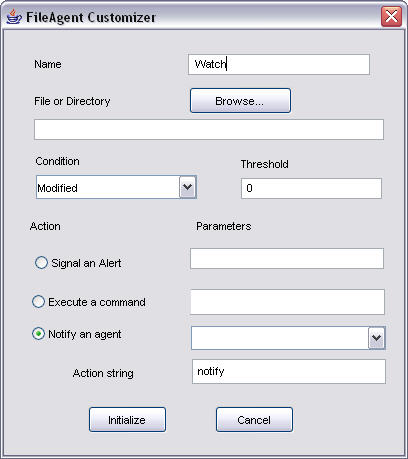
After
I filled out the information in the File Agent. It looked like the following.
The file that I was monitoring was selected. The condition was that anytime it
was monitored a notice would be sent. Then you click initialize. 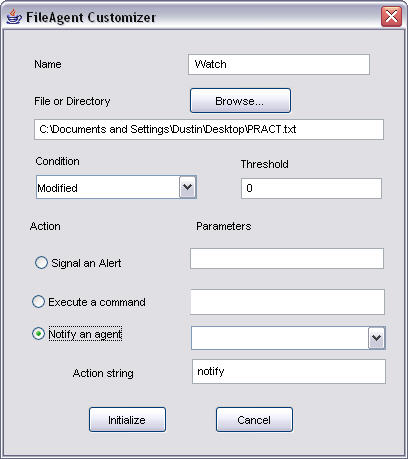
After
clicking intiliaze the Personal Agent Manager Application now has a agent to
watch.
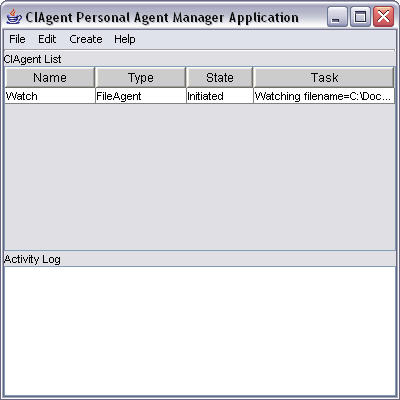
The next step is to start the agent which is done
by highlighting the agent and going to edit and then clicking on start
processing.
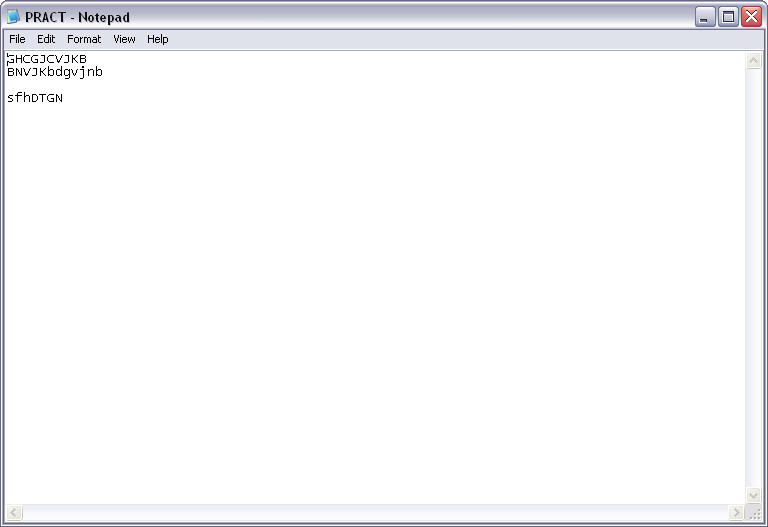
This is a picture of the file being monitored before
the modifications.
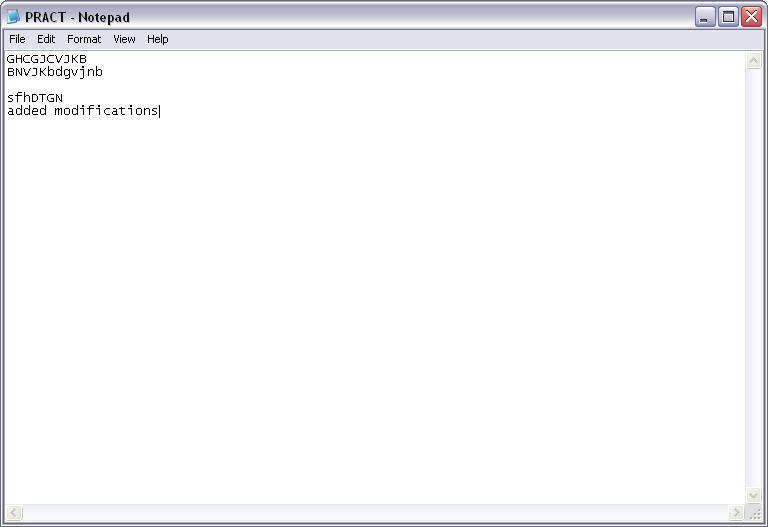
This is a picture of the file after modifications.
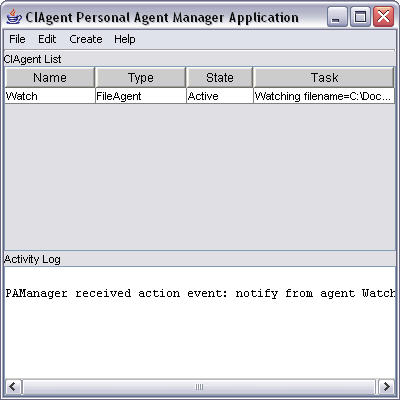
You can see the Personal Agent Manager Application displays a notification
when the File agent finds out that the file has been modified. Another example
is an agent that notfies when the file has been deleted.
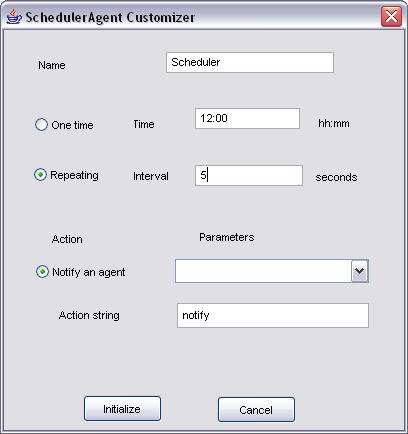
Another
agent type in the Personal Agent Manager Application is the scheduler agent
which allows you to create agents that are like timers. You can have them go off
at intervals like this example or just once.
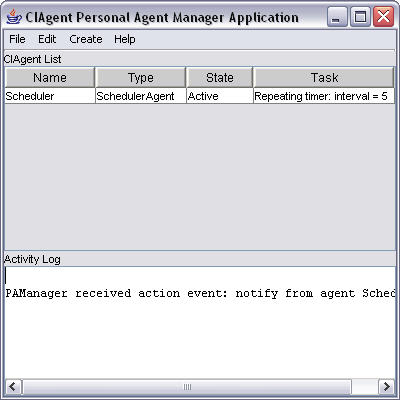
The Personal Agent
Manager Application also has an airfare agent and a user notification agent. The
airfare agent looks as follows.
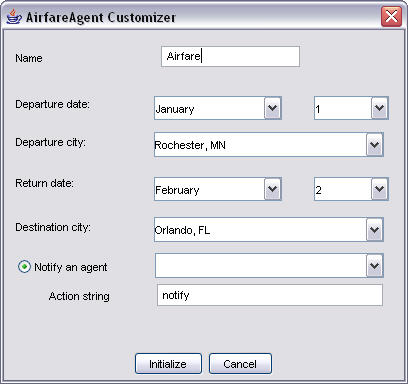
The
airfare agent also required an alteration in the code. The line url = new
URL(http://www.bigusbooks.com/cgi-local/airfare.pl); needed to be changed to the
line url = new URL(http://www.bigusbooks.com/cgi-bin/airfare.pl); This is
because the data that the program looks for to perform the airafre requests have
changed.
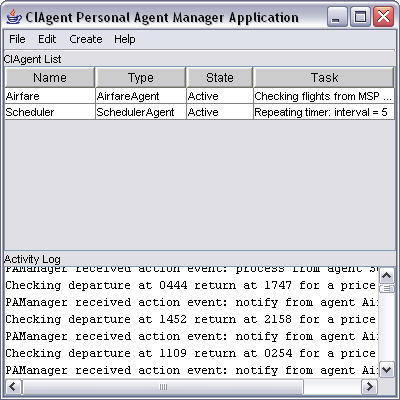
This is an example of the airfare agent that requries the use
of the scheduler agent. The scheduler agent needs to be set up to notify the
airfare agent every time there is a process.
The user notification
looks as follows:
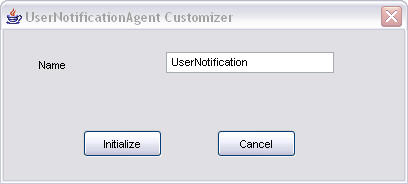
Not only do we need
the user notification agent but we also need a scheduler in order to schedule
the user agent. Once we have the scheduler set to notify the user notification
agent at intervals. We are good to go. 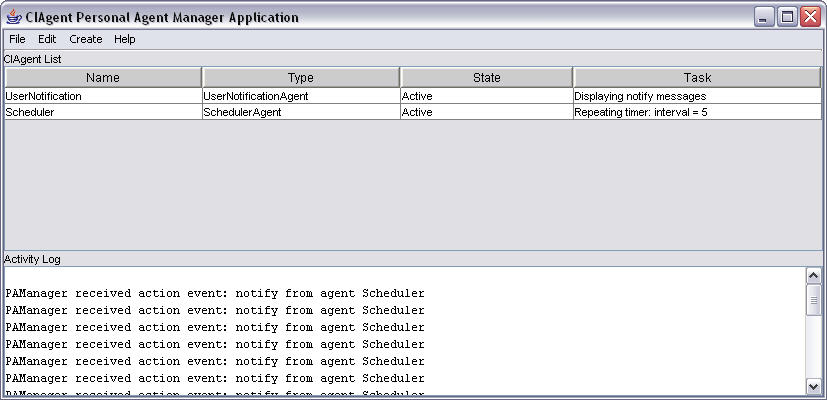
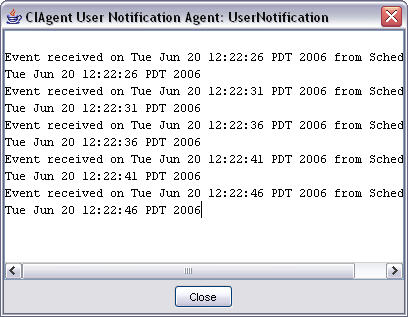
Every 5 seconds the
UserNotificationAgent gets notified. And the output is fed into the following
window.
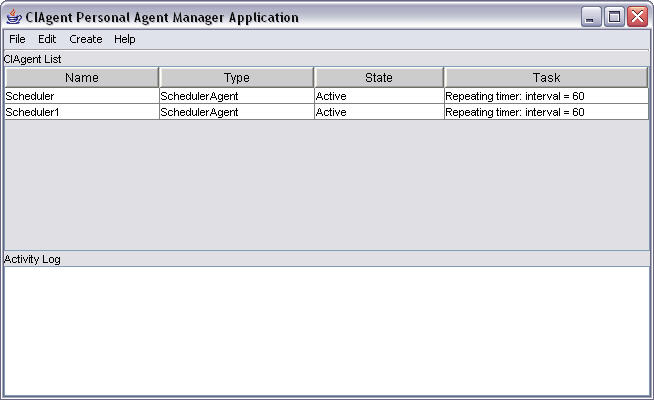
There was one thing that I couldn't get to work correctly that acted
funny. Whenever you tried to schedule an event in the scheduler on a one time
notification it would instead schedule it for an interval event every 60
seconds.
What's New InfoFilter Agent
This is where the new material starts.
The infofilter was a very
difficult prgoam to work with. First there was an error that required
finding a whole class that was missing. I emailed
the author at bigusbooks.com and set abotu scoring the internet for the accompanying class.
The program should work without it since the class file was missing, but any
changes to the code or trying to debug and step through proved difficult without
it. I was able to find the class online from people who ran the class through a
JAD decompiler. The code looked as follows:
// Decompiled by Jad
v1.5.8f. Copyright 2001 Pavel Kouznetsov.
// Jad home page:
http://www.kpdus.com/jad.html
// Decompiler
options: packimports(3)
// Source File
Name: URLReaderAgentCustomizer.java
package
infofilter;
import
ciagent.*;
import
java.awt.*;
import
java.awt.event.ActionEvent;
import
java.awt.event.ActionListener;
import
java.beans.Customizer;
import
java.io.PrintStream;
import
java.net.MalformedURLException;
import
java.net.URL;
import
java.util.EventObject;
import
javax.swing.*;
import
javax.swing.text.JTextComponent;
// Referenced
classes of package infofilter:
//
URLReaderAgent
public class
URLReaderAgentCustomizer extends JDialog
implements Customizer,
CIAgentEventListener
{
public URLReaderAgentCustomizer(Frame
frame, String title, boolean modal)
{
super(frame,
title, modal);
panel1 = new
JPanel();
borderLayout1 =
new BorderLayout();
jPanel1 = new
JPanel();
QueryButton = new
JButton();
CancelButton =
new JButton();
jPanel2 = new
JPanel();
jLabel1 = new
JLabel();
paramsComboBox =
new JComboBox();
uRLComboBox = new
JComboBox();
jLabel3 = new
JLabel();
jLabel4 = new
JLabel();
nameTextField = new
JTextField();
jLabel5 = new
JLabel();
try
{
jbInit();
pack();
}
catch(Exception
ex)
{
ex.printStackTrace();
}
}
public
URLReaderAgentCustomizer()
{
this(null,
"URLReaderAgent Customizer", false);
}
public void setObject(Object
obj)
{
agent =
(URLReaderAgent)obj;
getDataFromBean();
agent.addCIAgentEventListener(this);
}
void jbInit()
throws
Exception
{
jLabel5.setText("URL:");
jLabel5.setBounds(new Rectangle(23, 66, 106, 17));
panel1.setLayout(borderLayout1);
QueryButton.setText("Get URL");
QueryButton.addActionListener(new ActionListener() {
public void actionPerformed(ActionEvent e)
{
QueryButton_actionPerformed(e);
}
});
CancelButton.setText("Cancel");
CancelButton.addActionListener(new ActionListener() {
public void actionPerformed(ActionEvent e)
{
CancelButton_actionPerformed(e);
}
});
jPanel2.setLayout(null);
jLabel1.setText("Parameter string:");
jLabel1.setBounds(new Rectangle(19, 152, 143, 17));
paramsComboBox.setBounds(new Rectangle(18, 190, 371, 24));
paramsComboBox.addActionListener(new ActionListener() {
public void actionPerformed(ActionEvent e)
{
paramsComboBox_actionPerformed(e);
}
});
paramsComboBox.setEditable(true);
StringsampleParms="?&dmon=JUL&dday=1&orig=RST&dest=MCO&rmon=JUL&rday=8";
paramsComboBox.addItem(sampleParms);
uRLComboBox.setBounds(new Rectangle(19, 93, 368, 25));
uRLComboBox.addActionListener(new ActionListener() {
public void actionPerformed(ActionEvent e)
{
uRLComboBox_actionPerformed(e);
}
});
uRLComboBox.setEditable(true);
uRLComboBox.addItem("http://www.bigusbooks.com");
uRLComboBox.addItem("http://www.research.ibm.com/able");
uRLComboBox.addItem("http://www.fipa.org");
uRLComboBox.addItem("http://www.bigusbooks.com/cgi-local/airfare.pl");
jLabel3.setBounds(new Rectangle(214, 128, 41, 17));
panel1.setMinimumSize(new Dimension(400, 300));
panel1.setPreferredSize(new Dimension(400, 300));
jLabel4.setText("Name");
jLabel4.setBounds(new Rectangle(22, 20, 41, 17));
nameTextField.setBounds(new Rectangle(110, 18, 139, 21));
getContentPane().add(panel1);
panel1.add(jPanel1, "South");
jPanel1.add(QueryButton, null);
jPanel1.add(CancelButton, null);
panel1.add(jPanel2,
"Center");
jPanel2.add(jLabel3, null);
jPanel2.add(paramsComboBox, null);
jPanel2.add(jLabel1, null);
jPanel2.add(uRLComboBox, null);
jPanel2.add(jLabel5, null);
jPanel2.add(jLabel4, null);
jPanel2.add(nameTextField, null);
}
void
paramsComboBox_actionPerformed(ActionEvent actionevent)
{
}
void
QueryButton_actionPerformed(ActionEvent e)
{
setDataOnBean();
CIAgentEvent
event = new CIAgentEvent(this, "getURLText", null);
agent.postCIAgentEvent(event);
dispose();
}
void
CancelButton_actionPerformed(ActionEvent e)
{
dispose();
}
public void getDataFromBean()
{
nameTextField.setText(agent.getName());
URL url =
agent.getURL();
if(url ==
null)
uRLComboBox.setSelectedIndex(0);
else
uRLComboBox.setSelectedItem(url);
paramsComboBox.setSelectedItem(agent.getParamString());
}
public void setDataOnBean()
{
String name =
nameTextField.getText().trim();
agent.setName(name);
String url =
(String)uRLComboBox.getSelectedItem();
try
{
agent.setURL(new URL(url));
}
catch(MalformedURLException e)
{
System.out.println("URLReaderAgent: Bad URL specification");
}
String
paramString = (String)paramsComboBox.getSelectedItem();
agent.setParamString(paramString);
}
public void
processCIAgentEvent(CIAgentEvent event)
{
Object source =
event.getSource();
Object arg =
event.getArgObject();
Object action =
event.getAction();
if(action != null
&& !action.equals("trace") &&
action.equals("addURLText"))
System.out.println("URL text read by agent ");
}
public void postCIAgentEvent(CIAgentEvent
event)
{
processCIAgentEvent(event);
}
void
uRLComboBox_actionPerformed(ActionEvent actionevent)
{
}
JPanel panel1;
BorderLayout borderLayout1;
JPanel jPanel1;
JButton QueryButton;
JButton CancelButton;
JPanel jPanel2;
JLabel jLabel1;
JComboBox paramsComboBox;
JComboBox uRLComboBox;
JLabel jLabel3;
URLReaderAgent agent;
JLabel jLabel4;
JTextField nameTextField;
JLabel jLabel5;
}
When I created a java class using this code
I was able to do a recompile and poke around and make changes if I wanted.
One could have just commented out the code that needed the
URLReaderAgentCustomizer.java but that would eliminate the eintire URL
Reader which was the only agent I could get to work reliably. The first
snapshot is the gui that pops up for the infofilter. I was also able to
get the code from the author who got back to me right away.
package infofilter;
import java.awt.*;
import
java.util.*;
import javax.swing.*;
import java.awt.event.*;
import
java.beans.*;
import java.net.URL;
import ciagent.*;
/**
*
The<code>URLReaderAgentCustomizer</code> class implements one of
the
* intelligent agent classes.
*
* @author Joseph
P. Bigus
* @author Jennifer Bigus
*
*
@copyright
* Constructing Intelligent Agents using Java
* (C)
Joseph P. Bigus and Jennifer Bigus 2000
*
*/
public class
URLReaderAgentCustomizer extends JDialog implements Customizer,
CIAgentEventListener {
JPanel panel1 = new JPanel();
BorderLayout borderLayout1 = new BorderLayout();
JPanel jPanel1 = new
JPanel();
JButton QueryButton = new JButton();
JButton
CancelButton = new JButton();
JPanel jPanel2 = new JPanel();
JLabel jLabel1 = new JLabel();
JComboBox paramsComboBox = new
JComboBox();
JComboBox uRLComboBox = new JComboBox();
JLabel
jLabel3 = new JLabel();
URLReaderAgent agent; // the agent bean
we are customizing
JLabel jLabel4 = new JLabel();
JTextField
nameTextField = new JTextField();
JLabel jLabel5 = new JLabel();
/**
*Createsa<code>URLReaderAgentCustomizer</code>
object.
*
* @param frame the Frame
object
* @param title the String object
* @param
modal the boolean object
*
*/
public
URLReaderAgentCustomizer(Frame frame, String title, boolean modal)
{
super(frame, title, modal);
try
{
jbInit();
pack();
} catch (Exception ex)
{
ex.printStackTrace();
}
}
/**
*Createsa<code>URLReaderAgentCustomizer</code>
object.
*
*/
public
URLReaderAgentCustomizer() {
this(null, "URLReaderAgent
Customizer", false);
}
/**
* Customizer interface method -- sets object to customize
*
* @param obj the Object object
*/
public void setObject(Object obj) {
agent =
(URLReaderAgent) obj;
getDataFromBean();
agent.addCIAgentEventListener(this);
}
/**
*
Method jbInit
*
* @throws
Exception
*
*/
void jbInit() throws
Exception {
jLabel5.setText("URL:");
jLabel5.setBounds(new Rectangle(23, 66, 106, 17));
panel1.setLayout(borderLayout1);
QueryButton.setText("Get
URL");
QueryButton.addActionListener(new
java.awt.event.ActionListener() {
public void
actionPerformed(ActionEvent e) {
QueryButton_actionPerformed(e);
}
});
CancelButton.setText("Cancel");
CancelButton.addActionListener(new java.awt.event.ActionListener()
{
public void actionPerformed(ActionEvent e)
{
CancelButton_actionPerformed(e);
}
});
jPanel2.setLayout(null);
jLabel1.setText("Parameter
string:");
jLabel1.setBounds(new Rectangle(19, 152, 143,
17));
paramsComboBox.setBounds(new Rectangle(18, 190, 371,
24));
paramsComboBox.addActionListener(new
java.awt.event.ActionListener() {
public void
actionPerformed(ActionEvent e) {
paramsComboBox_actionPerformed(e);
}
});
paramsComboBox.setEditable(true);
String sampleParms = "?"
+ "&dmon=" + "JUL" + "&dday=" + "1" + "&orig="
+
"RST" + "&dest=" + "MCO" + "&rmon=" + "JUL" + "&rday=" + "8";
paramsComboBox.addItem(sampleParms);
uRLComboBox.setBounds(new Rectangle(19, 93, 368, 25));
uRLComboBox.addActionListener(new java.awt.event.ActionListener()
{
public void actionPerformed(ActionEvent e)
{
uRLComboBox_actionPerformed(e);
}
});
uRLComboBox.setEditable(true);
uRLComboBox.addItem("http://www.bigusbooks.com")
;
uRLComboBox.addItem("http://www.research.ibm.com/able")
;
uRLComboBox.addItem("http://www.fipa.org") ;
uRLComboBox.addItem("http://www.bigusbooks.com/cgi-local/airfare.pl");
jLabel3.setBounds(new Rectangle(214, 128, 41, 17));
panel1.setMinimumSize(new Dimension(400, 300));
panel1.setPreferredSize(new Dimension(400, 300));
jLabel4.setText("Name");
jLabel4.setBounds(new
Rectangle(22, 20, 41, 17));
nameTextField.setBounds(new
Rectangle(110, 18, 139, 21));
getContentPane().add(panel1);
panel1.add(jPanel1,
BorderLayout.SOUTH);
jPanel1.add(QueryButton,
null);
jPanel1.add(CancelButton,
null);
panel1.add(jPanel2,
BorderLayout.CENTER);
jPanel2.add(jLabel3,
null);
jPanel2.add(paramsComboBox,
null);
jPanel2.add(jLabel1, null);
jPanel2.add(uRLComboBox, null);
jPanel2.add(jLabel5,
null);
jPanel2.add(jLabel4, null);
jPanel2.add(nameTextField, null);
}
/**
*
Method paramsComboBox_actionPerformed
*
* @param
e the ActionEvent object
*
*/
void
paramsComboBox_actionPerformed(ActionEvent e) {}
/**
*
Method QueryButton_actionPerformed
*
* @param e
the ActionEvent object
*
*/
void
QueryButton_actionPerformed(ActionEvent e) {
// first get
user data from the customizer panel and set values on
agent
setDataOnBean();
CIAgentEvent
event = new CIAgentEvent(this, "getURLText", null);
agent.postCIAgentEvent(event); // ask agent to get the url
dispose()
;
}
/**
*
Method CancelButton_actionPerformed
*
* @param e
the ActionEvent object
*
*/
void
CancelButton_actionPerformed(ActionEvent e) {
dispose();
}
/**
* get data from bean and set GUI controls
*/
public void getDataFromBean() {
nameTextField.setText(agent.getName());
URL url =
agent.getURL() ;
if (url == null)
{
uRLComboBox.setSelectedIndex(0); // select
default
} else {
uRLComboBox.setSelectedItem(url);
}
paramsComboBox.setSelectedItem(agent.getParamString());
}
/**
* take data from GUI and set properties on the agent bean
*/
public void setDataOnBean() {
String name =
nameTextField.getText().trim();
agent.setName(name);
String url = (String)
uRLComboBox.getSelectedItem();
try
{
agent.setURL(new
URL(url));
} catch (java.net.MalformedURLException e)
{
System.out.println("URLReaderAgent: Bad URL
specification");
}
String
paramString = (String) paramsComboBox.getSelectedItem();
agent.setParamString(paramString);
}
/**
*
Method processCIAgentEvent
*
* @param event the
CIAgentEvent object
*
*/
public void
processCIAgentEvent(CIAgentEvent event) {
Object source =
event.getSource();
Object arg =
event.getArgObject();
Object action =
event.getAction();
if (action !=
null) {
if (action.equals("trace"))
{
// ignore
trace message from agent ???
} else if
(action.equals("addURLText")) {
System.out.println("URL text read by agent ");
}
} // if action
}
/**
*
Method postCIAgentEvent
*
* @param event the
CIAgentEvent object
*
*/
public void
postCIAgentEvent(CIAgentEvent event) {
processCIAgentEvent(event); // don't queue, just process
}
/**
*
Method uRLComboBox_actionPerformed
*
* @param e
the ActionEvent object
*
*/
void
uRLComboBox_actionPerformed(ActionEvent e) {}
}
The code
appears to be pretty close with most difference being in organization and
structure. For consistency's sake I decided to try out this code
also. I seem to have the same issues with the code running
intermittently. Looking the code over in more detail shows that there really isn't much
error checking and it is
quite possible that there are errors that causing timeouts and looping between
the server and client. The most bizzare thing is that behavior is not consistent
at all one website will work great and
then just stop working. I tried different times and even opened up all ports on
my router to see if this was the cause but to no
avail.
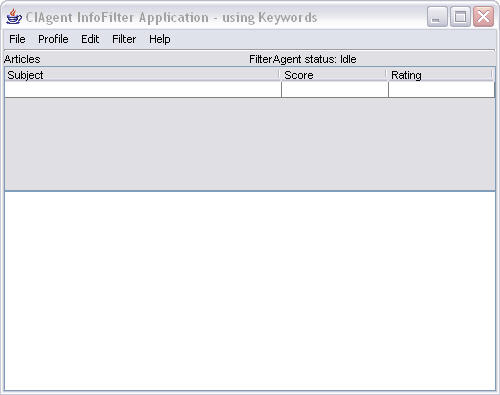
This is the
opening sequence you
can teach the filter to learn by going to profile and clicking on customize. You
will see this window after you start up customize.
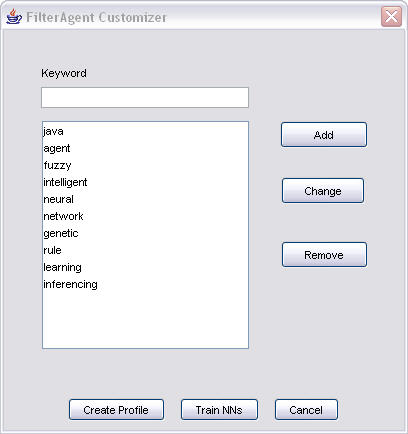
Click
on Train NNs to train teach the filter agent how to learn. You can also
add different words that are more to your liking or remove ones you dont
like. One can use this interface to teach. the agent a couple of ways to
gather information. Either in cluster netowrk which will find what words happen in clusters
or in rating network which learns based off of the ratings of past news
articles.
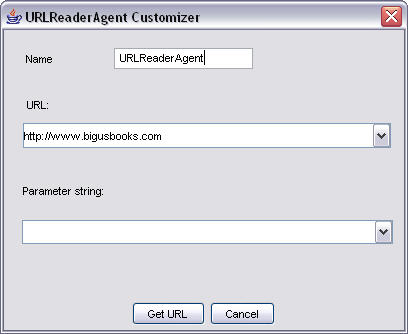
One can also use the URL reader
agent to read webpages and rate how interesting they are. This is the
dialog that won't open without the added class. I was unable to get
most webpages to work without freezing the computer. The fipa one that is
preprogrammed into the code by the author works. One can also add other
sites to the code by going into the class given above and adding urlcombobox
items. In order to do this you need the added class, either the one from
the author or the one decompiled.
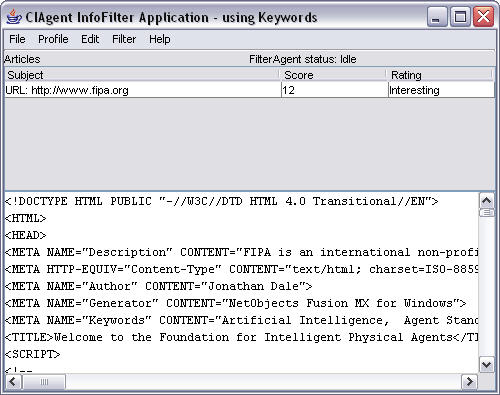
This
is what we see if we run the urlreader on fipa.org It scores the page a
twelve and says it is interesting based off of the words we associated with it
in the training.
The news reader I have had a very difficlut time
with. It doesn't seen to work very consistently and also chews up the
CPU. The intro gui looks like this.
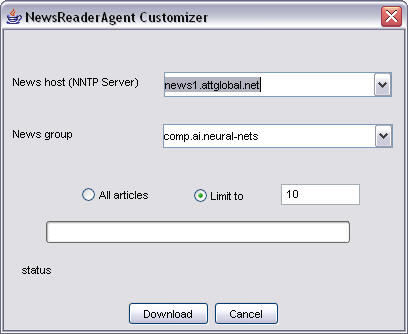
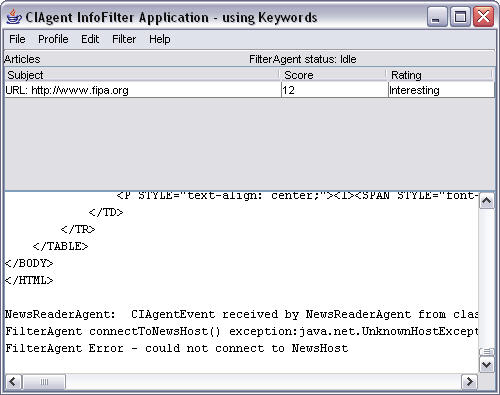
I however, got errors using this NNTP server. It appears as if we do not
have permission to access this server. I therefore was able to look for a
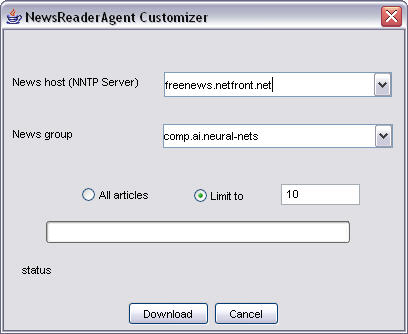
free one online and found freenews.netfront.net which kind of
worked. Here is an example of an error if the NNTP server is spelled
incorrectly or if it just can't find it.
Here
is an example of the correct implementation.
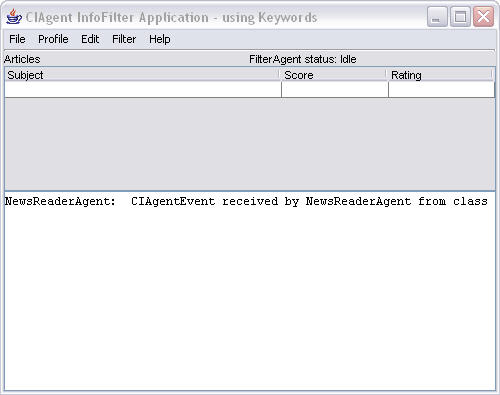
Using this implementation I was able
to access some news sites and download some articles but could never get the
code to finish downloading it would always lock up. Here is an example of what the agent looks like after you start downlaoding
news group articles. I could only get the newsreader agent to download at most
two articles before freezing up.
The overal
effectiveness of these agents wasn't very good. i was only able to look at
a couple of diiferent test cases fully becuase they kept locking up. I
tried a bunch of different websites in the url reader and wasn't able to make it
work consistently. I would get differeing reuslts for the same page.
I even made a page and posted it and tested it out sometimes it works
sometimes it doesn't. I tried to see if it mattered if I
had doenloaded the url already and it didn't seem to matter as
it would freeze and no info would even be relayed to the
console. (http://geocities.com/dustinbaier805/fuzzy2.html
) This was my test page. This particular
agent gives you an idea of how powerful agents could be collecting data and
allwoing you to never miss news articles that interest you. It also is
the first one that we have dealth with that has the capability to learn.