What is it?
DelayTimes is a simple AppleScript, designed to perform a few useful calculations for musicians working with digital delay effects.
What does it do?
Very simply, it prompts the user to enter a tempo in BPM (Beats Per Minute), then works out a variety of possible delay times in milliseconds. These can then be used to program a digital delay box or plugin to create tempo-synced echo effects.
You can download DelayTimes from here.
What are the different files?
The DelayTimes.sit archive (which can be unpacked with Stuffit Expander) contains three files:
How do I install DelayTimes?
The script, compiled as an applet, can be copied to the Apple Menu Items folder in the System folder.
It will then appear as an item in the Apple Menu, making it easily accessible.
How do I use it?
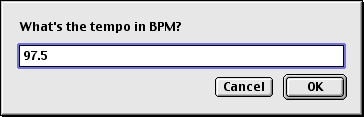
When run, DelayTimes displays a standard dialog box, into which you enter the desired tempo:
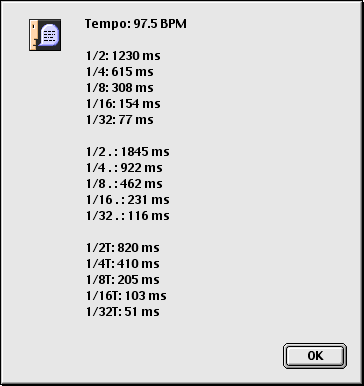
When you click "OK" or press Return, a second dialog box containing useful delay times is displayed:
What do the results mean?
The following examples illustrate how DelayTimes presents its results:
Note: delay times are always rounded up or down to a whole number.
Why doesn't it work properly under Mac OS 7.x/8.x?
DelayTimes was written using AppleScript 1.6 under Mac OS 9.1. Consequently the compiled version may not work properly under earlier (pre-Carbon) versions of Mac OS. However, it should be possible to open the DelayTimes source file in earlier versions of the Script Editor, then save the script as an applet that will work under your version of Mac OS.
Update: DelayTimes has now been successfully tested under OS X.
