Biostar's M7NCG 400 is pretty sweet. With full control over most overclocking options (if you get the right versions...mine is 7.2), 400 fsb support, built in Nvidia GeForce 4 MX video supporting TV out, built in Realtek ALC650 6-Channel sound, thats the best 58 bucks you'll spend. You'll have a hard time finding just a comparable video card at that price. Plus I run stable overclocking at around 2300 on air. The board does seem to be finicky with some memory though.
This board lends itself well for watching all those movies you "legally" downloaded on your big screen TV coupled with your 6 channel speakers. The picture quality for me is crystal clear, although I have read posts on the forums about lousy picture quality. Makes me wonder if they are hooking them up properly. Especially since my TV is nothing special. It's a 12 year old 35" RCA which was made before all this fancy new high definition digital comb filter crap was even thought of. It does have an s-video jack though.
The early versions of this board included a video connector bracket I believe. But in an attempt to cut costs, they stopped including it. I think you can purchase the bracket for about $15 if you can find it. But if you're like me, you probably have all that you need laying around. The 15 bucks is best spent on a case of Budweiser. Update: From what I've read on the forums, it appears that the aftermarket bracket are poorly made. Hence, the poor video quality users have been reporting.
First thing we need to do is identify the connections. We'll start with the s-video jack. The standard plug looks like this:
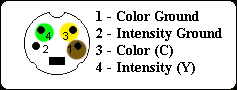
This view is looking into the male connector. I colored in the pins to show how I connected the wires between the two. The manual that came with my board didn't even mention the s-video header but, after a little digging around I found it. It's labeled JTV1.
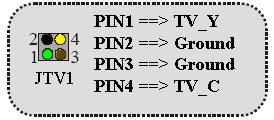
This is from the biostar manual I downloaded. I used some spidif connectors I had laying around. The colors in the diagrams match the colors of the wires I hooked up.
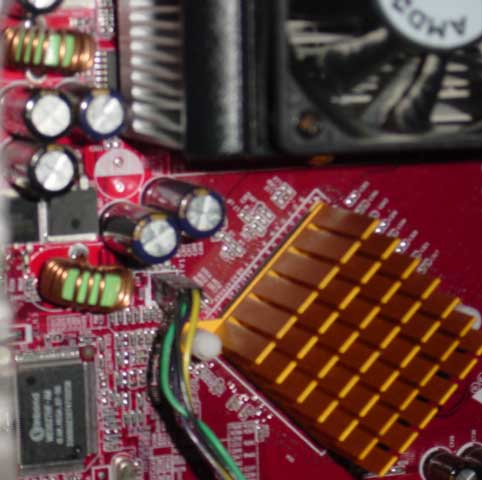
This is what the connection looks like at the header pins on the motherboard:
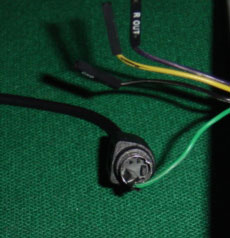
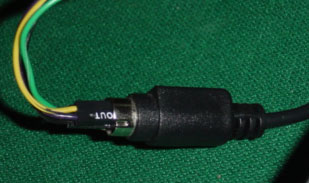
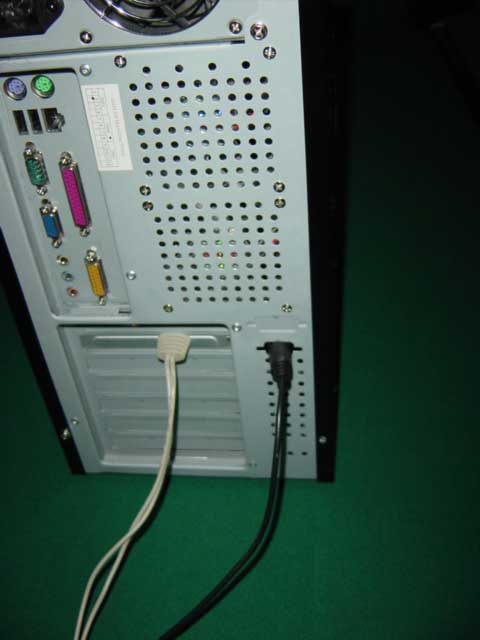
I passed the wires through a knockout in on the back of my case before inserting them into the jack. Then I wrapped the connector in black electrical tape so it fit snug into the back of the computer case. This is what it looks like all finished
On the other end you can splice in to a regular s-video cable. If you don't want to cut it, I found that you can fit the motherboard header connecter right inside the s-video jack. like this.
It takes just a little persuasion to get them all in but it works out very well. They fit nice and snug
Apparently there is nothing special that needs to be set in the bios configuration. If you hooked it up right, as soon as you turn on your computer you should see the post screen on your TV. You can configure bios through your TV as well. To get your movies to display, as well as windows, you must configure your display settings in Nvidia's properties panel, nview tab. You can actually watch a movie on your TV while surfing the web on your monitor.
