
They look a bit confusing at this stage.
basically bootvis is happily rearranging the boot files for a faster startup
you will be pleasantly surprised. Your boot time should be reduce 20-35 seconds.
|
|
|
|
|
|
|
|
|
|
|
|
|
|
|
|
|
|
|
|
|
|
|
|
|
|
|
| W i n d o w s X P B o o t G u i d e | ||||||||||||||||||||||||||
| Windows Xp Startup Tweak | ||||||||||||||||||||||||||
| Bootvis is a Boot performance trace visualization tool for use with Windows XP systems. It gives a graphical view of what processes are doing what and when during boot and allow you to optimize your boot up. A very handy tool. | ||||||||||||||||||||||||||
| Download Bootvis | ||||||||||||||||||||||||||
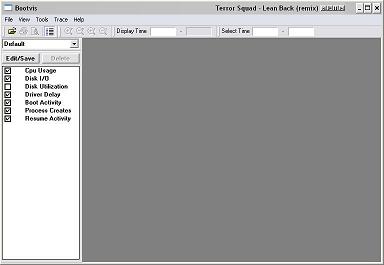
| Install Bootvis and run the program to see the GUI of bootvis. | ||||||||||||||||||||||||||
|
||||||||||||||||||||||||||
| Now go to File > New and choose "Next boot trace" or "Next boot and drivers chase". Leave everything else as is and get ready for a reboot in 15 seconds. | ||||||||||||||||||||||||||
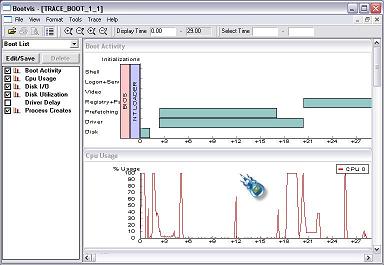
| Ok we are back after a reboot. Click on the Bootvis.exe, it will now output the results, once it has finished generating the report, you will see graphs 5 or 6 graphs. They look a bit confusing at this stage. |
||||||||||||||||||||||||||
|
||||||||||||||||||||||||||
| Now this is where the fun begins ! From the main menu .. Click on Trace >> optimize system. | ||||||||||||||||||||||||||
| And yes you guessed it another reboot ... :-) | ||||||||||||||||||||||||||
| Once you have re-booted and are back at your desktop, don't touch anything, just wait. | ||||||||||||||||||||||||||
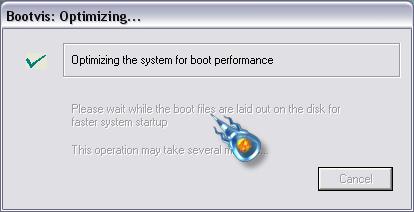
| You will see a message box "Please wait for bootvis to load" ... about 20 seconds later another message box will appear "Optimizing system for boot performance" basically bootvis is happily rearranging the boot files for a faster startup |
||||||||||||||||||||||||||
|
||||||||||||||||||||||||||
| One final thing to do is to see if this has made a difference, so reboot again. Compare the original time to the new time that it takes your computer to boot, you will be pleasantly surprised. Your boot time should be reduce 20-35 seconds. |
||||||||||||||||||||||||||