The need for a footswitch is obvious when recording live loops (guitar, keys, ...) as it's the only way to smoothly close a loop without frantically dashing towards the front-pannel switches. I use the Behringer FCB 1010 MIDI-footswitch as a dedicated footcontroller for the Repeater. Not only can I steer all functions of the looper, but I get expanded musical possibilities through the continuous-controller pedals which allow me to alter loop-speed and pitch while playing.
The FCB
1010 is an extremely versatile tool for remotely controlling any type of
MIDI-device. Its flexibility however comes at a price: programming this
critter may be tricky for if you are not used to work with MIDI messages,
and the manual tends to be a little, well...cryptic. However, once this
hurdle is overcome, it truely opens up many functionalities
of your gear.
As many seem to struggle with the FCB 1010 - Repeater combination, I have
detailed below how I set up my system as a suggestion for use. Obviously,
this configuration suits my needs, but may not be ideal for other Repeater
users. In the example below, the foot-controller is fully dedicated to the
Repeater which eliminates the risk that unwanted MIDI-events affect other
devices. Given the low cost of the FCB 1010, this is an acceptable choice.
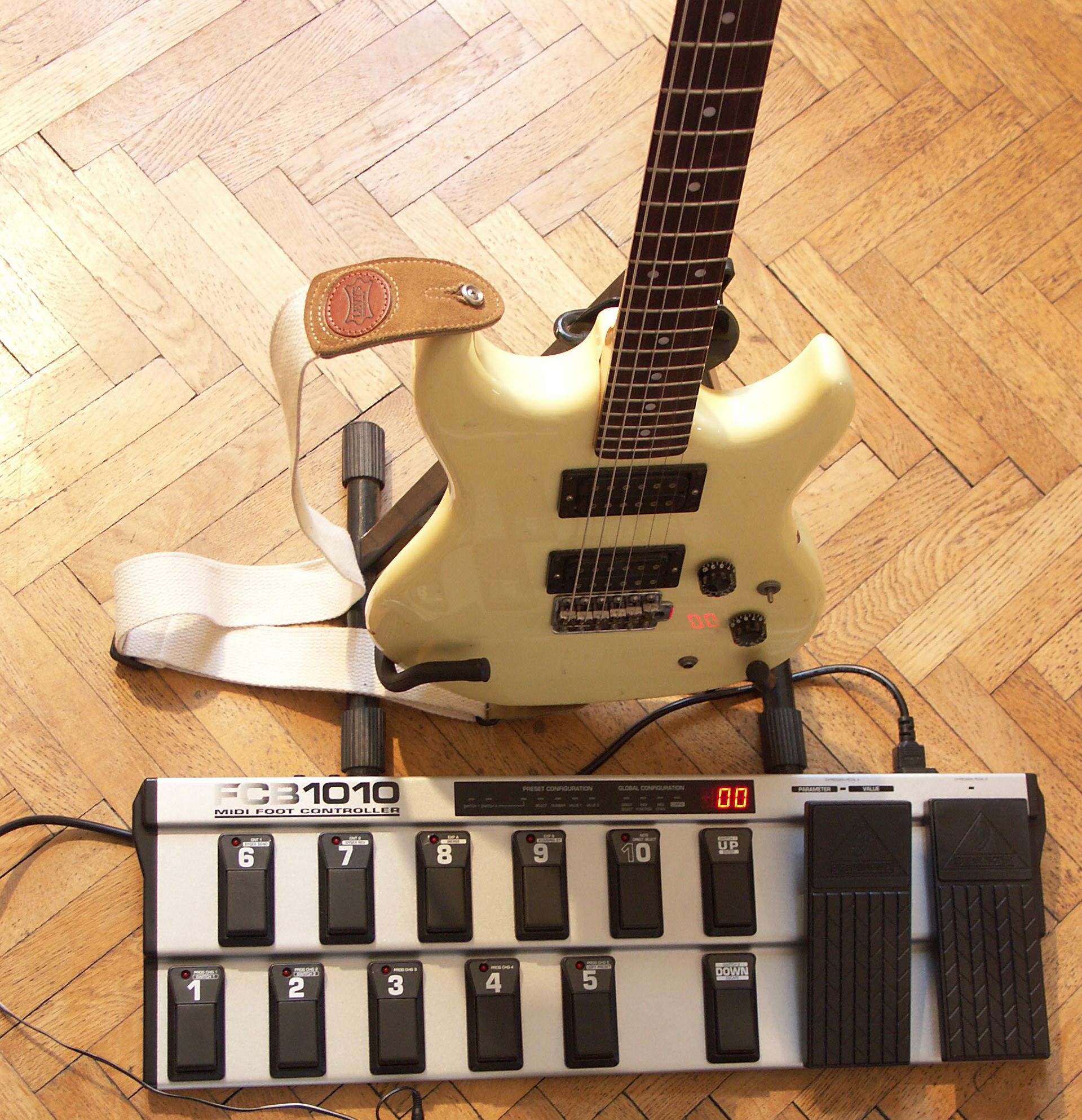
Left: the Behringer FCB 1010 footcontroller, just in front of the electric guitar
Right: the Electrix Repeater front panel.

The FCB 1010 is connected directly with Repeater (MIDI in) and obviously both units are set to the same MIDI channel (in my case 16).
With each depressed switch, the FCB 1010 can theoretically send a maximum of 10 simultaneous instructions over MIDI:
- five instructions (#1-5) to change a program number (e.g. a patch in a synth memorybank),
- two instructions (#6-7) for setting a controller to a specific value (e.g. aftertouch value of a keyboard),
- the two expression footpedals (#8-9) can control another parameter each (e.g. the speed and pitch of a drummachine),
- and finally one instruction (#10) to play a note (e.g. play middle C).
For use with the
Repeater, this is overkill! As you can see below in the table, I
programmed each switch to send a maximum of two MIDI messages only.
Program changes (#1-5) and note-messages (#10) are not even used at all.
Bank 0 gives me basic control over Repeater for recording and
playing (start, stop, record, undo, forward, backward, feedback, pitch,
speed), Bank 1 & 2 select the different loops in memory, and the
dangerous loop-erase command is safely quarantained in Bank 3. It gives me
direct access to 2 X 8 = 16 loops. In practice, due to the restricted
memory in the Repeater, I will never have more than 3-4 loops available at
a time (I mostly use stereo 2- or 4-track loops). So for me 16 loops is
more than I need.
Bank 0 (for controlling the Repeater functions)
- pressing switch 1: Repeater starts playing the current loop (PLAY)
- pressing switch 2: Repeater stops playing the current loop (STOP)
- pressing switch 3:
Repeater starts recording immediately (RECORD)
- pressing switch 4: Repeater will start recording when detecting a loud enough signal (audio trigger) (RECORD AUDIO TRIGGER)
- pressing switch 5: undo
- pressing switch 6: Repeater plays the current loop forward
- pressing switch 7: Repeater plays the current loop backward
- pressing switch 8: footpedal 1 affects the level of overdub feedback during loop recording ("echo depth")
- pressing
switch 9: footpedal 1 affects the pitch of the played loop, footpedal
2 affects the speed of the played loop (tempo)
- pressing
switch 10: centers the value of pitch and speed, i.e.: "resets"
the loop after altering. Beware! The effect is sudden: there is no
smooth transition from the previous pitch and speed!
- pressing switches 1 to 8: selects internal loops 1 to 8
- pressing switch 9: selects the next loop (one up)
- pressing switch 10:
selects previous loop (one down)
- pressing switches 1-8:
selects external loops 1-8 (if a Compact-Flash memory card is inserted
in the slot)
- pressing switch 9:
selects the next loop
- pressing switch 10: selects the previous loop (one down)
Bank 3 (for erasing loops)
- switches
1-9: idle - they have no function
- pressing switch 10: erases the current loop (ERASE LOOP). This risky command is safely isolated in bank 3 to avoid accidental erasing!
The table below lists the required values for MIDI messages which you should enter in the FCB 1010 memory. Empty cells in the table mean that the corresponding switch or MIDI message is simply not used.
Abbreviations:
PROG : program (by extension: the switch on the
floorboard)
PRG CHG : MIDI program change message (1
till 5 are not used)
CNT : MIDI
controller message
CC : MIDI continuous
controller message
MSB: most
significant byte
LSB: least
significant byte
EXP: MIDI expression
message
NOTE: MIDI note
message (not used)
Example:
The first line in the table (PLAY)
means that selecting bank #0 and pressing switch #1 causes the FCB to
send a MIDI-message to the Repeater, which the Repeater will interpret as "ok, I will
start playing the current loop now". This is the only MIDI message sent to
the Repeater upon depressing the first switch, the other nine
possible MIDI messages are simply not used. In order to achieve that,
you must program the memory of the FCB1010 accordingly: it needs to send
for instruction #6 (CNT 1)
the following MIDI message: CC 85 (64).
In MIDI language, this means "set continuous controller #85 at a
value 64". When programming the FCB 1010, simply enter these
numerical values: select switch1, enter value 85, enter value 64,
etc...
(see the FCB 1010 manual for accessing the
programming mode).
Another example:
Selecting Bank 0, switch 9 does not yet send a MIDI message in itself
upon depressing. It merely allows you to use the two expression pedals to fluidly send a stream of
values for continuous controllers 14 and 9 as you move the pedals with
your foot. Repeater will react to this stream of MIDI messages by changing the pitch and the speed of the current
loop. As soon as you stop moving the pedals, the MIDI message stream
stops and Repeater keeps the current value for the controllers.
| All channels = 16 (Repeater) | PRG CHG 1 | PRG CHG 2 | PRG CHG 3 | PRG CHG 4 | PRG CHG 5 | CNT 1 | CNT 2 | EXP A | EXP B | NOTE | ||||
| BANK | PROG | Function | PEDAL 1 | PEDAL 2 | 1 | 2 | 3 | 4 | 5 | 6 | 7 | 8 | 9 | 10 |
| 0 | 1 | PLAY | CC 85 (64) | |||||||||||
| 0 | 2 | STOP | CC 87 (64) | |||||||||||
| 0 | 3 | RECORD | CC 86 (64) | |||||||||||
| 0 | 4 | RECORD (AUDIO TRIGGER) | CC 92 (64) | |||||||||||
| 0 | 5 | UNDO | CC 89 (64) | |||||||||||
| 0 | 6 | FORWARD | CC 84 (00) | |||||||||||
| 0 | 7 | REVERSE | CC 84 (64) | |||||||||||
| 0 | 8 | OVERDUB FEEDBACK | CC 11(0-127) | |||||||||||
| 0 | 9 | PITCH & BPM | TEMPO | CC 14 (0-127) | CC 9 (0-127) | |||||||||
| 0 | 10 | CENTER PITCH & BPM / TEMPO | CC 14 (76) | CC 9 (76) | ||||||||||
| 1 | 1 | INTERNAL LOOP 1 | MSB: CC 0 (0) | LSB: CC 32 (0) | ||||||||||
| 1 | 2 | INTERNAL LOOP 2 | MSB: CC 0 (0) | LSB: CC 32 (1) | ||||||||||
| 1 | 3 | INTERNAL LOOP 3 | MSB: CC 0 (0) | LSB: CC 32 (2) | ||||||||||
| 1 | 4 | INTERNAL LOOP 4 | MSB: CC 0 (0) | LSB: CC 32 (3) | ||||||||||
| 1 | 5 | INTERNAL LOOP 5 | MSB: CC 0 (0) | LSB: CC 32 (4) | ||||||||||
| 1 | 6 | INTERNAL LOOP 6 | MSB: CC 0 (0) | LSB: CC 32 (5) | ||||||||||
| 1 | 7 | INTERNAL LOOP 7 | MSB: CC 0 (0) | LSB: CC 32 (6) | ||||||||||
| 1 | 8 | INTERNAL LOOP 8 | MSB: CC 0 (0) | LSB: CC 32 (7) | ||||||||||
| 1 | 9 | LOOP DOWN | CC 97 (64) | |||||||||||
| 1 | 10 | LOOP UP | CC 96 (64) | |||||||||||
| 2 | 1 | EXTERNAL LOOP 1 | MSB: CC 0 (1) | LSB: CC 32 (0) | ||||||||||
| 2 | 2 | EXTERNAL LOOP 2 | MSB: CC 0 (1) | LSB: CC 32 (1) | ||||||||||
| 2 | 3 | EXTERNAL LOOP 3 | MSB: CC 0 (1) | LSB: CC 32 (2) | ||||||||||
| 2 | 4 | EXTERNAL LOOP 4 | MSB: CC 0 (1) | LSB: CC 32 (3) | ||||||||||
| 2 | 5 | EXTERNAL LOOP 5 | MSB: CC 0 (1) | LSB: CC 32 (4) | ||||||||||
| 2 | 6 | EXTERNAL LOOP 6 | MSB: CC 0 (1) | LSB: CC 32 (5) | ||||||||||
| 2 | 7 | EXTERNAL LOOP 7 | MSB: CC 0 (1) | LSB: CC 32 (6) | ||||||||||
| 2 | 8 | EXTERNAL LOOP 8 | MSB: CC 0 (1) | LSB: CC 32 (7) | ||||||||||
| 2 | 9 | LOOP DOWN | CC 97 (64) | |||||||||||
| 2 | 10 | LOOP UP | CC 96 (64) | |||||||||||
| 3 | 1 | |||||||||||||
| 3 | 2 | |||||||||||||
| 3 | 3 | |||||||||||||
| 3 | 4 | |||||||||||||
| 3 | 5 | |||||||||||||
| 3 | 6 | |||||||||||||
| 3 | 7 | |||||||||||||
| 3 | 8 | |||||||||||||
| 3 | 9 | |||||||||||||
| 3 | 10 | ERASE LOOP | CC 108 (123) |