|
Replacing
the Diamond Monster Sound MX200 in the AnandTech test system
was none other than the Creative Labs SB Live! product.
The half-length card had no problem fitting into any one of
the open PCI slots on the ABIT BH6 Pentium II BX Motherboard
for the Pentium II test system much less the cramped slots
on the FIC VA-503+ which served as the Super7 test system.
Using a pair of standard case screws the SB Live! card and
its Digital I/O Daughtercard were installed without any real
problems. Keep in mind that the ribbon cable which connects
the Live! to its I/O daughtercard isn't as long as many would
like it to be and you may end up rendering a slot useless
for the purpose of placing the daughtercard cutout in its
place. If you don't have an immediate need for the daughtercard
then it is definitely best to leave it out.
| Starting
up the system for the first time brought up Windows 98's
newly improved Hardware Detection Wizard which found the
SB Live! as a PCI Multimedia Audio Device and begged for
the manufacturer supplied drivers disk. |
 |
Luckily,
Creative's healthy software bundle includes a driver CD which
quickly began the driver installation process. A quick
reboot revealed that the installation was partially successful,
a few issues had to be taken care of. The Diamond Monster
Sound drivers had to be manually removed using the Add/Remove
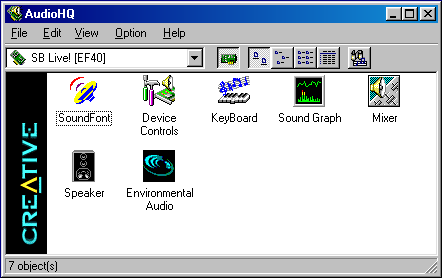
Programs item, and the Creative Labs sound control panel had
to be installed off of the CD so 4-speaker support could be
enabled.
| Creative
Labs bundled a total of 3 CD's with the SB Live! and in
order to get the most out of the Live!, AnandTech performed
a complete install using all three of the CD-ROM disks.
In spite of the ground shaking sound effects that encompassed
the installation, the procedure itself was poor in quality.
|
 |
Creative
didn't provide a universal setup program which would setup
all of the bundled applications for you, instead they provided
more of a "launcher" program that simply launched other setup
programs. After the lengthy install completed it turned
out that a full install into a single directory (not counting
the tutorials and the Unreal Special Edition) occupied around
140MB of space. Another quick reboot and the system
was almost completely ready for operation, the Creative Labs
speaker control panel was used to enable 4-speaker support
so the full potential of the card could be tested, and you
better believe that it was.
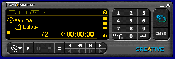
Creative
included a number of wonderful utilities with the SB Live!
making it a very well rounded product, the control to all
of the bundled software falls under the Creative Labs Launcher
Bar which is rather reminiscent of just about any other launcher
bar a manufacturer has developed specifically for their product.
The only difference here is that the bar actually comes in
handy when toying around with the many functions of the SB
Live!
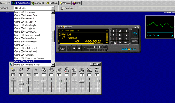
| The
bar extends from one corner of your screen to the other,
much like the Windows Task Bar. While it is best
to keep it on auto-hide, the bar can be left to take up
space on top of your desktop therefore disallowing any
other applications to occupy that sizeable space at the
top of your screen. The bar allows you to access
any of your installed SB Live! programs and utilities,
it lets you modify settings such as speaker output configurations
and will allow you direct access to the multimedia control
panel as well. |
 |
Creative's
User's Manual goes into much greater depth as to the use of
the studio and recording applications that come bundled with
the SB Live!, however for you professionals out there, you
will probably want to stick to your own software as Creative's
Rhythmania may not be exactly what you're looking for.
The bundled copy of Unreal Special Edition, as mentioned before,
is almost reason enough to walk out of the store with one
of these under your arm instead of another computer upgrade.
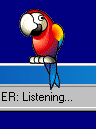
| The
SB Live! does come with Creative's standard Text/Voice
Assist (voice recognition and actuation) packages, with
a bit of a twist, called Prody Parrot. Prody Parrot
is an artificially intelligent Parrot who occupies a little
space on your desktop for training to take care of specific
tasks for you (i.e. Opening MS Word at the command of
your voice, etc...). While Prody isn't the world's
smartest aid he can be fun to play with, especially if
you have kids around that won't get frustrated with someone
that won't always understand what they're saying.
If you're really feeling bored you can ask Prody to have
a conversation with you about movies, music, or just about
anything else...then again, if Prody has no idea about
what you're talking about he'll simply ridicule your command
of the English language. Getting Prody to go back
to sleep and get out of your hair isn't a problem provided
you can speak clearly into the supplied desktop microphone
that plugs directly into your SB Live! |
 |

|