Advice for setting up Kerio in advanced mode (which offers more protection) for most users:
The program will recognise your internet connection and ask you if it is to a secure network: it took me a few seconds to think about this. Obviously, the internet is NOT A SECURE NETWORK. (I presume the program will also recognise and ask about home networks, and that you can describe these as secure to allow connections.)
Allow trusted programs to connect to the internet (green pop-ups.) tick the 'Create a rule...' box to make this permision permanent.
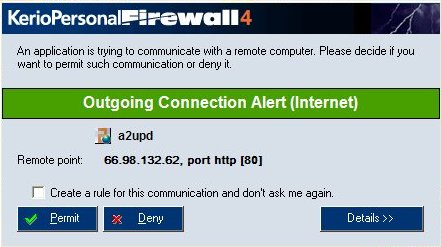
Do not allow even trusted programs to accept connections from the internet (red pop-ups) while configuring and testing. Tick the create a rule box where possible.
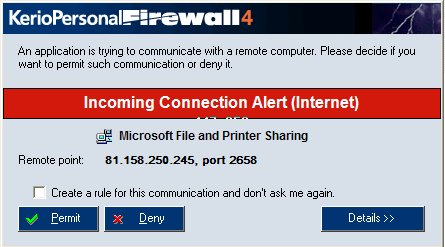
Anybody who actually needs to accept connections from the internet, because they are running a web server or hosting an online game, will have to allow these connections. Receiving files via instant messenger programs like MSN also seems to require an incomming connection. Set the rule for the messenger program to 'ask' if you want to receive files.