


UPDATE: Rescue discs
A number of anti-virus companies have recently released rescue discs. These are bootable CD's with an anti-virus program. The big advantage of these discs is that the anti-virus program runs from its own operating system (some of these discs use Linux) so malware cannot block its own removal by hiding itself because it has no control over the operating system and file system.
These rescue discs are highly recommended for cleaning up an infected computer. Download (on a clean computer, if necessary) the CD image, burn to disc, boot the infected computer from the CD, update the anti-virus program if necessary and scan.
Kaspersky Rescue Disk
AntiVir Rescue CD
Bitdefender Rescue CD
F-Secure Rescue CD
Dr.Web LiveCD
A second anti-virus program?
It's possible to have a second anti-virus program installed on your computer, as long as on access scanning is not present or active, as two on access scanners both trying to check a file when it is opened will conflict- this can cause system stability problems and may even mean viruses are not detected.
A second program with only on demand scanning can be used to scan files, folders or disks. This might be useful if your ISP does not provide a good spam blocking and virus filtering service and email attachments frequently find their way onto your computer, or if you download a lot of files from the internet: double check these files before opening.
A note on virus definitions
Anti-virus scanners use virus definitions to check for viruses. These may be a fragment of the virus code. Although inactive and harmless, these definitions may be recognised by other anti-virus programs as the virus itself. For this reason, most anti-virus and anti-spyware programs encrypt their definitions so that they do not trigger a false alarm when scanned by other security programs. However, some programs do not encrypt their definitions and so will cause false alarms if used while a resident anti-virus program is active.
The most notorious are Trend Micro and Panda. If you receive a virus warning while using these products,it is not because they are trying to infect your computer with malware: they simply have unencrypted definitions and it is essential to disable any resident anti-virus before using them.
Even security programs which do encrypt their definitions may cause false positives, because the encrypted definition must be unencrypted in order to be compared to scanned files. Disabling any resident anti-virus while scanning will avoid any false positives, and will also speed up the scan because the resident program will not be scanning all files opened by the secondary program.
Secondary virus scanners
BitDefender Free Edition V8: Not
recommended as a primary anti-virus program because it has no on access
scanning. This, however, makes it ideal as a secondary program. Updates
are frequent.
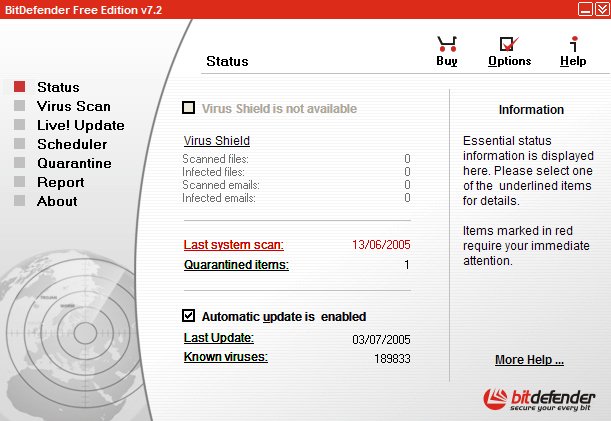
BitDefender's Free
Edition V8.
ClamWin: An open source
anti-virus program with frequent updates. Not recommended as a primary
anti-virus, because it does not include an on-access scanner, but
again, this makes the program ideal as a secondary program.
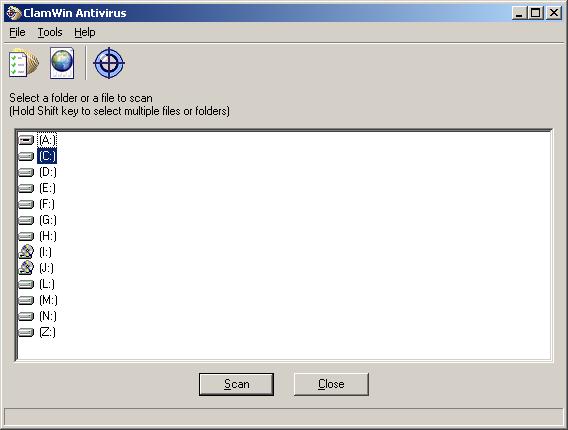
ClamWin.
Standalone virus scanners
Some anti-virus companies make available stand alone utilities which scan for and remove viruses and other malware, but are not installed like the programs above. They are run when required from an executable (.exe or .com) file. These programs are very useful in cleaning an infected computer. They can be run from a command prompt in safe mode when most malware is not loaded, and even when a computer is too unstable to install new software. Some clean up every virus, worm and Trojan known to the company, while others only clean up some of the most common and dangerous infections. Run in safe mode.
Trend Micro Damage Cleanup Engine (Sysclean): scans for viruses and other malware and remove infections. This company's product has an excellent reputation for finding and removing viruses, so it's worth running a scan from time to time just to check that your free program hasn't missed anything.
You will need to download the latest virus definitions (Virus
Pattern File- Official Pattern Release) and place it in the same folder
as Sysclean. Trend Micro also release a version of their virus
definitions which includes the very latest definition but which has
only received preliminary testing (Virus Pattern File- Controlled
Pattern Release.) This may be useful if you suspect that you have a new
virus that nothing else is detecting, but read the disclaimer first.
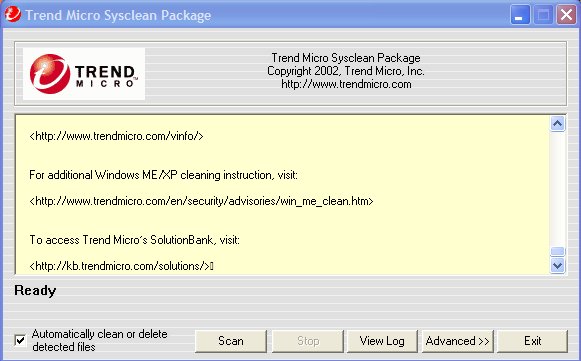
Trend Micro's Sysclean
Package
Trend Micro's Virus
Pattern File
Using the Trend Micro System Cleaner Trend Micro
(NB Non-encrypted virus definitions- disable any resident anti-virus program before scanning.)
Sophos Anti-Virus: Sophos have
a downloadable scanner called SAV32CLI. They also make available their
latest virus identity (IDE) files for download. Downloaded SAV32CLI and
un-zip the folder. Download the latest IDE's and copy them to the
folder. Burn the folder to a CD, boot into safe mode with command
prompt and run the program using the commands given.
Sophos's SAV32CLI
Sophos's IDE
McAfee Stinger: "Stinger is a
stand-alone utility used to detect and remove specific viruses. It is
not a substitute for full anti-virus protection, but rather a tool to
assist administrators and users when dealing with an infected system.
Stinger utilizes next generation scan engine technology, including
process scanning, digitally signed DAT files, and scan performance
optimizations."
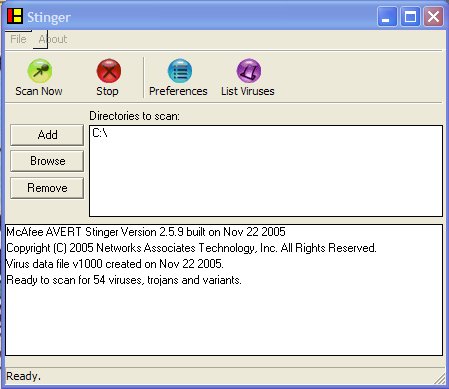
McAfee's Stinger
Dr.Web CureIT!: " detects and
removes: Mass-mailing worms, E-mail viruses, Peer-to-peer viruses,
Internet worms, File viruses, Trojans, Stealth viruses, Polymorphic
viruses, Bodiless viruses, Macro viruses, MS Office viruses, Script
viruses, Spyware, Spybots, Password stealers, Paid Dialers, Adware,
Riskware, Hacktools, Backdoors, Joke programs, Malicious scripts, Other
malware."
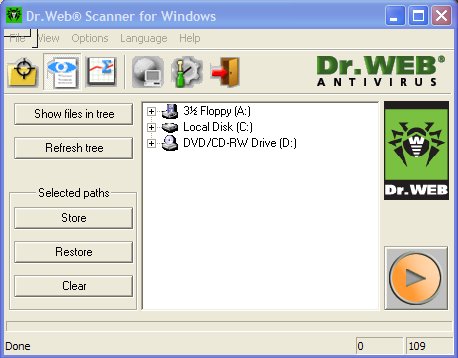
Dr.Web CureIT!
avast! Virus cleaner: Actually a
worm removal tool.
Alwil's avast!
Virus Cleaner
AVG Virus Remover: vcleaner.exe.
Grisoft's Virus
Remover
a-Squared Command Line Scanner:
"This program is a console application to scan your PC. It was made for
professionals who don't need a setup or graphical user interface. All
features of the Anti-Malware scanner are included."
a-Squared's Command
Line scanner
Microsoft Windows Malicious Software Removal
Tool: "The Microsoft Windows Malicious Software Removal
Tool checks computers running Windows XP, Windows 2000, and Windows
Server 2003 for infections by specific, prevalent malicious software-
including Blaster, Sasser, and Mydoom- and helps remove any infection
found."
Microsoft's Malicious
Software Removal Tool
Online disk scanning
Several anti-virus companies provide online scans, and some even clean up viruses as well as detecting them, although they do not have the same power to remove infections as programs which can run from the hard disk. These are worth running from time to time as a double check, or even to remove a virus that has slipped through your primary defence. Online scanners usually require ActiveX to run. (So they won't run on Firefox.) The Trend Micro scanner will run on Firefox because there is a Java version. (On IE it will use ActiveX.)
Scanners which remove malware:

Trend Micro Housecall: scans your hard disk and can remove some viruses online. The program also gives information about removing some more stubborn viruses. Requires ActiveX or Java.
Trend Micro's Housecall
Or, alternatively, try:
Trend Micro (Europe) Housecall

eTrust Antivirus Web Scanner: scans your hard disk and removes viruses, worms and Trojans. Requires ActiveX.
Computer Associates' eTrust Antivirus Web Scanner.

F-Secure Online Virus Scanner: scans your hard disk and removes viruses but not other malware. Requires ActiveX.
F-Secure's Online Virus Scanner.

Panda ActiveScan: scans your hard disk and removes viruses, worms, Trojans and spyware. Requires ActiveX.
Panda's ActiveScan.
(NB Non-encrypted virus definitions- disable any resident anti-virus program before scanning.)

BitDefender Free Online Scanner: scans your hard disk and removes malware. Requires ActiveX.
BitDefender's Free Online scanner.
Scanners which don't remove malware:

Kaspersky Anti-virus Web Scanner (beta): scans your hard disk for viruses. Kaspersky has perhaps the best detection rate of any anti-virus program, with new malware added very quickly.
Kaspersky Lab's Web Scanner.
Symantec Security Check: Scans for viruses and security vulnerabilities.
Symantec's Security Check.

McAfee FreeScan: Scans for viruses.
McAfee's FreeScan.

ESET's Online Scanner
Double Checking- online file scanning
Many anti-virus companies offer an online service where you can upload a file and check if it is malware, but why not submit the file to many different scanning engines at the same time? Very useful if you have a file which you suspect is malware but your anti-virus program is not detecting. (File size limitation applies.)
Jotti's malware scan: submits a file for scanning by AVG, Avast!, AntiVir, BitDefender, ClamAV, DrWeb, F-Prot, Fortinet, Kaspersky, MKS_Vir, NOD32, Norman and VBA32. Jotti's malware scan
Virus Total: submits a file for scanning by Avast!, Avira, Quick Heal, ClamWin, Computer Associates, Doctor Web, NOD32, Fortinet, F-Prot, AVG, AntiVir, The Hacker, Ikarus, Kaspersky Lab, McAfee, Norman, Panda, BitDefender, Sophos, Sybari, Symantec and VBA32. Virus Total