| <--- Back 2 home | ||||||||||||||||||||||||||||
| *How do you save your Doll?* | ||||||||||||||||||||||||||||
| Hello! Okay, you just made a doll, verrrry nice and stuff, but how do you save it? We'll explain here! Just follow the steps and you'll be alright!! XxX DollzJJICC |
||||||||||||||||||||||||||||
![]() |
||||||||||||||||||||||||||||
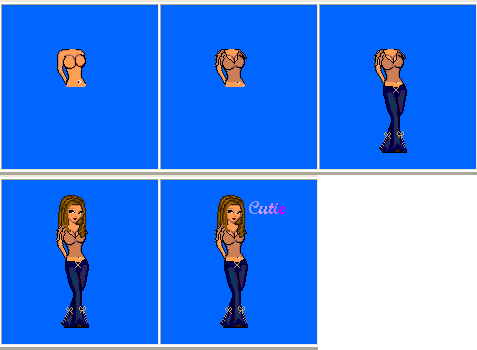
| 1. At first you have to make your doll, ofcourse. Go to a dollzmaker on our site and drag the pieces to a square where you can make your doll in. | ||||||||||||||||||||||||||||
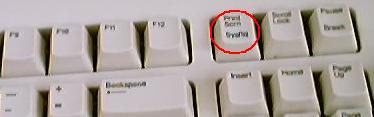
| 2. Alright, your doll is there, what's next? You're going to make a Printscreen. A WHAT??!! A Printscreen is a photo of what's on your screen. How do you make a PrintScreen? On the top of your keyboard, next to F12 (at least, it's most of the time there), is a Print Scrn/Print Screen, something like this, button. Below you can see the famous Print Screen-button and where it probable is. |
||||||||||||||||||||||||||||
| 3. Well nice, that Printscreen, but what do you have to do now? You're starting Paintbrush, it's a drawing-programme. It's on every computer (Start - Programs - Accesoires - Paint(Brush)). When you are in Paint, click on the right button of your mouse and you click on Paste. (You're computer maybe asks if the Bitmap has to enlarge, then click Yes) What's happening then? Your whole screen comes in being! You don't need everything, just your doll, right? True! That's why you can see on the left-side of Paint a row with many buttons! You now have to click on the button I put a red circel on (see the picture next to this). With that you can select the doll, then you click on the right button of your mous and then you click Copy. Ermm.. And now? |
||||||||||||||||||||||||||||
| 4. You open a new Paint (File - New) and you don't save the Printscreen. When you are in the "New Paint", just do the right-mouse-click and click on Paste. Voila! There's your doll! All you have to do is save it (File-Save as...) and your ready! | ||||||||||||||||||||||||||||