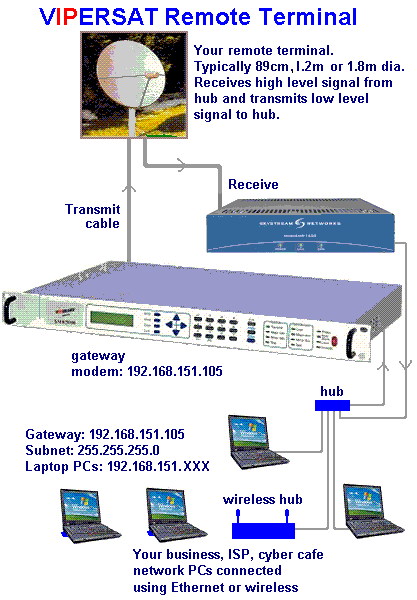
A HUB
A hub is typically the least expensive, least intelligent,
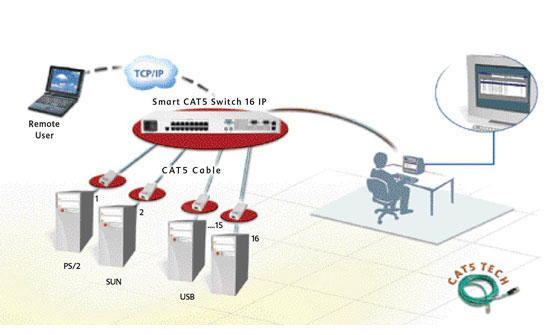
A switch does essentially what a hub does, but more
In a small network (less than 30 users),a hub
and least complicated of the two. Its job is very,
very simple:anything that comes in one port is sent out
to the others.That's it. Every computer connected to the
hub "sees" everything that every other computer on the
hub sees.The hub itself is blissfully ignorant of the data
being transmitted. For years,simple hubs have been quick
and easy ways to connect computers in small networks.
A SWITCH
efficiently.By paying attention to the traffic that comes
across it,it can "learn" where particular addresses are.
For example,if it sees traffic from machine A coming in
on port 2,it now knows that machine A is connected to
that port,and that traffic to machine A needs to only be
sent to that port and not any of the others. The net
result of using a switch over a hub is that most of the
network traffic only goes where it needs to,rather than
to every port.On busy networks, this can make the
network significantly faster.
When Should I Use a
Hub or Switch?
(or collection of hubs)can easily cope with the network
traffic generated and is the ideal piece of equipment
to use for connecting the users.
When the network gets larger (about 50 users),
you may need to use a switch to divide the groups of
hubs,to cut down the amount of unnecessary traffic
being generated.
If there is a hub or switch with Network Utilization
LEDs,you can use the LEDs to view the amount of
traffic on the network.If the traffic is constantly high,
you may need to divide up the network using a switch.
When adding hubs to the network (to add more users),
there are rules about the number of hubs you can
connect together.Switches can be used to extend the
number of hubs that you can use in the network.
