Dennis Kennedy
Cleveland, OH 44125
[email protected]
SMS
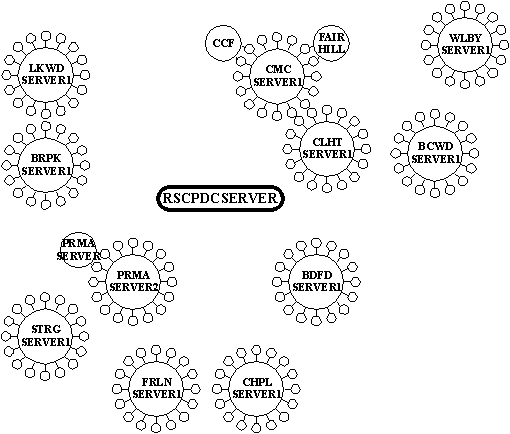

All of the Backup Domain Controllers (BDC) Servers participate as SMS 'helpers' and Logon Servers including:
Each BDC is a WINS, SMS and Logon Server.
The BDC's are the Only Computers that have \\RSCPDCSERVER as their Primary WINS.
The BDC's that begin with 'RSC' are at the Data Center.
\\RSCCALLCTR1 is the Primary WINS, SMS and Logon for the Call Center Only.
Each BDC maintains it's own copy of Computers that it has currently registered.
Each of these BDC's forward it's information to the PDC, which then enters the information into the SMS SQL Database.
The Networked Computer is registered into one of the 'helper' BDC Servers by logging onto the Domain with a Password which calls the 'smsls.bat' Batch File.
The Network Computer information is then registered and the SMS Client Software is also copied onto the Networked Computer.
Once the information of the Networked Computer is obtained, it is no longer necessary to run the 'smsls.bat' Logon unless the Computer has had a Hardware change.
(Note that 'smsls.bat' is an almost identical copy of the default Microsoft file of 'runsms.bat'. The changes include adding the 'NET TIME' line for synchronizing the computer's date and time and the 'goto RESTORE' for correcting the 'Cannot Connect to Drive ?/Z' problem.)
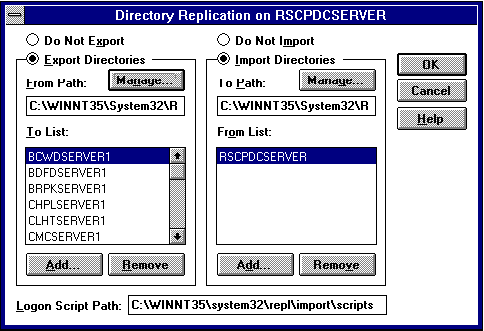
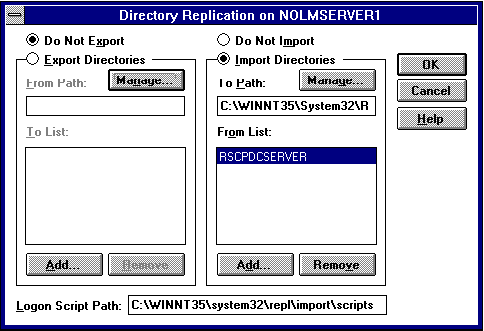
\\RSCPDCSERVER contains the Main 'Export\scripts' directory where all of the Logon Batch Files are kept.
The contents of this directory is Replicated to the 'Import\scripts' directories of each of the BDC's whenever changes are made to the replicated Export directory.
It is the 'C:\Winnt(35)\System32\Repl\Import\scripts' directory (shared as NETLOGON) on each of the BDC's which is the User Logon directory.
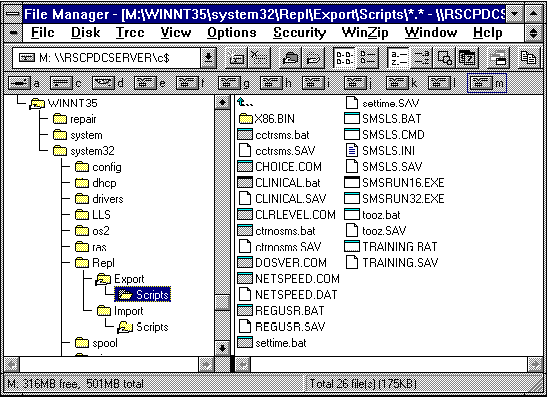
There are other Logon Files currently set up, such as 'Clinical.bat' and 'Training.bat' for special Logons.
The 'settime.bat' file is an alternative Logon Batch File to correct only Date and Time changes, specifically when switching between Daylight Savings Time and Eastern Standard Time.
The SMS Administration Program connects to the SMS SQL Database on the \\RSCPDCSERVER.
The SMS SQL Database is automatically filled by SITE ONLY.
All of the other tables of SMS (such as Machine Groups) are created Manually.
There is a much simpler way to add to the Machine Groups than by the Manual method of one Computer at a time.
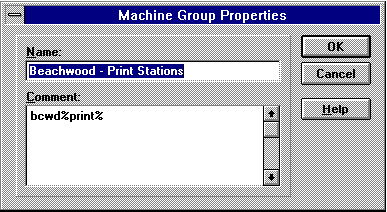
Each Machine Group contains the 'Query String' used to build that group under 'File-Properties-Comment'.
For example, 'Beachwood - Print Stations' include the Query String of 'bcwd%print%'.
By opening the Queries Window, you would choose 'Computers by Name...' and paste in the 'Comment' Query String.
Then drag the Entire Highlighted Contents of the Result into the Machine Group: 'Beachwood - Print Stations'.
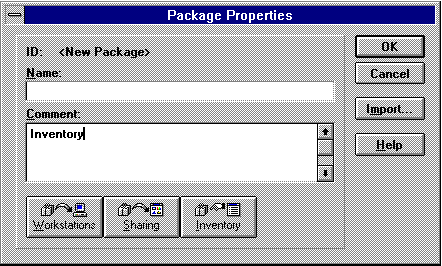
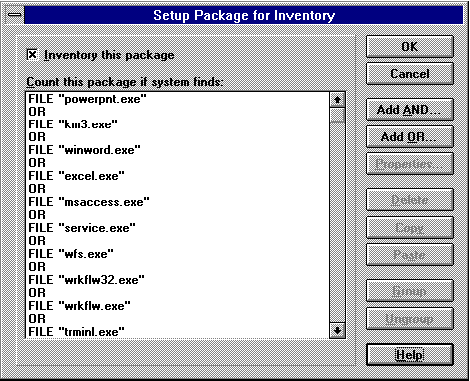
This request collects All Copies of the Specified Software on the Domain.