
Dennis Kennedy
Cleveland, OH 44125
[email protected]
Proxy and Exchange
The Proxy Server allows you to make one Internet Connection using the Windows NT Server,
then allow all of the WorkStations to connect to the Internet through that one Server.
The Proxy Server installs as part of the Microsoft Internet Information Server (MIIS).
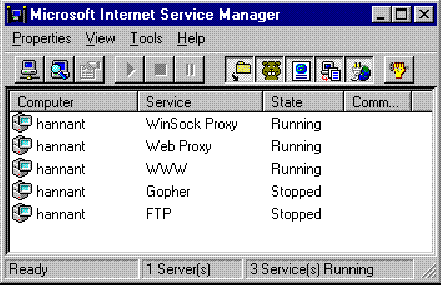
It consists of two parts: the WebProxy and the Winsock Proxy.
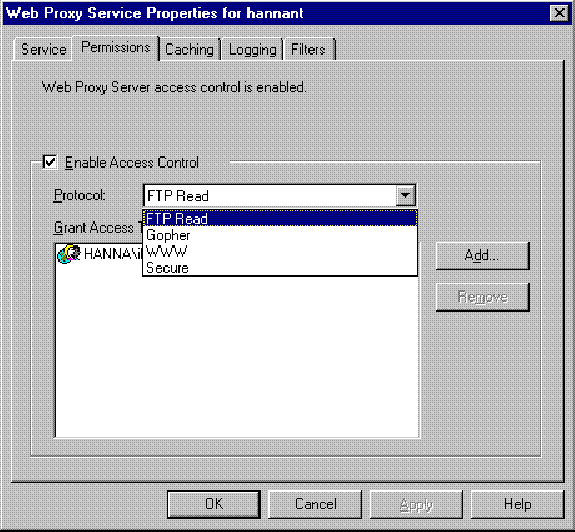
To configure the WebProxy, you would edit the Properties and set the Permissions.
You would include every WorkStation that has permission to use FTP, Gopher, WWW and Secure.
Note that it is much simpler to create a User Group (Global or Local) (through the User Manager)
and merely include the entire Group in your permissions.
Then, add Users into and out of the Group as required.
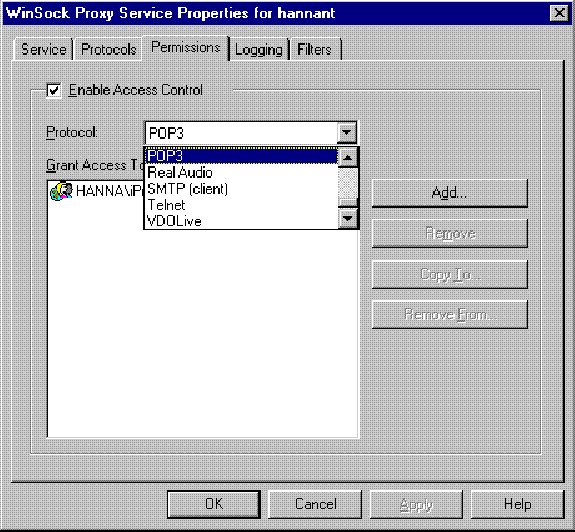
To configure the Winsock Proxy, you would edit the Properties and set the Permissions.
You would include every WorkStation that has permission to use POP3 (email), SMTP, etc.
If you created the User Group (Global or Local) (through the User Manager) as described above,
merely include the entire Group in your permissions.
Then, add Users into and out of the Group as required.
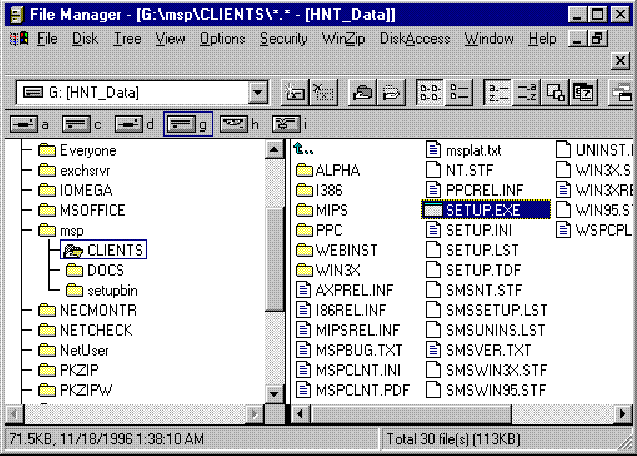
You then install the Proxy Client onto the WorkStations
from the '\msp\clients' subdirectory on the Windows NT Proxy Server.
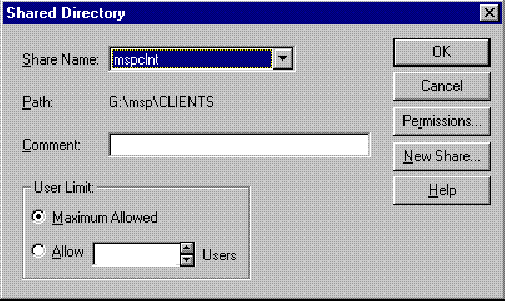
Alternatively, you may choose to connect to the Windows NT Share: 'mspclnt'.
Finally, set up your NetScape or Internet Explorer Browser to Connect through 'Proxy'.
The Exchange Server allows you to make one Internet Connection using the Windows NT Server,
then allow all of the WorkStations to connect to the Internet through that one Server
and Send and Receive their News and E-Mail.
(Note that you Must set up Exchange Server before you set up your WorkStation E-Mail.
Otherwise, your Client E-Mail Program will never correctly recognize the Exchange Server.)
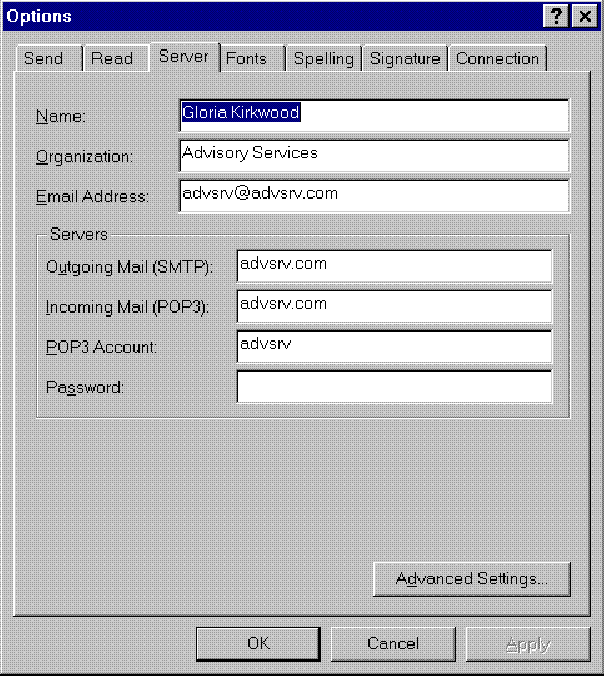
If you have just one e-mail account, you would merely specify the Primary E-Mail address
for everyone who uses it (even if you have an alias).
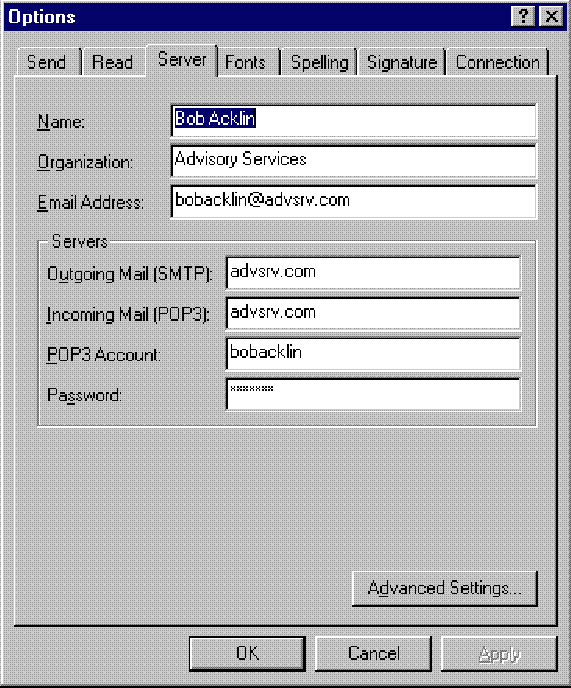
If you have multiple e-mail accounts, you would merely have to specify differently
the E-Mail Address and the POP3 account for each individual.