A
crash course in driving the
Midtown Madness computer game.
Disclaimer:
This crash course only applies
to the computer game and not to
real life driving.
Remarks regarding the correct angle of the
'drivers view' ,
perspective and sight line from
besserwissers who think
they know better will
promptly be disregarded,
discarded and treated with complete
ignorence as it is
irrelevant to the gameplay of the computer
game in question
and has nothing to do with real life driving
techniques.
Take driving lessons from authorized driving
schools.
A
crash course in Playing the
Midtown Madness computer
game.
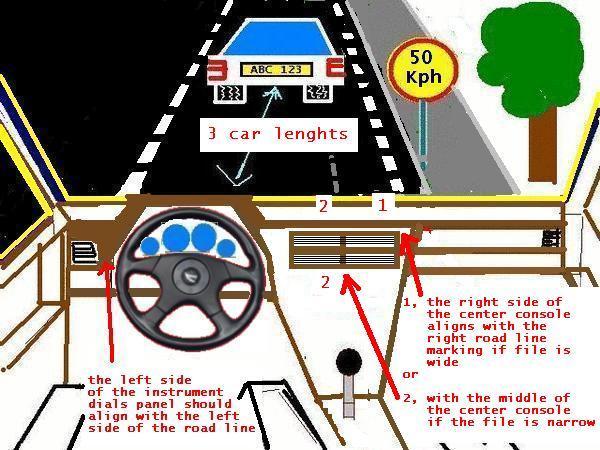
Aligning
the vehicle:
The left side of the instrument dials
aligns
with the left side of the road line, and
The
right side of the center console aligns
1. with the
right road line marking if the file is wide, or
2. with
the middle of the center console if the file is narrow.
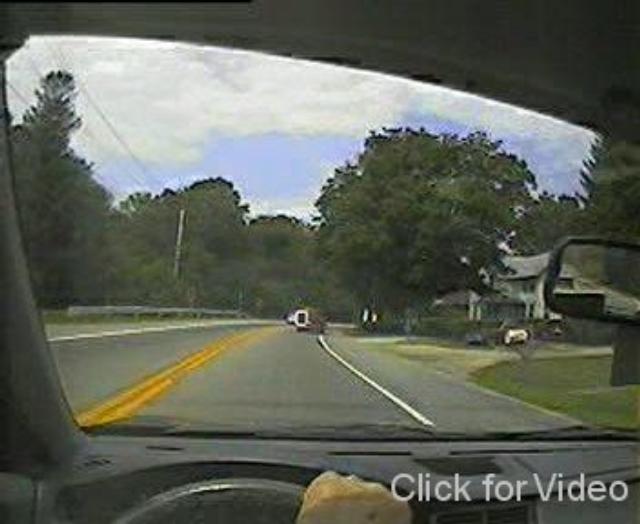
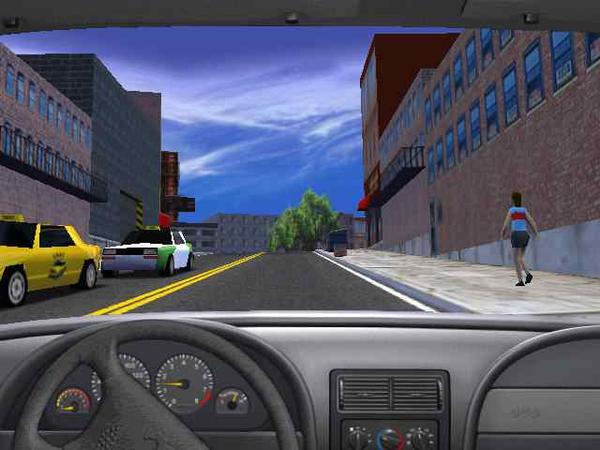
Screenshot of the Midtown Madness computer game
Keeping
a safe distance, braking distance:
A
minimum of 3 car lenghts, keeping greater distances
if
the vehicle's velocity is
higher..
---------------------------------------
velocity | braking
distance
-----------------|----------------------
50
km/h |
25m
60 km/h |
45m
80 km/h
| 55m
100 km/h
| 80m
110 km/h
| 95m
----------------------------------------
How
to turn
To legally and safely make a left or right turn:
do a thorough check for other vehicles
– in front, behind and to the sides
(using your mirrors both inside and outside the vehicle)remember to check over your shoulder for your blind spots
(the areas of road to the sides of your car that
you can't see in your mirrors)watch for pedestrians
signal for at least three seconds
turn when safe.
If
you are turning left, use your left indicator.
If you are
turning right, use
your right indicator.
Turning from a driveway
If you are driving out of a driveway:
slow down to a complete stop at the end of the driveway
check the road and footpath for hazards, pedestrians and other vehicles
give way to:
pedestrians on the footpath
vehicles along the road.
For
More Screenshoots,
see:
http://www.geocities.com/djrush95/centerconsole.htm