· Purpose of project
The goal of this system is to minimize the complication of the time-consuming telephone registration. Instead, we have this easy and user friendly On-line Class Registration System.
· Advantage of the system
For long, students in Stony Brook are using telephone registration to register for classes. It's such a hassle that we have to call in and wait for the long telephone description for registering classes when we can just do it over the internet. Did anybody ever wondering about why can't we have an on-line class registration system? Obviously, it's not an easy job. However, here I have a simple idea about the system.
· Behavior of the system
First of all, the system will be part of "SOAR" called "On-Line Class Registration" since that's the place for students to get all the academic information. Then we will have a button for on-line class registration within the SOAR. Before the student can register any class, we will check if the student has any block and if it's the time for student to register.
Second, we will have 4 sub menus "Add Course", "Drop Course", "Section Change", and "Summary". I will discuss each of them later in detail. Besides these 4 buttons, go back to SOAR is also another option.
For the "Add Course" part, we will have the exactly same search engine as "Class Offerings" section we have now since the search engine is up and running. Students can either type in the class or use the search engine to search the class by DEC or by meeting days and time. Up to this point, we have exactly the same thing as before.
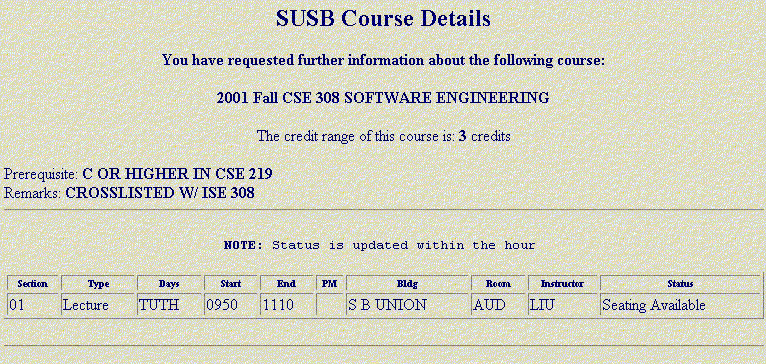
This is the page school has so far. Click on above picture to view it better.
We will have the check box in front of each section for student to check the desired class; afterwards we will add another button "Register Me" in the Class Offering page for students to register for the class. After the student click Register Me, the system will check for the prerequisite, class conflict, and available seats for the student. We will pull out information for the students from USB History for the prerequisite part, and compare the classes students registered already for the class conflict. If the student meets all the requirements for registering the class, we will add the student to the class and give a brief description saying "You are successfully registered for the class". Also ask if the student wants to add another class or go back to main page. If the student is not able to register for the class, we will also give a description of the reason not being able to register. The reason could be did not meet the prerequisite, class conflict, the class is full and closed, class is not offered the coming semester, the student register for the same class twice, or the student has overload credits. The student will also have the option of going back to search another class or go back to main page. After each transaction, update the database and the student account. Make sure we have the correct information about the student and the class seat availability.
For the "Drop Course" part, we will have all the classes the student registered and a radio button in front of each class. Student can simply click on the class they want to drop and then click the "Deregistered Me" from the bottom of this page. A brief message will show the class the student just dropped, and also the choices of dropping more classes or go back to main page. Update the database and student account if it's necessary.
For the "Section Change" part, we will also have all the classes the student registered for, and a radio button in front of each class. After the student click on the desired class, another drop-down menu will appear showing all the available sections. Student can select the preferred section and click the change section button on the very bottom of this page. Then the system will again check if there is any class conflict for the student. A brief message will also appear indicate either the student are added in the class or not due to the class conflict. Then the student will have the option of making another change or going back to the main page. The system will do the necessary updates for the database and also the student account.
For the last part of the system is a "Summary" page. This page simply lists all the detail of the classes the student registered for, which one or more of them belong to which DEC, also if it's upper division class. Give an option of going back to the main page.
For this system, we pull all the available information from Class Offering and SOAR together and create another useful component within SOAR. Personally I think this system will save students a lot of time from registering the class through the phone.