Modified Windows screenshots (red indicators)
Javier's Grafix Card!
Follow these instructions to find out what kind of 3d fx card you're running on your computer. Follow these procedures step by step.
-Josh
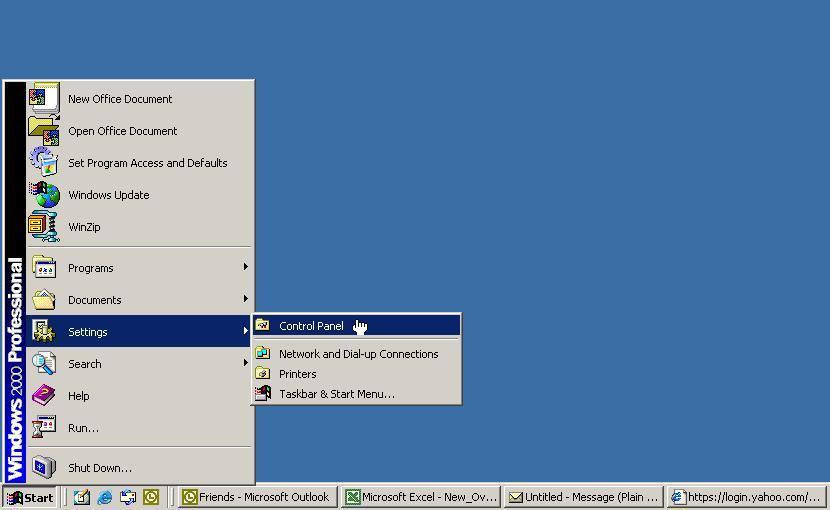
First, click Start, then go to settings.
You should have a control panel link. Open it.
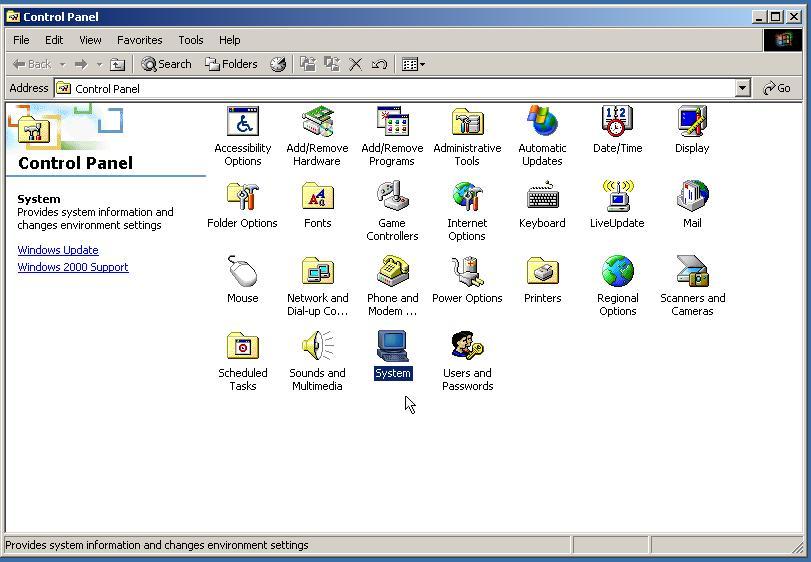
Find the System icon in the Control Panel. Double click it to open System Properties.
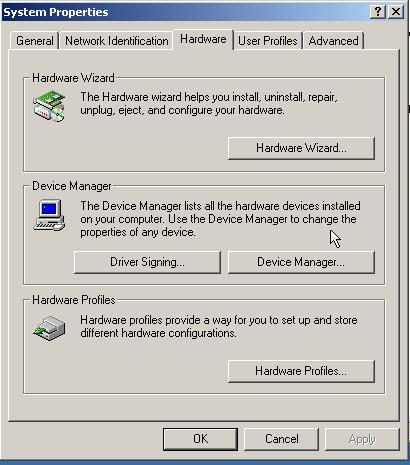
On the top of the System Properties form, there is a tab that says Hardware. Click it.
On the middle of the Hardware form, there is a device manager button. Click on it.
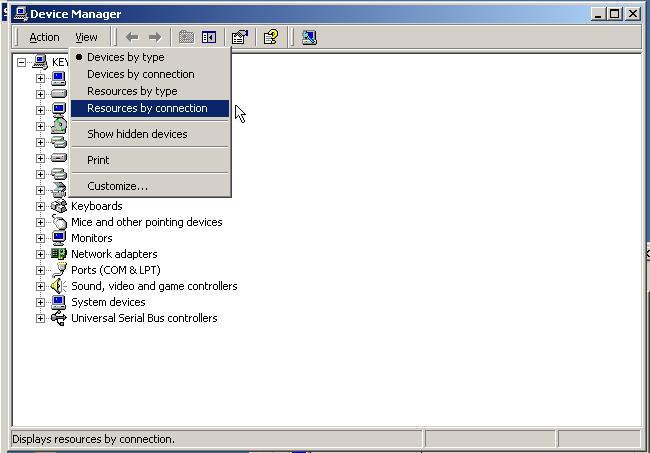
When the Device Manager opens, choose View on the top menu.
Select Resources by connection from the drop-down menu.
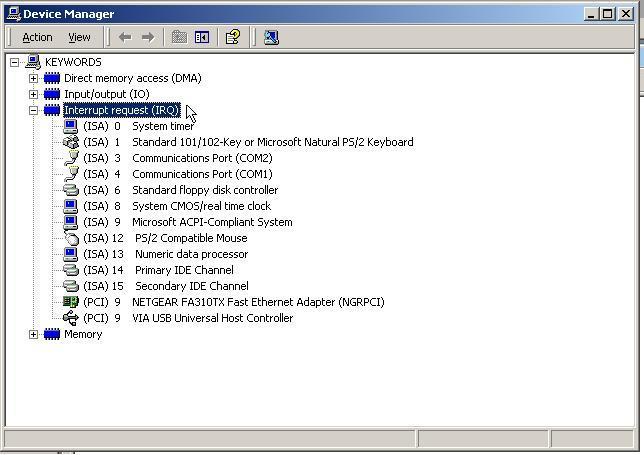
Finally, on the main form, double click Interrupt Request (IRQ).
Find your graphics card in the list. Most likely, it will have a name like Nvidia Geforce 4800 or ATI Radeon 1200.
Send that card model & number to Josh's e-mail.
AND THAT'S IT!
This page created and maintaned by Joshua Rudder. All links and trademarks property of their respective owners. This page copyright � 2006.
