 This is the page for all of the things that aren't on the MPI page. The first thing I want to say is that if you don't know how to use lsedit go here or here and learn right now; it's too wonderfully useful not to understand.
This is the page for all of the things that aren't on the MPI page. The first thing I want to say is that if you don't know how to use lsedit go here or here and learn right now; it's too wonderfully useful not to understand.
I'm not writing for the beginning mucker, since there are already plenty of orientation pages out there and if you can't RTFM I can't help you anyway. At the same time I'm not writing for the muck guru, who already knows all of this and is probaby off re-writing your globals or server code anyway. (Yes, that's you, Revar!) My target audience is the intermediate group, players who're gotten the hang of mucking but want to know a little more. If the Mink files are strange to you, you should ponder them for a while first.
I've divided it into the How-To section which gives pretty detailed step-by-step walkthroughs of how to make things and a more general Concepts section that ends with some tidbits of minor muck things; there's also a link or two.
Multi-purpose actions Puppets Vehicles Lock-Fu Slave collars First, create the object (@create collar). Obviously! Either one can do this. Describe it in the usual way. Set the collar chownable (@set collar=c). Set the collar Slipery (@set collar=s); this means that it will go home if dropped rather than laying around in the room.
If the master created the object, it should be handed to the pet and the pet should type @chown collar.
The pet should type @link collar=me; this sets the object's home as being upon the pet.
The pet then hands the collar to the master, who takes ownership of it (@chown collar) and sets it not chownable (@set collar=!c). The master can then hand it back or just drop it; the collar will return to its home, which is on the pet.
At this point, unless I've forgotten something, you're done. The pet can't destroy the collar, since it belongs to the master, and will have a hard time getting it off of themselves – it'll teleport back on at the earliest opportunity. (A wizard can remove it, of course, and there are ways to work around this stuff, but it's secure enough for the casual user.) Locking the collar against other players can't hurt.
This is the basic secure slave collar; enhancements such as look-notifies can follow later. If you want more detail, see the collar page.
Room echoes The answer lies in the ~listen/ propdir. Like the well known _arrive/ propdir, things put in here will be processed when the right trigger occurs; with _arrive/ it's someone coming into the room, with ~listen/ it's someone saying or posing something in the room. Suppose you have a theater with two rooms, On Stage(#1234R) and In Audience(#4321R). You'd want the stage to be set:
~listen/relay:&{otell:On Stage> {&arg},#4321,-1}
The bad news is that you can't do this; putting things into the ~listen/ propdir is a wizard power almost everywhere and with very good reason. The good news is that most wizards understand what it's about and will install your code for you when you have the rest of the location made.
It's technically possible to have one room with two (or more) appearances simultaneously, but this requires fiddling with messy and sometimes cranky MPI code and I'm not going to bother with it right now. Using two rooms and an accomodating wizard is easier.
Most of these things are known to a lot of the more experienced muckers, but everyone has to learn them somewhere. A lot of what I plan to say here is stated in the help files somewhere; sometimes I can point out the implications of some of what's said and illustrate uses.
Below in the tidbits section I briefly talk about little hints for the builder, the _/ directory, and so on...
Stupid Parenting Tricks Having all your rooms in one parent is a whole lot nicer when you want to @archive the whole mess, too.
By the way, did you know that when you are in a parent room you can look at rooms within that one? Depending on the muck's look program you may be able to look at people and things in those rooms, too.
Local 'globals' This also works with actions, which are basically just exits that don't take you anywhere. Cunning players will notice that these area actions are starting to sounding a lot like globals ... and they're right! This is exactly how globals are done. Your muck's wizards are just allowed to install things deeper in the environment tree than you are. (They can also mess with priorities, which is a different discussion. Watch me not talk about it here.)
Trivia and Tidbits
If you've read this far, you'd better go bookmark the MINK Muck Manual, even if you never come back to my page.
A good building resources page belongs to Ginger, who's over on FurToonia and who knows her stuff; I recommend a look-see for anyone who liked this page. Many builders should have read her What Not To Do page.
We've never met, but Tephra knows what she's doing, too.
There's a basic building tutorial from TriForce Muck that's pretty good, and worth a look if you think what's here is a bit ahead of where you are.
Me: I can be emailed at [email protected] if you really want to, but I don't check it very often; if you're in a hurry, page-mail me on FurryMuck, where I'm often awake and positively not a member of the RSS. (I'm also on Le Jardin Muck about as often, but Furry is bigger.) You can also go back to the main page or over to the MPI page from here.
How-To
See the MPI page; I explain it there.
Yes, I know, you probably know how to do this already, but some people don't and it's a FAQ for most helpstaff people. On the other hand, it's been explained so many times that I really don't need to explain it again. See here or here or here. If none of those satisfy you, try going to a search engine and finding 'muck puppet'; you'll find more pages.
I'm not going to explain vehicles, either.
Watch this space. Locks are cool, but often underutilized.
This is taken from a tutorial I posted all the way back in June 2000 in the Willing Victims Guild on FurryMuck; the article has been exempted from expiration and will probably be there indefinitely. There's a deeper discussion of this topic on the collar page if you want it.
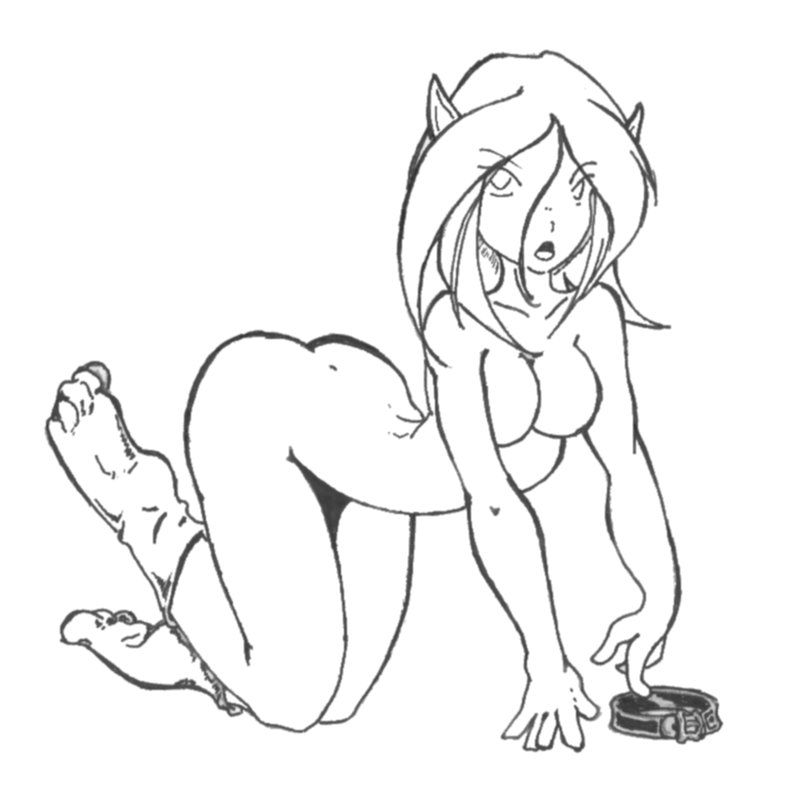 I've been asked to explain how to make a collar that the wearer can't (easily) remove, so instead of talking about this a lot I'm going to just write a post here.
Most of you have seen this; you're in an observation lounge room and everything that happens somewhere else is relayed to you. So how is that done?
Concepts
In the muck manual, there's a discussion of the environment tree (at 2.2, in fact), which explains how everything nests inside other things all the way up to Room #0. However, many people don't appreciate all of the implications of this; specifically, how it affects the sequence in which the muck looks for commands that users give. In short, the muck follows the nesting objects all the way from you up to #0 looking for the command you gave (unless it's one of the few coded into the muck itself). Some of this is covered in section 4.5 of the muck manual.
A classic. Suppose you have a public area throughout which an action or exit is to work, for example a large park surrounding a central gazebo with exits to the gazebo from everywhere else. One way to do this would be to give every perimeter room its own exit to the Gazebo...but that could be a lot of exits and a lot of work (not to mention that you might be short on building quota). If you put all of the perimeter rooms in a parent, however, an exit in the parent room will be usable from any room within that parent; you can give all your perimeter rooms an exit to the Gazebo with only two DB objects!
![[Picture of Dina at the computer, by Dobbs @ FurryMuck]](Dinacomp.jpg) A whole bunch of little things... This section is growing like a weed patch; I'll have to prune it eventually by trimming off parts into their own little sections, eh?
A whole bunch of little things... This section is growing like a weed patch; I'll have to prune it eventually by trimming off parts into their own little sections, eh?
Links to other Muck Building Pages
