

REQUIREMENTS:
Yahoo Messenger
INSTALLATION:
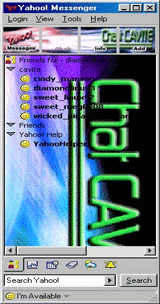
(1) Download Cavite chat.zip
(2) using winzip extract the zip file to "C:\Program Files\Yahoo!\Messenger\skins"
(3) With your computer connected to the internet, launch Yahoo Messenger and log in
(4) Click on file and Prefference
(5) Click on Appearance Tab
(6) On skins choose cavite chat
(7) Click Apply and OK


INSTALLATION:
(1) Download cavite-wallpaper1024x768.jpg
(2) Right click on the desktop then choose Properties
(3) Click on Browse
(4) Locate cavite-wallpaper1024x768.jpg
(5) Click on Open
(6) Click on Apply and OK

INSTALLATION:
(1) Download cavite-wallpaper1024x768.jpg
(2) Right click on the desktop then choose Properties
(3) Click on Browse
(4) Locate cavite-wallpaper1024x768.jpg
(5) Click on Open
(6) Click on Apply and OK
