
Deny's Help Page!
Advise and Links for Web Building on a PC or Dreamcast!

My page is 100% Dreamcast created, at Geocites you can use page builders and wizard, but if your building with a Dreamcast, you can't download these programs. Instead you must use the `file manager', (next to pagebuilder on the first screen after login). Keep clicking on file manager until you arrive at your own file manager screen. You will see that you already have one file (index.html), this is your home page, but has been created in page builder so if your on a Dreamcast it will not work.
Don't panick! Just delete the file and create a new one! At the top of the screen, you will see a button (advanced editor) if you click it, you can change to (basic editor). In basic editor, click on (NEW), call the new file, (index.html), this is your Dreamcast freindly home page! You can edit this page in basic first, as you will see, it is all click on and text.
Next you need to learn a little HTML (browser language), then you can go into advanced editor, giving you greater control over you page layout. In advanced editor you are only limited by your HTML knowledge. Don't be put off, it's really easy to pick up, you can learn and use little bits at a time, and build your knowledge gradually....
Once you have a file you will want some images and maybe some music! The best place to start is Dr Draacs he started on a Dreamcast and will give you hundreds of free images (file.gif) and lot's of help with HTML.
Tell him Deny sent you!!
To place an image into your file you need a HTML tag.This would be typed in as (IMG SRC="http://???")
EXAMPLE: IMG SRC="http://geocities.com/, then the
page address/the file name (image.gif)"
This code is self explanatory it is saying that the
IMAGE SOURCE can be located at "???".
The code must be placed within (CODE) This identifies the html tag as a code, and not text!
It is not the done thing to take images and files without permission,(link direct to another site) this is called bandwidth streaming. One of the best places to go if you cant download is, Dr Draac (Ask the Ape). Some people are webtv freindly and will give you permission, but it is nice to ask, and also provide a link to them on your site as a thankyou.
I am investigating a free transloader for us, this may allow us to upload files and place them in our file manager, without the need of a pc. If it works i'll let you know!
Brackets are used instead of chevrons for demonstration, I would be programing instead of writing text else. You must use chevrons!
I HOPE THIS HELPS A LITTLE, IF SO PLEASE SIGN MY GUESTBOOK!
If you need any help on any aspect of web building or promoting, please place a question on my message board. I always reply!
As a thank you for signing my book, I have a PRESSY
for you so go and have a look!!
Sign Guestbook!
� 1997 [email protected]
How To Get Started!
Filling Your Page!
Ask the ape? If you can have one too!!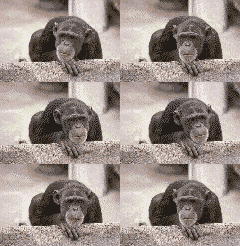
 Links to other sites on the Web
 More FREE music, from The Tropics!
Deny's HTML Tips
WARNING!
(CENTER)text(/CENTER)
Any text between these tags will be centred.(p)text(/p)
The first opens a paragraph, the second close's it. Always remember if you use any tag, it has to be followed by a close tag (/)(BLINK)text(/BLINK)
Makes text blink on and off.(A HREF="file adress, ie index.html)text(/A)
The text would become a hot link, so text should be one of your own files or if someone elses page, the whle address(http://).


 Get your own Free Home Page