 |
|
|
|
|
|
|
|
|
|
|
|
|
|
|
|
|
|
|
|
|
Pixel Shading Bases |
|
|
|
 |
|
|
|
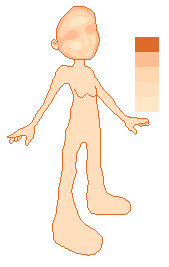
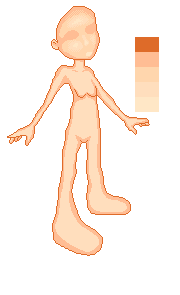
1. Take your base and open it into your paint program. Next to it prepare your palette. You may use the palette provided or make your own.
2. Using the darkest shade in your palette, fill the outline of your base. As a general rule do not exceed 1 pixel of outline however this rule is not too strict. As part of the outline draw in the breast, crotch and if your base has one, the ear area.
3. Fill with the second lightest color.
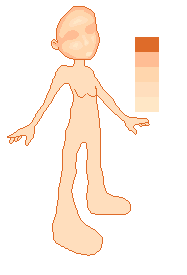
4. Using the second darkest color draw a loose outline inside the head. This should be around 1 pixel at the chin and around 3 at the forehead, depending on the size and angle of the base.
5. Keep using the second darkest shade and draw where your eyes would be. Draw around two pixels wide of this and extend it to the side of the head. Fill this area with the second darkest shade.
6. Using the third color draw a circle where the shiny part of the forehead and nose are. Draw where the apple of the cheeks are and a small circle where the shiny part of the chin is. Anything outside these circles fill using the third color. |
|
|
|
 |
|
|
|
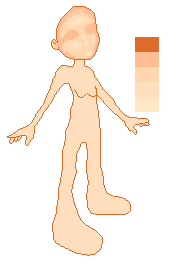
7. Using the fifth color draw small circles inside your circles where light would shine (watch the people around you for help) and fill it. |
|
|
|
 |
|
|
|
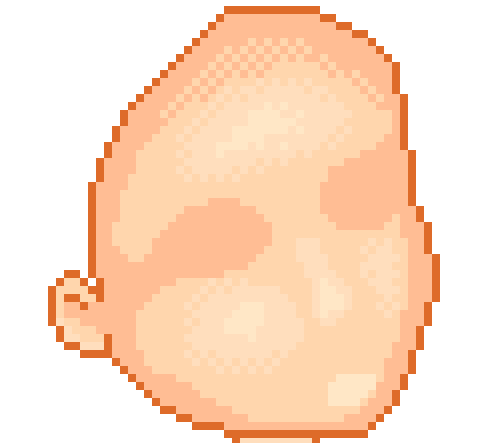
8. Around the forehead and cheeks areas 'scatter' the pixels along the edge. To scatter extend the pixels outwards/inwards in small triangles as seen in the picture below. |
|
|
 |
|
|
|
 |
|
|
|
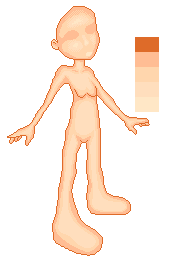
9. Onto the body; Using the second darkest shade draw an edge inside your base. The edge although close to the edges should not always touch the edges of the base. At this point, remember that the chin leaves a shadow! Underneath the neck and above the crotch remember to curve your shading as otherwise the stomach area will look wrong later in the shading.
10. Also using the second darkest shade, draw in lines where the shoulder blades are. |
|
|
|
 |
|
|
|
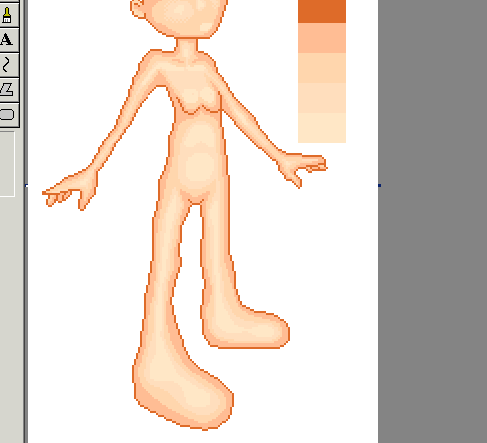
11. Repeat step 9 with the third color. |
|
|
 |
|
|
|
12. Using the lightest color shade the highlights. Highlights need to be in place on one shoulder, under the shoulder blades, in the neck where a man�s adam�s apple would normally be, just under the chest in an upside down U shape, on the tummy in a circle, the feet and along the legs in a smooth line. These are your highlights.
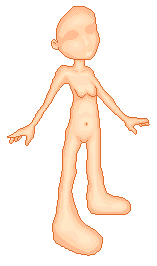
13. Add a belly in the darkest shade, with increasing shade outward. |
|
|
|
 |
|
|
|
Congratulations! You've pixel shaded your base!
The above base is subject to the same Terms and Conditions as all other bases. |
|