 |
|
|
|
 |
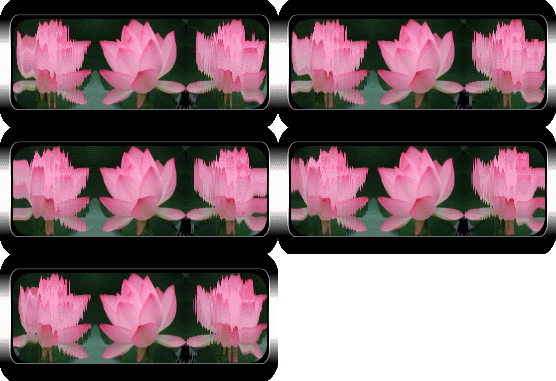
| Now this picture I already sized in PSP... You want to make sure they are small. I usually size them with the deform tool in PSP. after resizing with this tool, just copy it and paste as new animation in animation shop... (no need to with this flower cuz I already made it small.) 1. Bring little flower up in animation shop. 2. Go to animation located on top and rotate right 90 degrees. 3. Save this picture as Save frame as sideways... I usually save as a windows OS bitmap for better quality. Save as flower 1. (and actually it will say flower 11 in yer pictures.) 4. Now go to animation and mirror it and then flip it. Save this picture as Save frame as... (as windows OS bitmap.) Save as flower 2. (and actually it will say flower 21 in yer pictures.) 5. Now do not close your animation shop...We will be right back there. 6. Reflet both pics that you have sideways. should have only 5 frames each... (otherwise you can fix that in your reflet program.) 7. After yer done with that, now go back to your animation shop. 8. Go ahead and click undo on the picture you been flip-flopping until its right side up. We will use this pic later. 9. Open animation on top (the folder on top) and bring both reflet pics into program, flower 11 and 21 you have refletted. (that sounds funny...lol) 10. Click on blue bar above flower 11. and then click ctrl A. (this should high-light them all at once.) 11. Go to animation on top and Rotate flower 11 to the left 90 degrees. 12. High- light all frames of flower 21 now, rotate it right 90 degrees. 13. Now I want you to make new (white paper with folded corner on top) and make it...500 w and 200 hight. add or Duplicate 5 frames to it... or how many frames you have in your reflet picture. 14. High-light all those frames. (the blank image that is.) 15. Now click first frame of flower 11 animation, high-light all them and copy, and then paste it on the blank image. (paste it on the right side of blank image.) Don't worry about where cuz at the end we will use are crop tool to fix it. 16. Now do the same with the other sideways reflet but this time, where the pic is still, you would over lay it over the one on the other. 17. Now you have it, but when you go to save it, the middle pic will look grainy when you go to save it. so what I do now is I copy the main picture that is right side up...make 5 frames of it and copy it to the animation...in the center. 18. After you are all done, now you can take yer crop tool and put a square around it then double click your picture to crop it... 19. Then you can save it... 20. I sure hope you understand this! If you have any questions about this tut, please let me know and I will help you... |
|
|
 |
| Click on Space ball to recieve picture that you will be using for this tutorial. |
|
|
| The Reflet program, you can down load... |
|
|
|
|
| Its best to know Reflet Program before you try out this tutorial. |
 |
 |