For this tutorial I will
teach you how to do a web like effect great for signatures or wallpapers
Step 1.
Open up a new document of 500x500. and make sure is transparent
Step 2.
Now pick the foreground colour as red and then pick the Gradient tool and use
the following settings

Step 3.
Now make a fare amount not to much though of gradients then go to the foreground
and make the H on the panel go up 50 and repeat to you reach 300 (very the
thickness for a better effect)
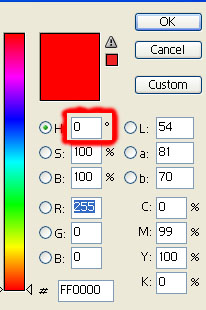
Step 4.
Now go to Invert (Image>Adjustment>Invert). and the desaturate the
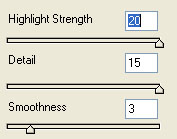
image by clicking CTRL+SHIFT+U and then to go plastic wrap and use this
settings:
Step 5.
Now make a new layer (Layer>New>Layer) and fill it with white. now put
that layer behind the the web layer and fill your now background white layer
with scan lines (Click here for scan line tutorial) and the press CTRL+U and
pick the colour you want for your design and your done.