For this tutorial I will
teach you how to make a nice spike effect.
Step 1.
Open up a new document of 500x500. and fill it with black.
Step 2.
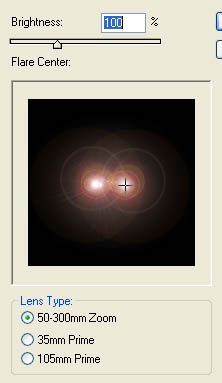
Now put 2 lens flare (Filter>Render>Lens Flare) in the middle of the page
as shown below.
Step 3.
Now Go to Wave (Filter>Distort>Wave) and use these settings.
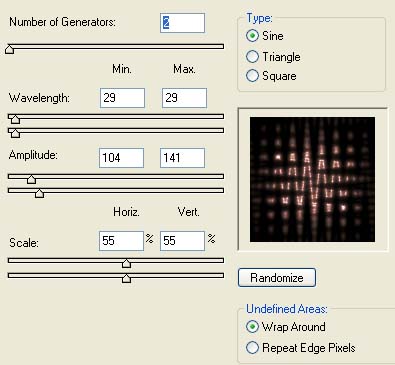
P.S you may need to hit Randomize a few times to get what i got.
Step 4.
Now go to twirl (Filter>Distort>Twirl) and make the angle 346
Step 5.
Now Duplicate layer and flip it horizontally (Edit>Transfer>Flip
Horizontally).
and then set the layer as lighten. Then Merge The layer. Then Press CTRL + U and
click the colourise box and pick the colour you want.
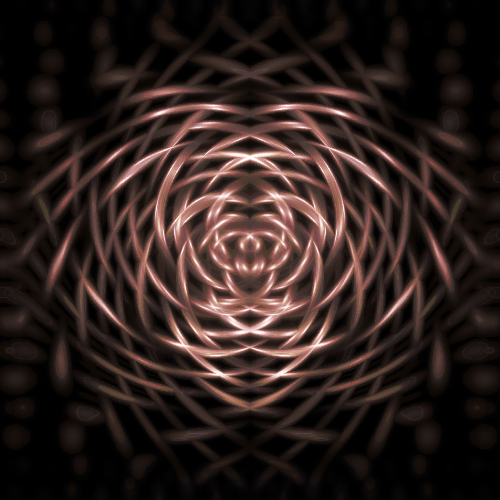
and this is what you should end up with: