Step 1.
Open your skitz effect image you made with the other tutorial I have wrote.

Step 2.
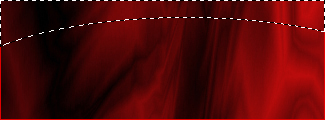
Now get your Elliptical Marquee Tool and select something like I have below.
And then click Select>Inverse, And you will have this:
Step 3.
Now grab your Gradient tool (G).
And use the setting I have below:

Step 4.
Now get your gradient tool and drag it from top to bottom, And you should have something like this: