
|
 |
| copyright Pending all rights reserved |
| Help Room |
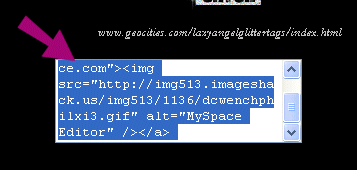 |
| Basic copy and paste info for placing images on your myspace.com. |
| Right click and and choose copy all. Highlight entire code. |
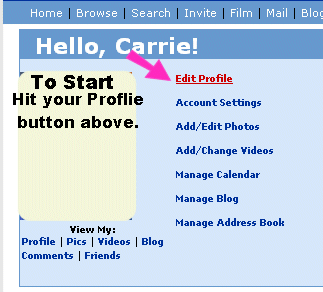 |
| Your code is now on your clipboard waiting to be pasted. Go to your myspace and choose EDIT PROFILE. |
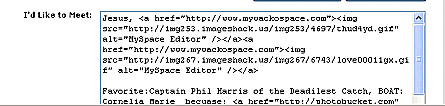 |
| Choose where you want to place your image. |
 |
| Preview it. if it's right continue and save it. |
 |
| SAVE IT. |
| If for some odd reason the code doesn't work and you need a new one and I am not ava via email to send you a new one this will fix that problem. FIRST SAVE THE IMAGE YOU WANT TO YOUR OWN HARD DRIVE AND REMEMBER WHERE YOU PUT IT! :) SECOND:GO TO www.mywackospace.com Use the IMAGE UPLOADER> |
 |
 |
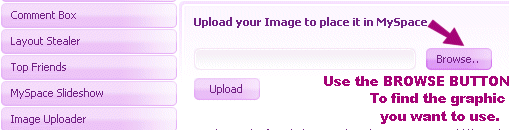 |
| Now you know where your image is right? Go there with the BROWSER BUTTON. |
| YEA! Your found it. Now UPLOAD> |
|
| Again like before, right click and copy entire code. Then repeat first second of the tutorial. |
| TA DA! Your done. Have fun! |