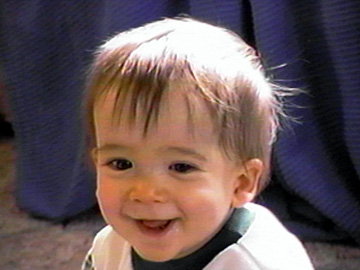
This is the last picture that is on the collage. There is one more picture to look at, but you have seen it albeit briefly, but you have seen all these anyway as they were on the main picture. This picture was taken right after Devin got up from a nap. His bedroom when he still lived at my house got the morning sun so it was very bright in there. But the sun was never as bright or as cheerful as his smile was and he was always glad to see me when he woke up. (He knew that he couldn't get out of his crib without me!)
This picture was also captured from video tape. The wavy effects visible in other pictures isn't as noticable here. The reason is that when capturing from video tape you are going from a dynamic moving scene to a still static scene. The wavy effects appear in different areas of the scene in every exposure. In this picture I simply cropped out most of the distortion. (I should have named this pic "Bye Bye Wave"...) But after we finally arrive at the final picture we want, then we need to save it in a format that is "net friendly". The .JPEG or .JPG format works best for posting on the net. It has the capability to display 24 bit (16 million plus photo-realistic or "true")color in a user controlled file size. Using a graphics program like Adobe Photodeluxe goto File, Export, File Type. Make sure you specify .jpg format. When you click "Save" a dialog box will come up with a button labeled "options". Here you specify a compression factor between one (greatest compression and smallest file size) and ten (no compression and largest file size) Keep in mind that the smaller the file size the lower the quality. Significant file size reduction with minimal visible effect can still be obtained. Photodeluxe doesn't provide a preview screen until in its home version until version four. Paint Shop Pro version eight does have a preview screen. They have a 60 day free trial you can download from their website The beveling effects on my navigation buttons were achieved using Paint Shop Pro.