3D Text
1. Make a new image. It has to be at least 500x500 with a white background.
2. Click on the text tool and make sure floating and anti-alias are selected. Click Ok.
So far it should look like this:

3.Go to Effects -> 3D Effects -> Inner Bevel. Change your settings so they look like mine. Click Ok.
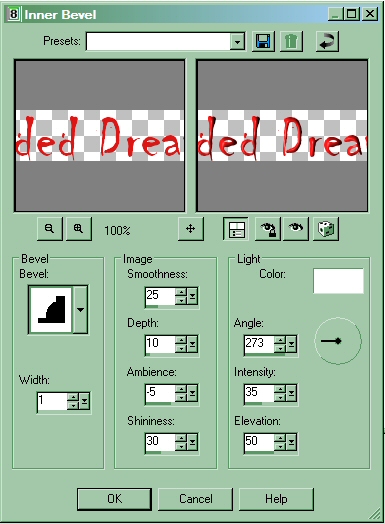
4. And that wraps it up! To give it more effect you can add a shadow!