|
|
|
|
|
|
|
|
|
|
|
|
|
|
|
|
|
|
|
|
|
|
|
|
|
MMC Demo and FAT16 (Coming soon... I hope ><) |
|
|
|
 |
|
Happy Chinese New Year all!! It's been a while since I last added new PIC entries = (. I had been busy with my thesis throughout the year. Okay, this time someone gave me an unwanted MMC memory card. Therefore, I've decided to look on the net for resources pertaining to MMC interfacing with uC and it appears there are alot of useful materials to refer to. Here, I decide to take a little step further and decide to combine the MMC and FAT16 topic together. =D
For this project, I've done it in both PIC16F877A and PIC18F452, Thus, as the result there are 2 versions of this project, namely, one based on Hyperterminal and the other is based on a VB programme. |
|
|
|
|
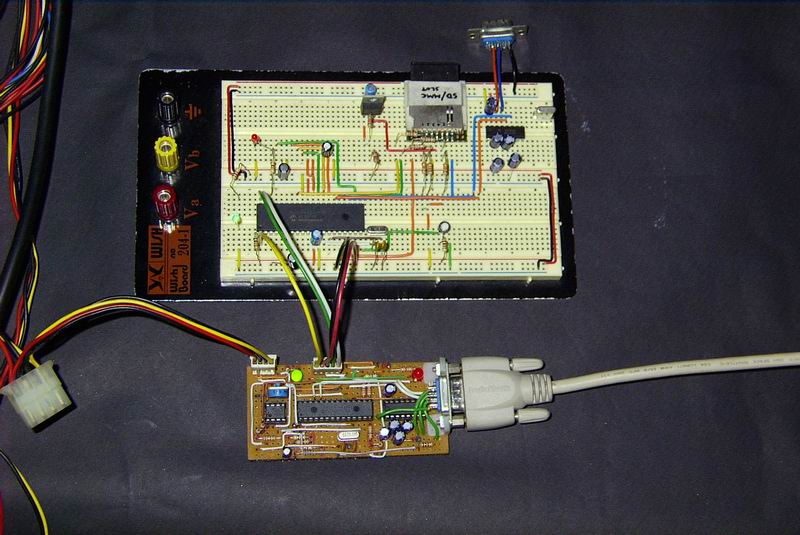
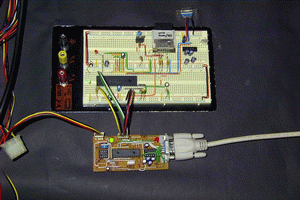
The test circuit for interfacing the MMC to the PIC. The ICD II clone is connected in-circuit to the PIC for debugging and programming. |
|
|
|
|
|
|
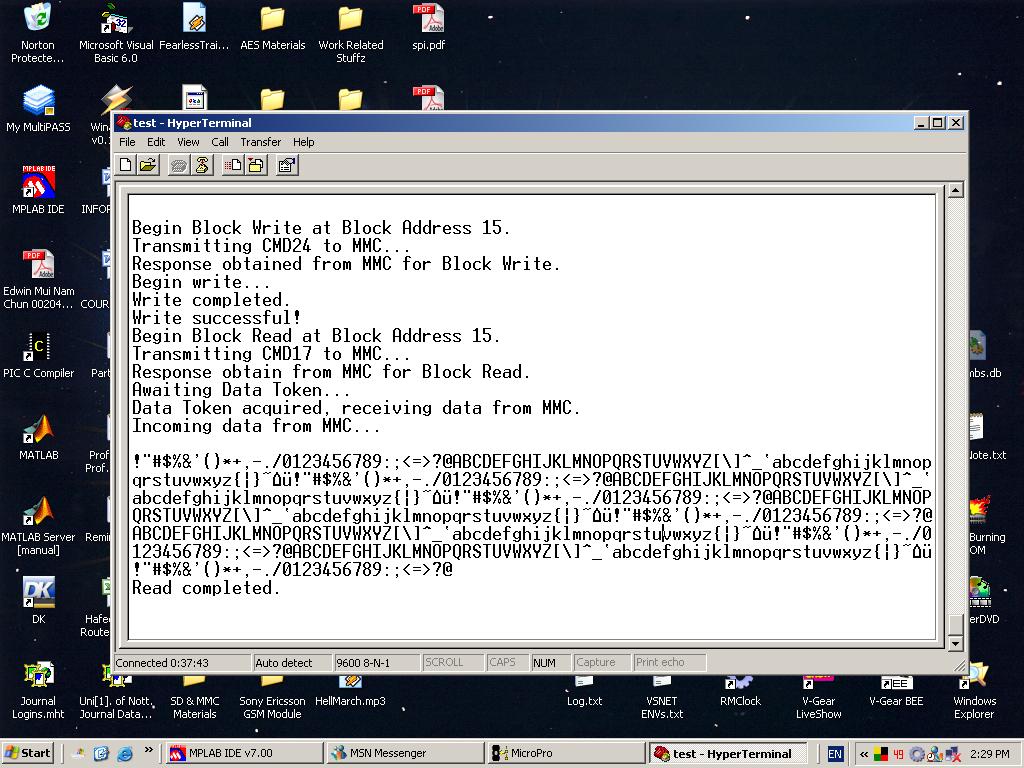
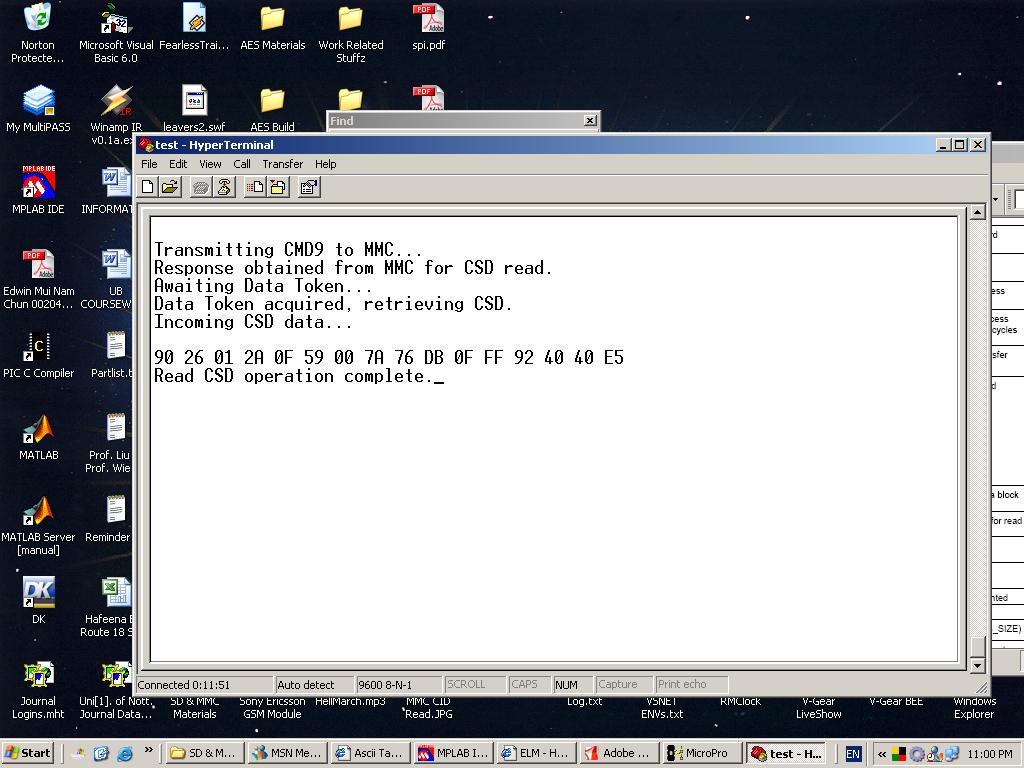
The plain simple Hyperterminal version which source code is written in the PIC16F877A was simply to view the contents in each sector of the MMC. From the contents, we can see how data is written in the FAT16 format. For instance, we can learn about the files stored in the MMC, the date the file was created, the size of the file, the location of the file on the MMC, how the bytes are stored and etc. By knowing these stuffs, there is alot you can do using a PIC and an MMC. For instance, read an MP3 file and decode its raw bytes by passing it to an MP3 decoder IC, read a JPEG file (you have to know Huffman's coding and Inverse Discrete Cosine Transform though) and display it on a monitor / TV / colour LCD, just to name a few examples. A few screen shots of the Hyperterminal version is shown below. |
|
|
|
Screenshot 1 - Initializing the MMC.
Screenshot 2 - MMC Read/Write demo.
Screenshot 3 - Reading the MMC CSD register. |
|
|
|
 |
|
|
The VB version of this project is implemented on the PIC18F452. The reason of using a different PIC for the VB version is because the PIC16F877A does not have enough data memory to act as a cache to buffer the incoming data from the PC via the serial port. A cache is used so that data can be sent quickly from the PC to the PIC. If data were to be written each time it is received from the PC, then the baud rate must be set to a very low rate. Therefore, to use the baud of 115200, a 512 byte cache is implemented on the PIC18F452. Other than that, most of the code for the Hyperterminal version is the same as the VB version. =) |
|
|
|
|
|
|
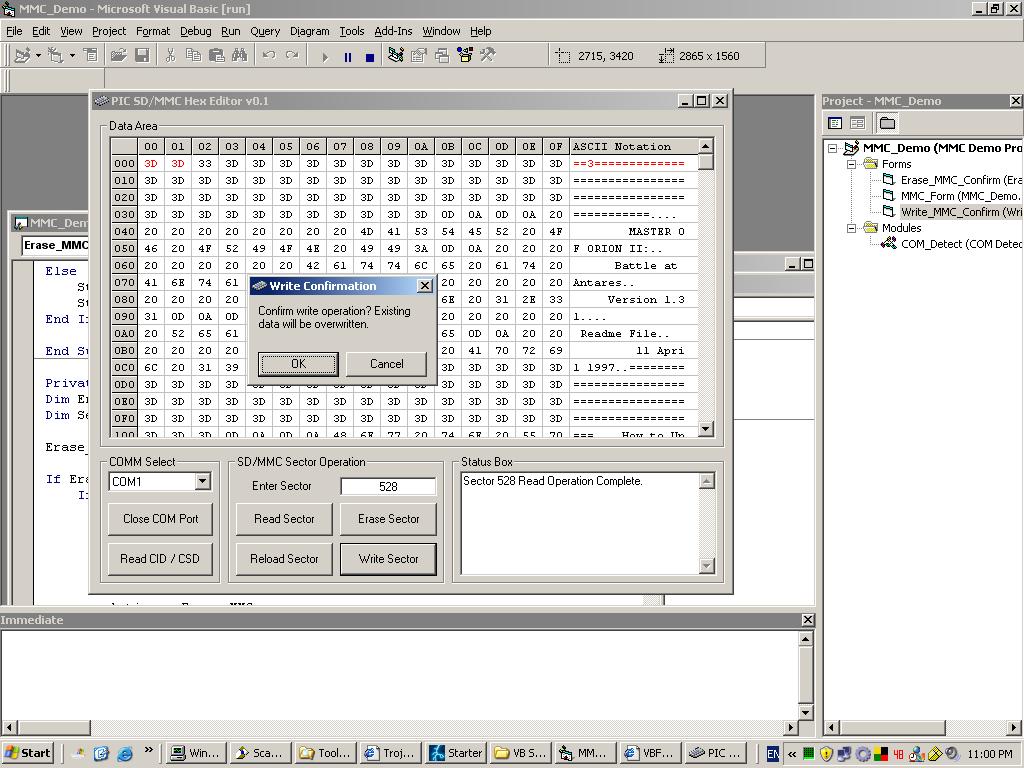
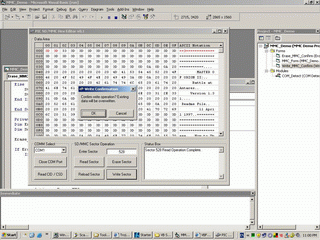
A screenshot of the MMC Hex Editor. It is showing sector 528 which is the first storage data sector of the MMC, being edited. |
|
|
|
|
|
The one based on a VB programme is a Windows based Hex Editor / Viewer. Hex editors are like nearly extinct to the point that we hardly see them nowadays =(. There used to be alot of Hex editors back in the old MS-DOS days. Hence, I figured that maybe it would be a good idea to write my simple Hex Editor for editing sectors in the MMC. Its functions are pretty basic. The initial version of the Hex Editor can read, write and erase any sector of the MMC as specified by the user. Besides that, the Hex Editor can also read the CID and CSD register to determine the characteristics of the MMC. For instance, it can determine the manufacturer ID, device size, manufacturing date and etc. =) |
|
|
 |
|
|
|
|
|
A view on the Boot Sector (Sector 0) of the MMC. The contents of the CSD register is also reinterpreted and presented as the MMC info. |
|
|
|
|
|
|
One useful thing about this simple program is that, it allows you to see how data is stored, byte by byte at every sector of the MMC. You also use it to read the root entry sectors to see what files are currently being stored on the MMC, their sizes, their created dates, their starting location and etc. Of course, you would need to format the MMC using a MMC card reader on your PC first. =) I have formatted my 64MB MMC card to standard FAT16, which is sufficient to accomodate up to 4GB of data. FAT16 is good enough for the MMC since the MMC can have a maximum sectors of 2^23 = 8,388,608 sectors. Each sectors are default 512 byte. Thus, the maximum capacity would be 8,388,608 * 512 bytes = 4,294,967,296 bytes. =)
Due to the limited amount of time I can spend maintaining the site. I have not include the 2nd part of this project, which is the part on the explaination on FAT16. I hope to be able to write a page on it as a continuation for this project when I have the time. =( The source codes and schematics are below. ^^ Set the Hyperterminal to 115200 baud, no parity, 1 stop bit and flow control to none. =D |
|
|
|
Schematics : MMC_Demo_Schem.jpg
Source codes (Hyperterminal) : MMC_Demo_16F.zip
Source codes (VB) : MMC_Demo_18F.zip, MMC_Demo_VB.zip |
|
|
|
Last Updated : 18th March 2007, 7.40pm Eastern Time. |
|
|
|
 |
|