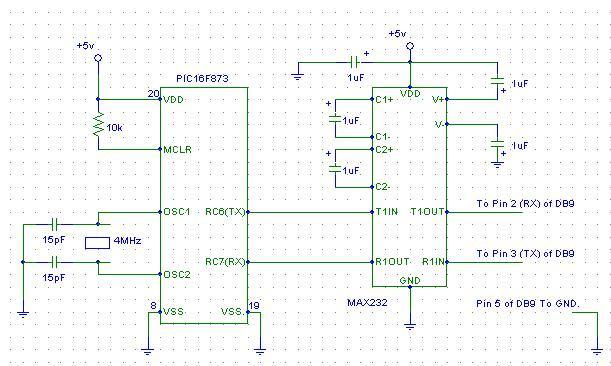
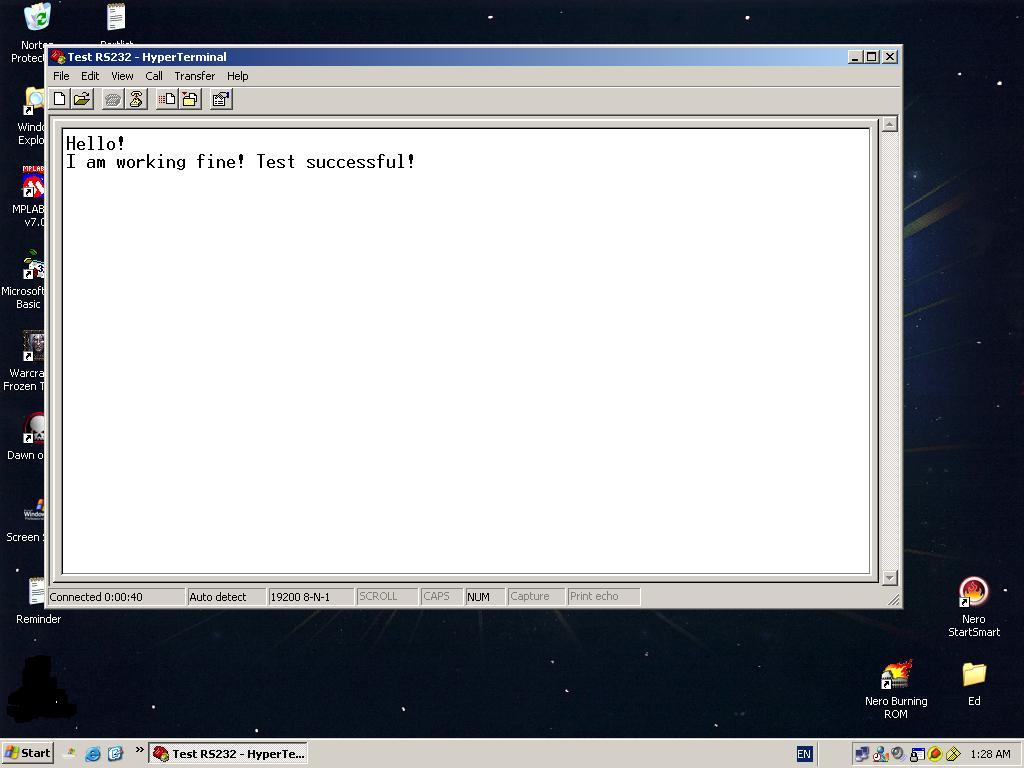
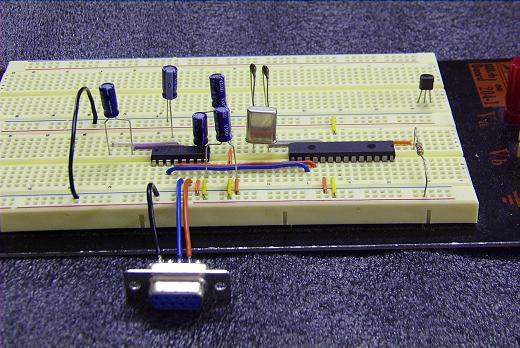
PIC sends data using TTL (Transistor-Transistor Logic), that is, 5V for logic HIGH and 0V for logic LOW. However, the COM Port on the computer registers logic HIGH as negative voltage while logic LOW as positve voltage. In order to translate between the two, we will need something to convert TTL to negative and positive voltages we will need a MAX232 IC or something similar. =)
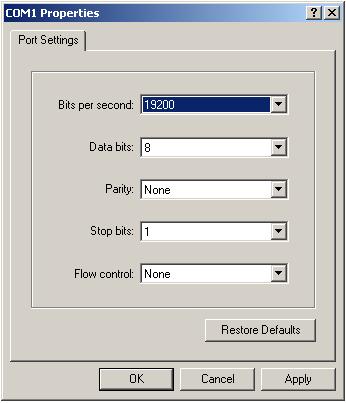
After entering these settings, we can send ASCII characters to the PIC with just a keypress. The key that was hit will appear on the textbox of Hyperterminal as the ASCII code is being echoed back from the PIC. =)
One application of this method is that we can have the PIC to send raw data to the PC and have the PC to do the complex calculation via high level language. Imagine going through all the trouble computing the area of a circle on a 8 bit PIC. >< = (
Source code for Assembler Language : comm.asm
Added a source code for Hi Tech C Compiler : commc.zip