File Transfer

Version 1.2g
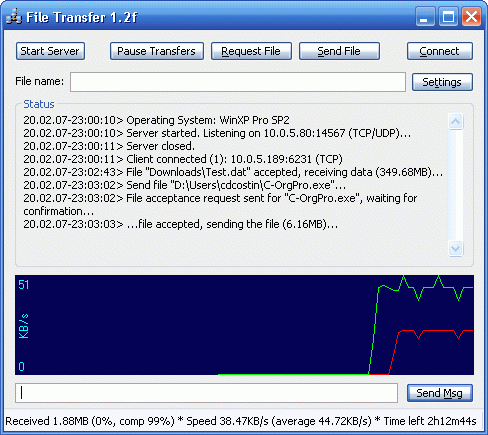
File Transfer Screenshot

"File Transfer" let you connect to your friends' computer, and transfer fast and secure any file or folder. It uses direct P2P connection, that ensure the fastest possible transfer speed between the two computers. Extended with a NAT traversal protocol, it is able to directly connect even behind NATs and firewalls.

Try it, you'll never want to use something else for transferring files!


How to use it: In order to connect two computers using this program, you need to run "File Transfer" on each computer. Here are the steps to make the transfer work:
Step 1: Determine which of the two computers will be the server and which the client. You choose which one is which, according to which computer has a public IP (an IP that can be directly accessed by the other computer). Note: If you don't know what public IP means, just try both possibilities: at first one computer is the server and the other one the client, and, if that doesn't work, try the opposite. If any of the setups doesn't work, that means either any computer doesn't have a public IP, or the firewall blocks the port (by default the port is 14567).
Step 2: Setup the client. The only thing that you need to setup is the client. Open the Settings window on the client, and type the IP address of the server in the "Direct connection IP" edit box. The IP you have to insert on the client is displayed on the server in the status window.
For example, if on the server is displayed the following line in the status window: "Server started. Listening on 84.174.101.189:14567 (TCP)..." the IP you have to type in the client settings is the numbers before the colon, in this example 84.174.101.189.

dt


Sleep

Version 1.1

Sleep Screenshot

"Sleep" atomatically sets your computer in Stand By mode (or Hibernate) after a chosen period of time. Additionally, it can atomatically Wake Up the computer back to the running mode.


Version 1.0

"Snake" is a version for PC of the well-known game (like the one on Nokia mobile phones). It is quite good looking, has a nice sound and an excellent handling. Also, you can play it in Multiplayer, over any network type (not well tested).


This is my first DirectX project. Initially, I made it just to learn all about DirectX and writing games under Windows. Now "Snake" is a relative well polished game, attractive and, more important, playable.

If you have any question or comments, I will be glad to hear them. To contact me write an email at the following address: [email protected]


Gomoku

Version 1.0

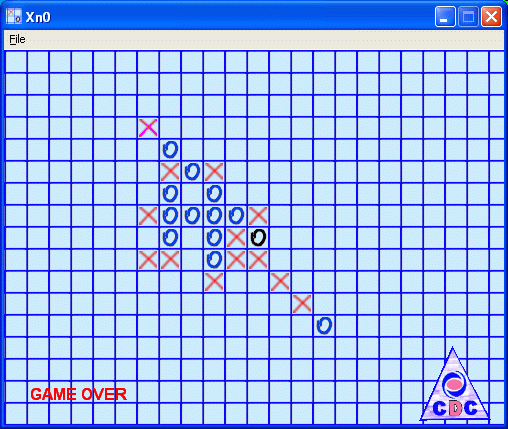
Five in a row Screenshot


Free Software Downloads


Downloads

***
File Transfer (udt.dll) *** Snake *** Xn0 (Gomoku) *** Numeros Suma ***

*** Screenshots *** Email ***


Last page update: January 12, 2009
Hosted by www.Geocities.ws

1