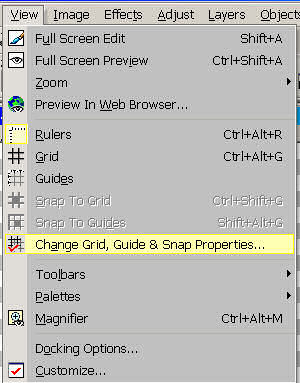
a grid you will need to adjust the grid size the menu to do that is found here:
 Now place the images you want to use to
create your tube file.
Now place the images you want to use to
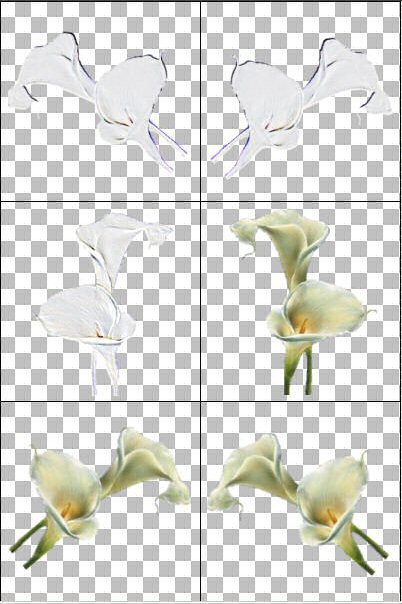
create your tube file.The images I'm using here I had earlier made into single cell tubes.
But for the purpose of this tutorial I used it to show a multi-cell tube.
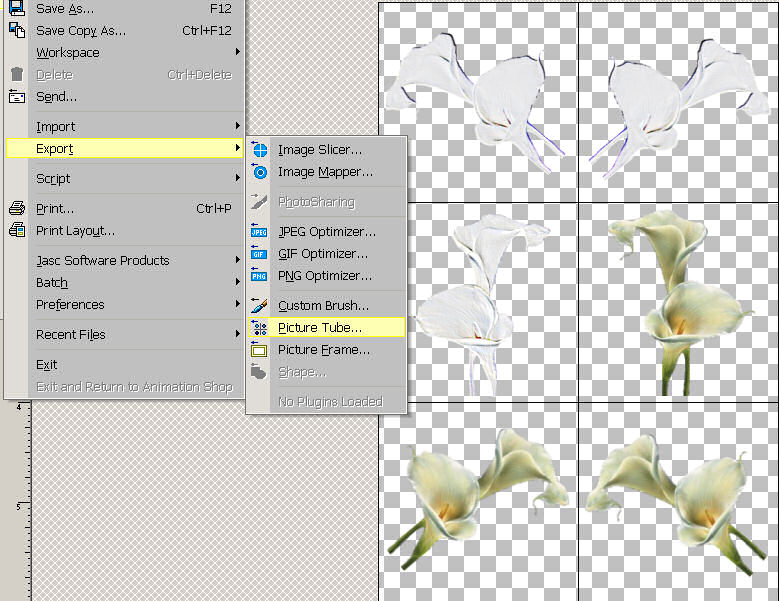
I used layers to help me place the Cala lily in its cell and then merged visible so I would have a single layered transparent image. You can save as a PSPimage if you wish or go directly to Export .
 As you can see from the screen shot the
Picture Tube export dialogue makes it easy to create tubes in any
number of groupings. I prefer to use single cell
tubes because of the way I usually use them. I was working on a
Wedding Stationary Project and made individual tube
image with these lilies to maintain the same image over a number
of documents.
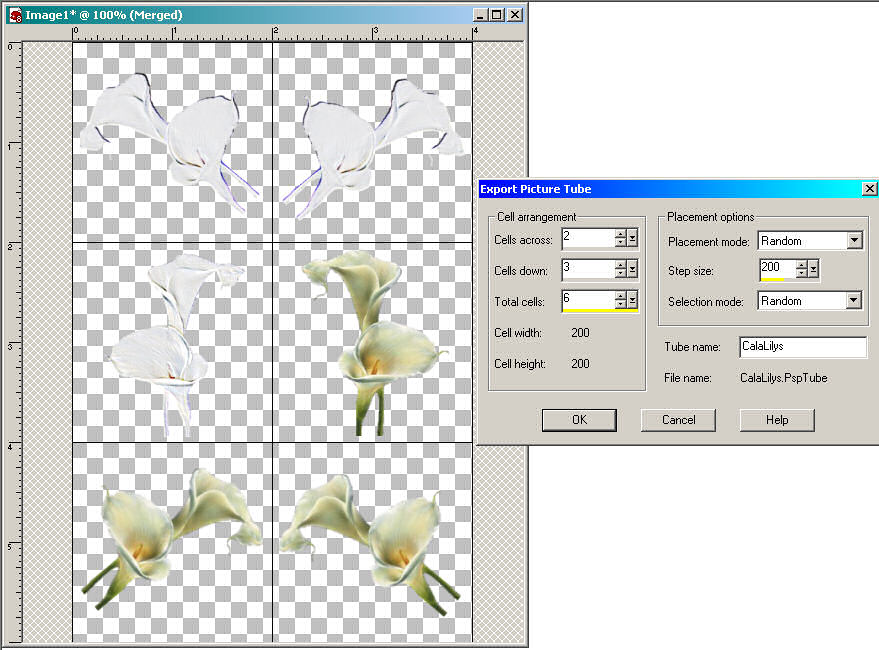
As you can see from the screen shot the
Picture Tube export dialogue makes it easy to create tubes in any
number of groupings. I prefer to use single cell
tubes because of the way I usually use them. I was working on a
Wedding Stationary Project and made individual tube
image with these lilies to maintain the same image over a number
of documents.