Black Box Testing
Introduction
Testing forms a very important part of a software engineering project. Interestingly, it is the antithesis of implementation of the software engineering project. The main objective of a test is to try to destruct the program. Test should be done based on the customer requirement.
Black Box Testing is sometimes called Systematic Testing. It looks at the data validity and is a complementary approach that is likely to uncover a different class of errors than white box testing.
The tests are designed to:
Check the functions of the component (or group of components).
Verify whether it does everything it is supposed to do.
The test cases are derived based on:
The definition of what the component (or group of components) is intended for.
The equivalent component specification or design information rather than its own control structure.
Black Box Testing attempts to find errors in the following categories:
Incorrect or missing functions
Interface errors
Errors in data structures
Performance errors
Six possible techniques in black box testing:
Equivalence Partitioning
Boundary Value Analysis
Logic Based Testing
Data Validation Testing
Stress Testing
Sensitivity Testing
Implementation Testing: Equivalence Partitioning
To use equivalence partitioning, every input condition is divided into a number of equivalence classes. Each equivalence class consists of a class or set of items, all of which are similar to each other on some relevant dimension. To create test cases, test data are chosen that include at least one item from each equivalence class. The objective of equivalence partitioning is to reduce the number of necessary test cases into a manageable number.
Our program is mainly divided into 4 different modules, or forms: log-in, client, goods and schedule.
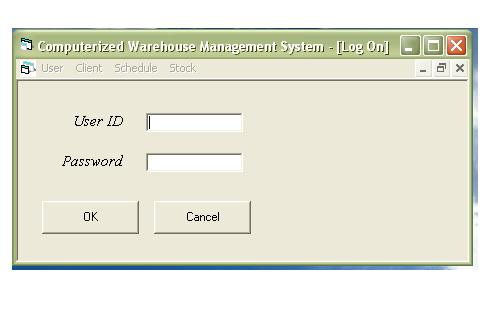
The Log On form provided us with the security option which is one of the requirement asked by the client. In this part we have to test to ensure that user is able to log in properly and unauthorized user will not be able to advance to any part of the program.
To log-in, any input can be accepted, i.e. both numbers and alphabets can be used.
Test: User ID and password = anything (both alphabets and integers)
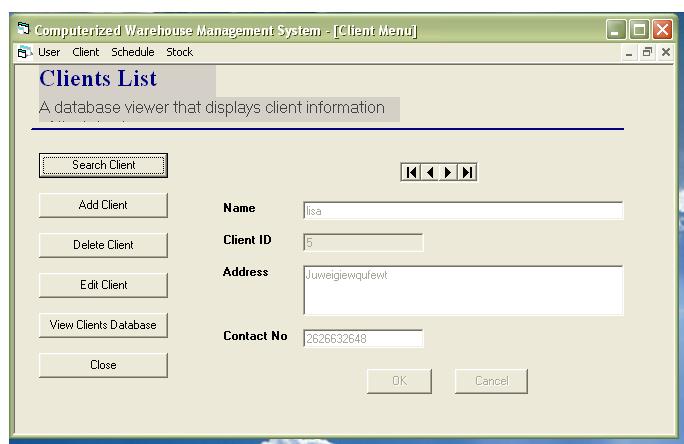
Next is the Client Menu form. Here we can update the database for particular of the warehouse’ client. In this part we should test if we are able to update the database properly. Can the client data be added, deleted or edited. After each addition, deletion or edition the database should be checked. As any input is allowed, there is no need to test for input in the text field.
Test : Name + address = anything (alphabets and integers)
Contact no. = integers only
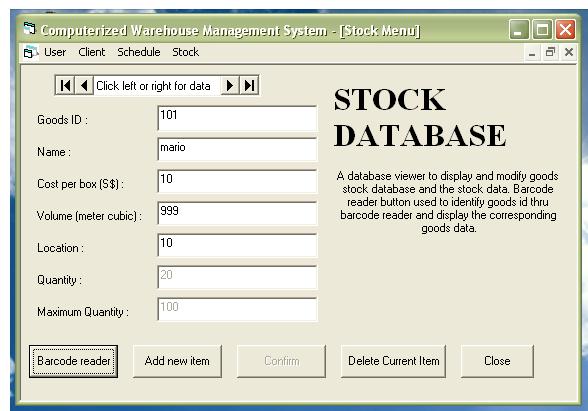
Stock Menu Form is similar to the client form, only it is used to update the database of goods stored in the warehouse. Similar way of testing should be done as those used in the Client Form. Here, the barcode reader in the requirement from client is implemented. It is simulated by entering numbers. Here in the name text field, anything can be put in but it cannot be left empty. Cost volume and location only accepts positive numbers and cannot be left empty. The maximum quantity of goods is generated from the volume of the goods and the user is not able to amend it. If any of the above input boundaries is violated an error message will show.
Test: Goods ID + quantity + maximum quantity = auto generated
Name = any input ( alphabet and number)
Cost = float
Volume = >0 and < 100000( maximum volume that can be contained)
0< location < 10 ( assuming the warehouse only has 10 places)
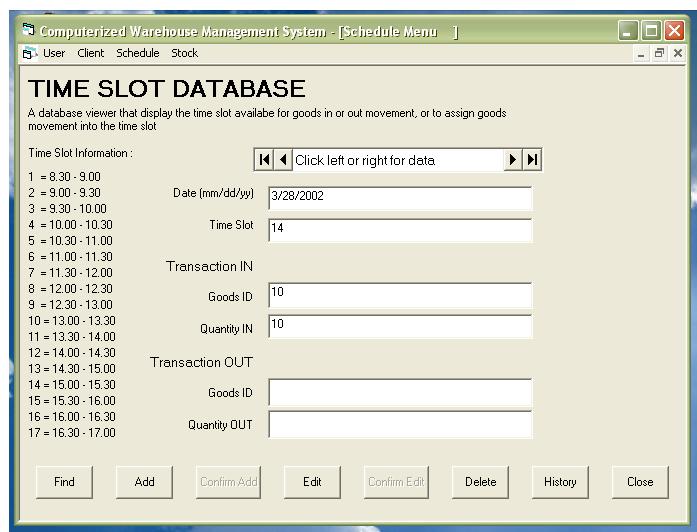
The Schedule Menu Form is the main part of the whole program. This is where all the transactions will take place. According to the user requirement, this module will provide us with a stocking and delivery scheduling manager to allocate for stock that being transported within the warehouse.
The user of the program will add to the scheduler the goods movement he would like to take place at a particular time. However, only one movement can be done at each time slot. To test this module, we should test if transaction at each time slot is done properly. To do this we shall change the computer time to simulate the time of transaction. The date input has to be ensured (mm/dd/yy). The time slot input has to be of only the allowed list (i.e 1-17). The goods ID put in has to be of available goods in the database. The amount of goods to be moved will be handled during the transaction time, if the number is more than the maximum quantity or cause it to be less than zero, no transaction will be done.
Test: date = must be valid type (mm/dd/yy)
1<= time slot <= 17
goods id = must be available in the database
quantity in & quantity out= integers
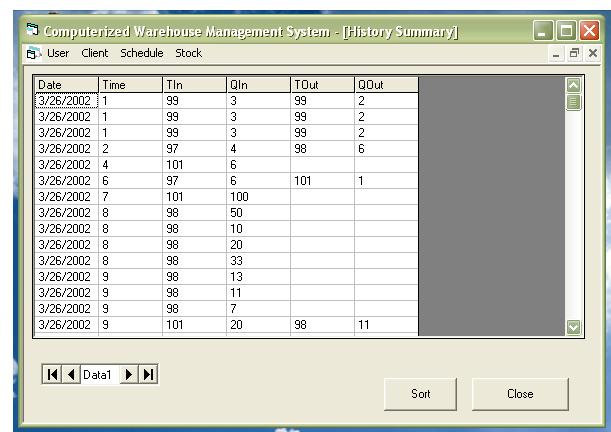
The History Summary form is generated when each transaction is done. This form will provide us with the user requirement of obtaining goods movement summaries (goods delivered, goods arrived). No user input is needed in this part of the program.