
User Interface Design
A menu-based user interface design is used in this project. There are some of the advantages of this menu based user interface design.
Below are the characteristics of a good user interface design:
Based on these characteristics, we have designed the user interface of our software engineering project.
In our project, user is given a lot of information for the input that must be entered for a task completion.
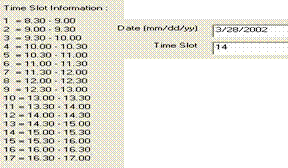
For example, in the addition of schedule, there are information on how to enter the date and time slot information. Below is the picture that shows this:
In this user interface design, user also can control the pace of interaction as all task that the user wanted is confirmed when the user click the confirmation button.
For example, the addition of stock, schedule or client must be confirmed before these data is updated in the corresponding database. These confirmation also necessary for the database edit and search process.

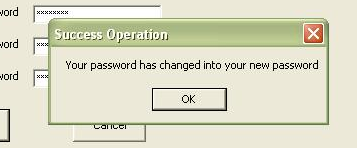
The feedback on the current state of the task is also provided, that is by the message that came out when a task has been finished. For example, in the task of changing the user password, when it’s finished, the following message will come out.
This graphical user interface design also provides easy error correction. For example, when the user input is invalid, the pointer will be directly focused on the text box of the invalid data, so that user can easily know the data that cause the error and can immediately correct it.
Human Traits Analysis in User Design
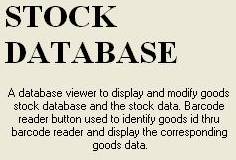
The context of each form of the menus provided can be easily recognized from the title and its explanation.

Most of the process in this user interface is based on the short term memory, as this user interface leads the user in gradual flow, request data and decisions that are closely associated with the previous data and decisions.
This memory needs to be accessed only for entering user id and password which is necessary as the security program as what is required by our client.
This memory will be accessed in the add schedule instruction, which user must be employed to make a plan or schedule and decision making
The pacing of this user interface design can be controlled by user, so that it can accommodate both fast and slow users.
Below is the closure graph of the database-based process

The above figure shows that tolerable delays depend on the amount of perceived closure. The user interface designs for these processes have fulfilled the above requirement.
The information from the databases has been organized into several groups, which are the information about stocks, clients, time slot and transaction history. This name is easier to remember and from it, the entire group can be reconstructed.