PAGE SETUP SCREEN SHOTS FOR PRINTING LANDSCAPE
Back

Select "File" on the Command Menu
The Command Menu runs across the top of MSIE.
A screen shot of it is shown at the left.
1 of 3
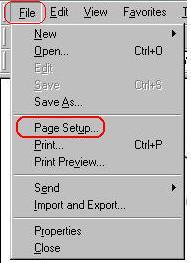
Select "Page Setup" from the drop down menu.
A screen shot of the drop down menu is shown at the left.
2 of 3
Select "File" on the Command Menu
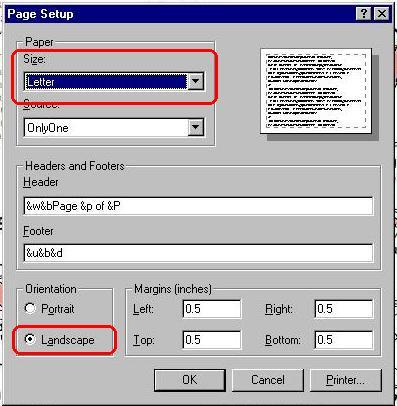
A screen shot of the Page Setup dialog is shown at the left.
Select Paper Size to Letter.
Select Orientation to Landscape.
3 of 3