The Gumdrop's Chewy Center
The Apple Airport Base
Station is one of the most complete 802.11b-compatible SOHO
wireless solution on the market today. If that seems like a lot of qualifiers,
it is, and consider that it will act as a transparent Ethernet-to-802.11 bridge,
or as a DHCP client, DHCP server and NAT gateway. Apple says that you must have
a Macintosh to reconfigure the Base Station, which sucks, but then they add that
configuration by SNMP may be possible. When asked for the MIB, they promise to
call you back.
Update:
From http://208.249.120.241/networking/airport_pc.htm:
So you would think you would have to have a Macintosh to configure the
Airport base station, right? Luckily, the Airport contains a 486 processor
running the Karlnet Karlbridge software. So you can go to the Karlnet WWW site
and download http://www.karlnet.com/download/configsetup.exe
which allows you to configure all aspects of the Airport Base Station... from a
Windows computer!
Update-Update: The KarlNet program works on Lucent Access
points, too...
Apple also says that the guts of the gumdrop are Lucent guts.
There is, on the surface, no way to connect an external antenna. Finding
myself with access to a Gumdrop over a weekend, I decided to see if there might
be a an obvious antenna connection inside.
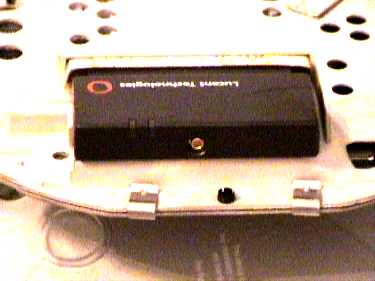
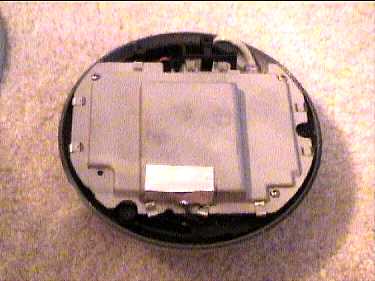
Three screws later, I found myself looking at the view below, obviously an RFI
envelope, with a suspicious little black coax coming out from under some foil.
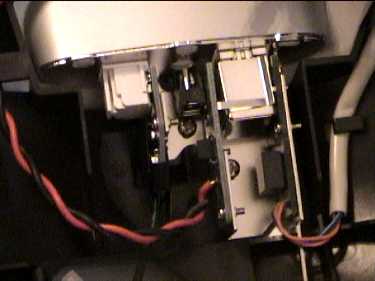
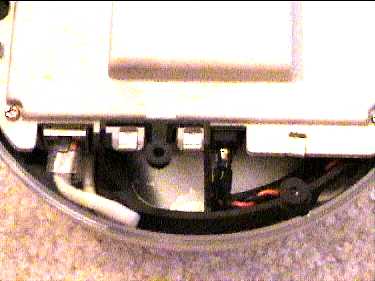
A second view shows the modular construction, with an 8-pin modular connector
for the Ethernet egress and an un-pluggable barrel for power.
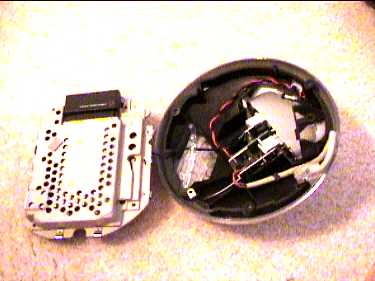
Hello! It's our old friend Mr. WaveLAN-Orinoco! Three more screws lets you open
it right up, the only captive cable being the little black coax, which turns out
to be the connection to the phone connector. On the left below is the standard,
retail-labelled Lucent 802.11b PC Card, in a little PCCARD socket.
To answer the obvious question, the card has the standard orifice for antenna
connection, visible below. If you obtain the pigtail that Lucent re-sells, you
could hook this puppy up to an external antenna, with all of the same
gain/pattern characteristics that Lucent advertises for its own bridges, since
they all use the same radio.
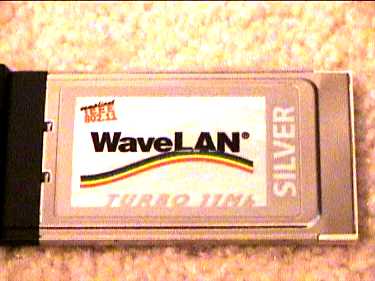
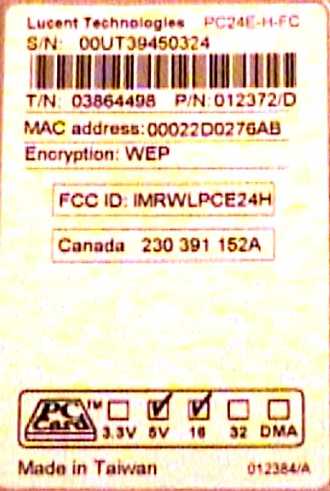
The PCCARD, removed from its slot, turns out to be a
WaveLAN Silver, which retails for about $100 (around $60 on Ebay). It also can provide WEP
encryption, as is shown on the label on the card's ventral side, shown
below.
SO, if you wanted to attach an external antenna, you could take two courses:
1) remove the modem's phone-line connector and use the empty eye-socket as a
cable exit,
or 2) drill a hole in the case, right over the connector (taking
into account that the pigtail has a 90 degree bend connector at the card end)
and exit that way.
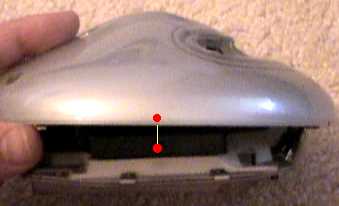
Below is a diagram with showing where the card's antenna
connector rests within the case. The connector is highlighted in red, hanging
slightly below the case, and there is another red dot on the case, showing
approximately where the connector will be when it's seated completely.
On the
right is a picture of the Airport's three external connectors, which are, from
left to right, telephone, power, 10BaseT.
Links:
Adding an
antenna to your Airport
Airport Networking without
Macintoshes #1
Airport Networking
without Macintoshes #2
Good Technical
Overview