
|
 |
 |
 |
 |
 |
 |
 |
| � |
| Fireworks |  |
|
| � | ||
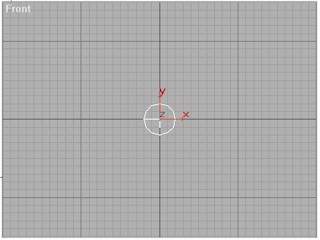 |
Step 1 (Creating the Fireworks Particle System) |
|
From
the Geometry |
|
|
Figure 2 |
Figure 3 |
Step 2 (The Particle Parameters Settings) |
|
Select the Super Spray then go to the Modify Panel :
|
|
|
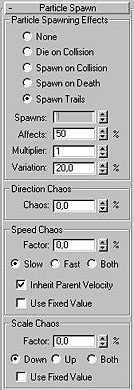
Figure 4 |
Figure 5 |
Step 2 (The Particle Parameters Settings) |
|
|
|
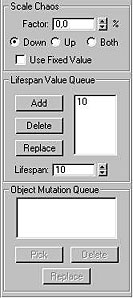
Figure 6 |
Step 2 (The Particle Parameters Settings) |
|
In the Lifespan Value Queue box, type 10 and click Add (see Figure 6). |
|
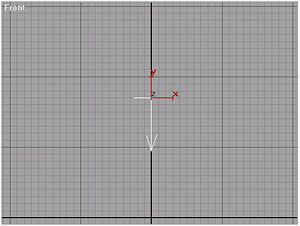 |
Step 3 (Creating the Gravity) |
From
the Space warp  Browse for Particles & Dynamics then choose Gravity then create a Gravity
Space warp, positioned at the center of the Top viewport : x: 0, y: 60,
z: 170.
Browse for Particles & Dynamics then choose Gravity then create a Gravity
Space warp, positioned at the center of the Top viewport : x: 0, y: 60,
z: 170. |
|
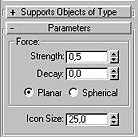 |
Step 3 (The Gravity Parameters Settings) |
| Set
the Strength = 0,5 Set the Icon Size = 25
Now Click on the Zoom Extents
All |
|
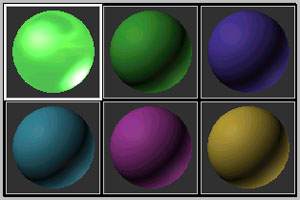 |
Step 4 (The Material Editing) |
|
From
the Material Editor �
|
|
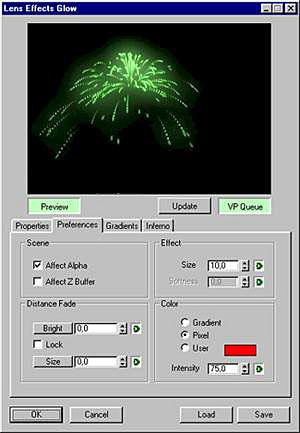 |
Step 5 (Adding the Glow) |
|
From the
Rendering Menu click on Video Post:
|
�
�
 Browse
for Particle Systems then choose Super Spray:
Browse
for Particle Systems then choose Super Spray: 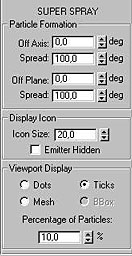
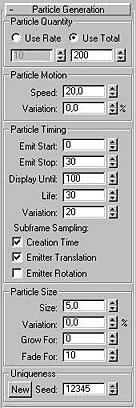
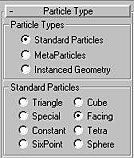
 to bring the
FWork to the seen
to bring the
FWork to the seen select the slot 01 and click on the Get Material
  button and from the Browse Form in the Material/Map Browser select Mtl
Library and double click on the Material Chrome Sunset (Standard) it will
be automatically assigned to the selected slot 01. Close the Material/Map
Browser.
button and from the Browse Form in the Material/Map Browser select Mtl
Library and double click on the Material Chrome Sunset (Standard) it will
be automatically assigned to the selected slot 01. Close the Material/Map
Browser.