by Jim England
--------------------------------------------------------------------------------------------
1. Before you start--make sure tgatool is associated with ace files
under the prefs tab--click the register ace to tgatool tab
2. also make sure you have selected PSP8 to be your default image editor
under the prefs tab select --select editing program
and browse to your
C:\Program Files\Jasc Software\PaintShopPro\PSP8.exe
this may not be the exact path on your machine--but should be close
---------------------------------------------------------------------------------------------
It is very important that you follow the steps
shown in each picture below exactly as described
Doing so should show quick results on your part
---------------------------------------------------------------------------------------------
So--Lets get started by opening Tgatool
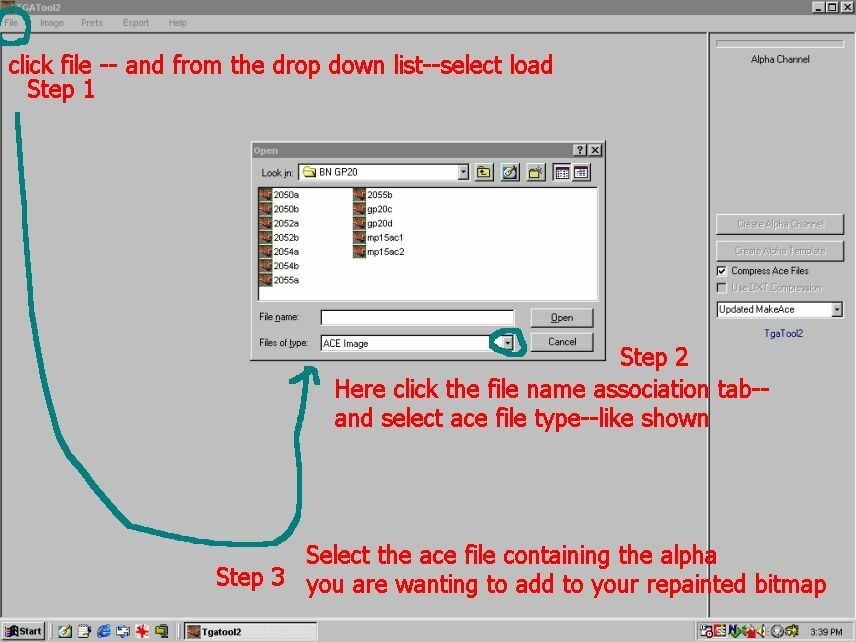
I selected the 2050a.ace file shown in the selection window
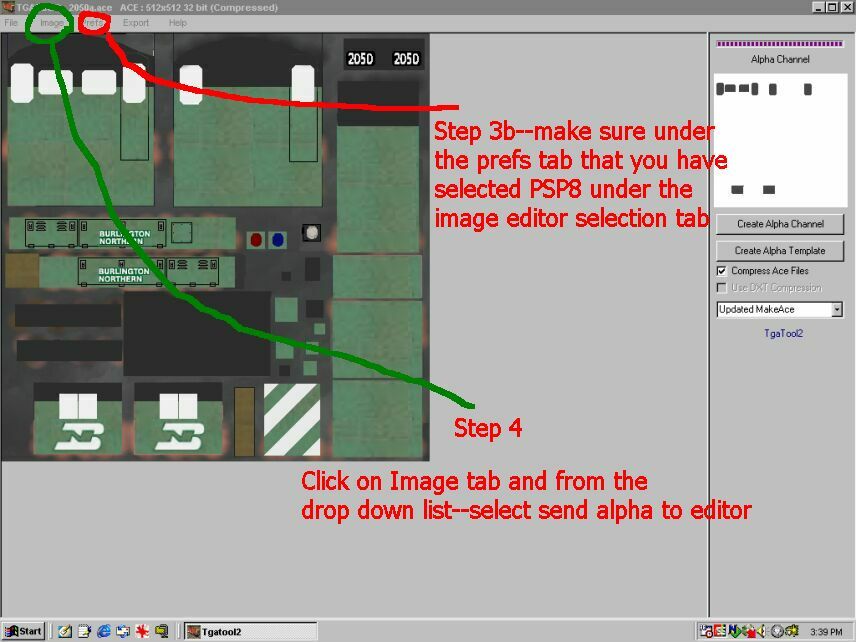
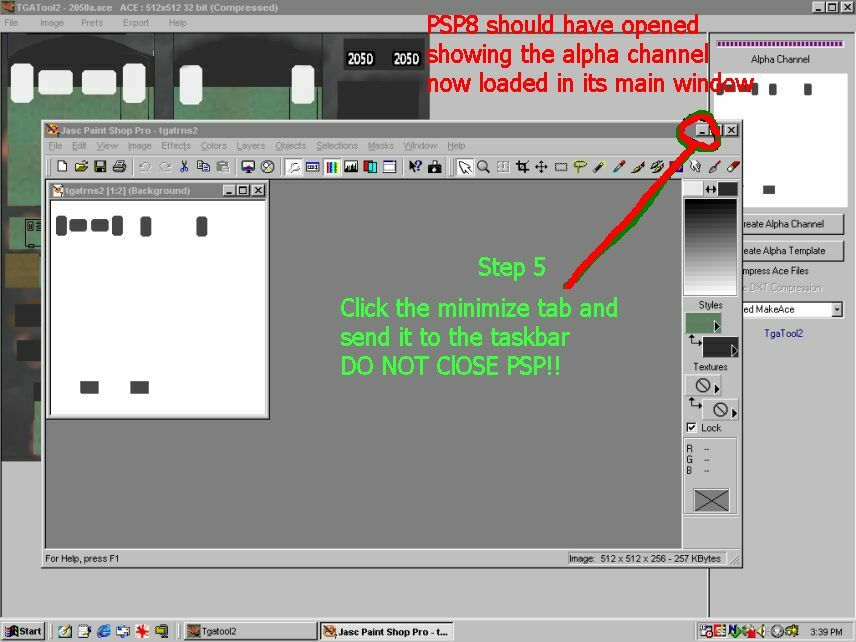
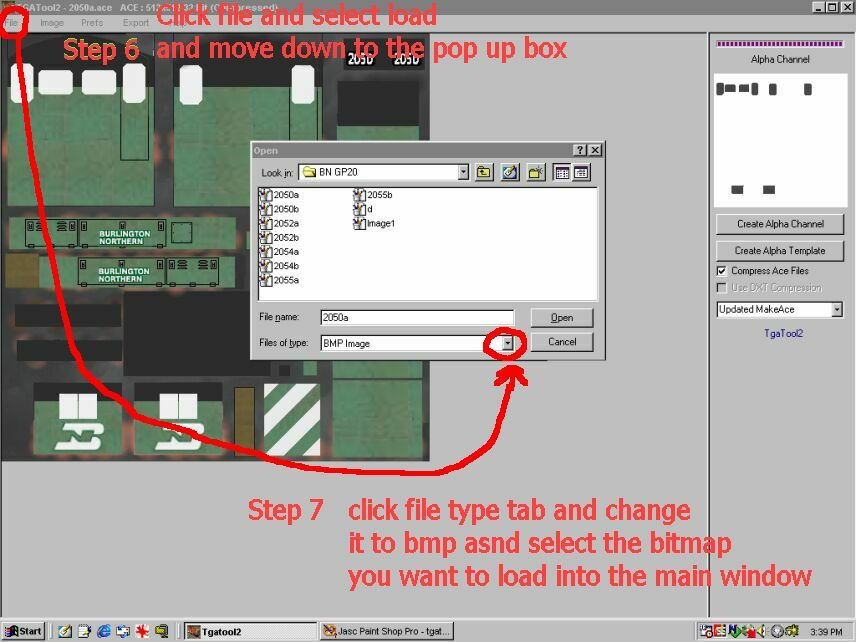
I chose 2050a.bmp
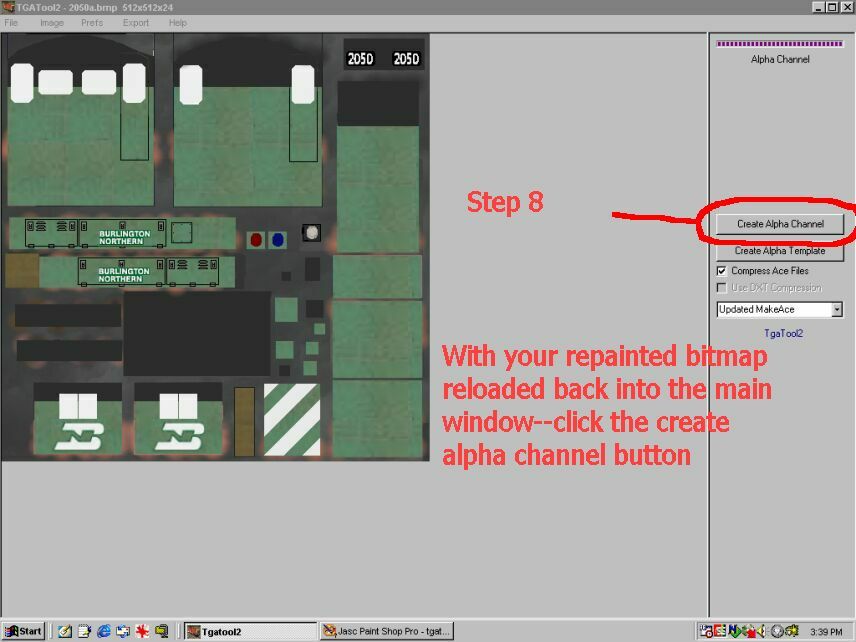
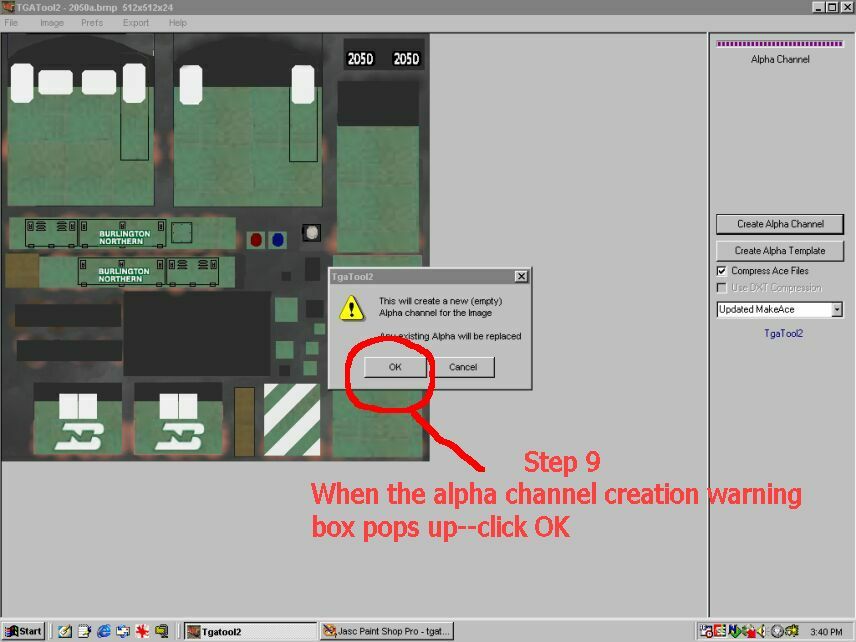
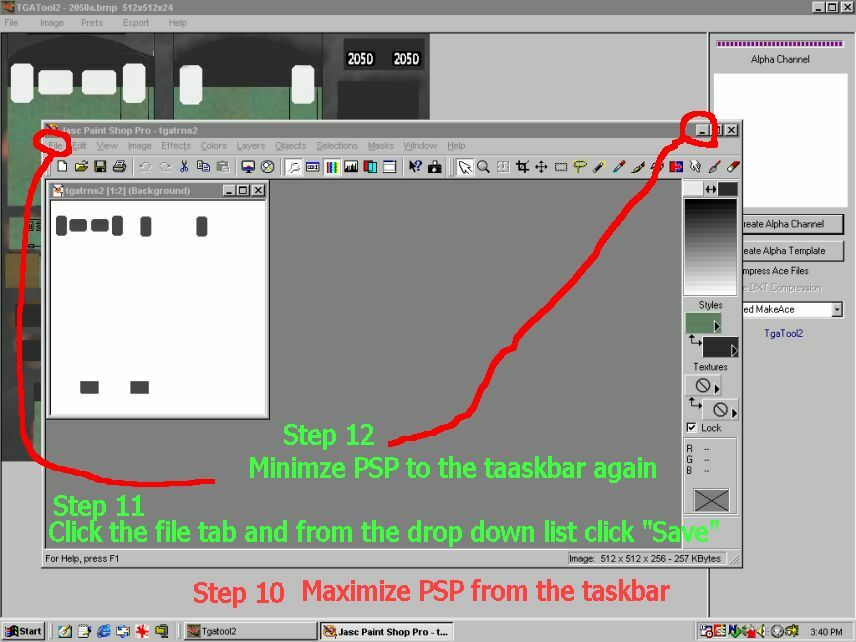
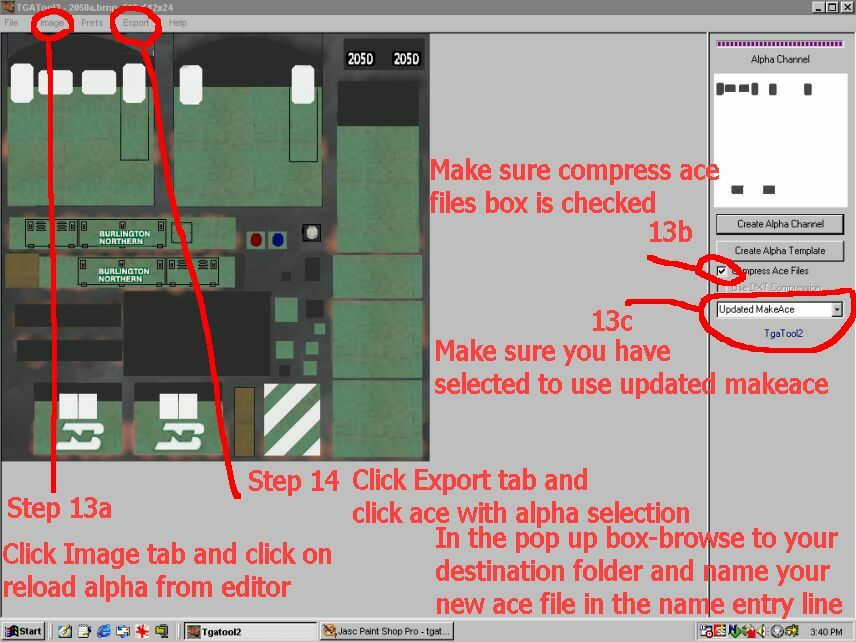
Step 15--Click save in the little
pop up box and tgatool will create
and save your newly created Ace
file to the folder you chose
it to save to.
Thats all there is to it--repeat
these steps a couple of hundred times
and you'll be a pro at it!!
------------------------------------------------------------------------------------------
Back
to Homepage
