 |
|
|
|
|
|
|
|
|
|
|
|
|
|
|
|
|
|
|
|
|
Convert copy-protected .wma files to .mp3 |
|
|
| Stealing music is bad. There are not many choices for getting music legally. In past years buying a CD from a store or online was your only choice. Thanks to Apple Music and sites like BuyMusic.com, you can purchase songs individually. We don't always like every song on a CD when we buy it. This will save us money while still keeping the record companies in business. |
|
|
| I feel that if you buy a song or CD you can do anything you want with it. It's logical that if I bought ten CDs, I should be able to rip songs off them and make my own mix of just my favorites. I disagree with sharing them on peer-to-peer networks with the rest of the world. This will make artists lose money. |
|
|
| This tutorial will show you how to convert copy-protected .wma files into .mp3 files. It's basically for people who buy music from BuyMusic.com and want to convert it to a .mp3 file so they can play in one their mp3 player. It works best if you have a mp3 player that plays mp3s off CDs. I haven't found a converter that will do it directly. |
|
|
|
|
|
| 1. Open Windows Media Player (WMP). |
|
|
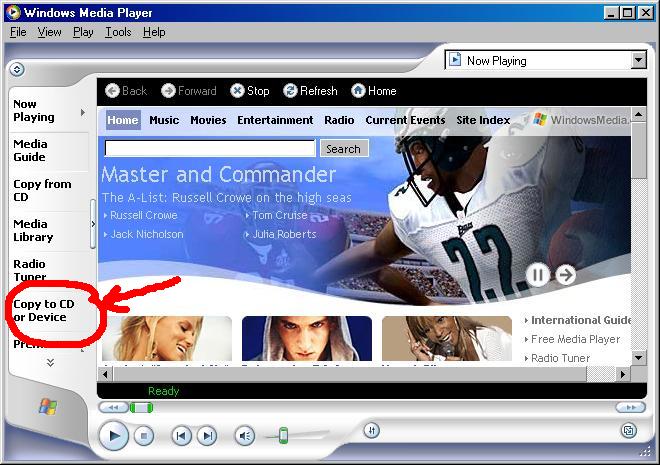
| 2. Click Copy to CD or Device on the left hand side. |
|
 |
|
|
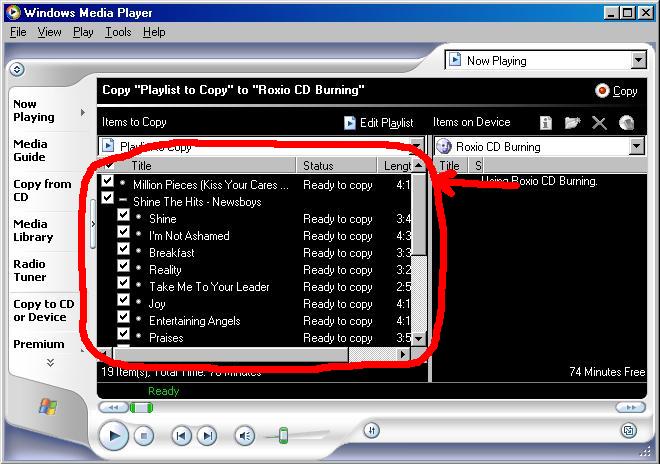
| 3. Drag the songs into WMP. |
|
 |
|
|
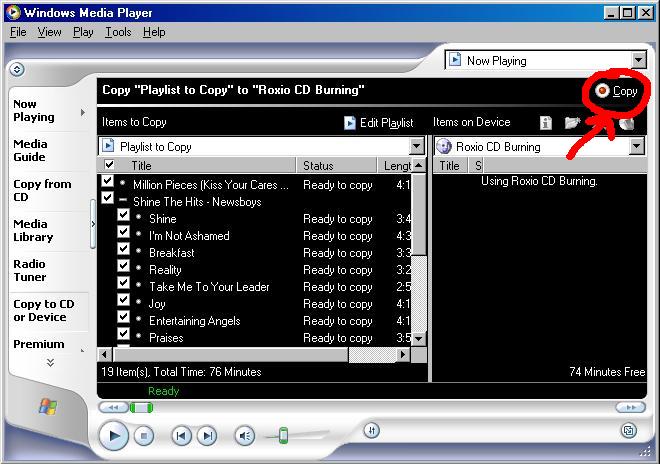
| 4. Click copy. Make sure there's a blank CD in your burner. |
|
 |
|
|
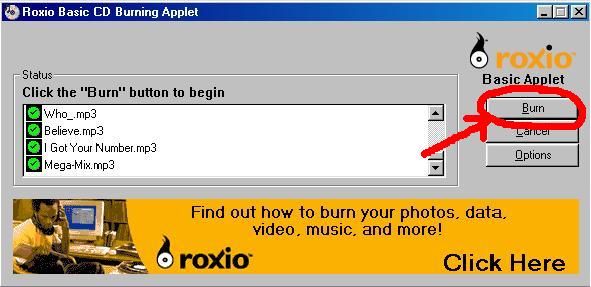
| 5. Click Burn. |
|
|
 |
|
|
| After it has finished burning, leave the CD in the drive. |
|
|
| 6. Open CDex 1.5. |
|
|
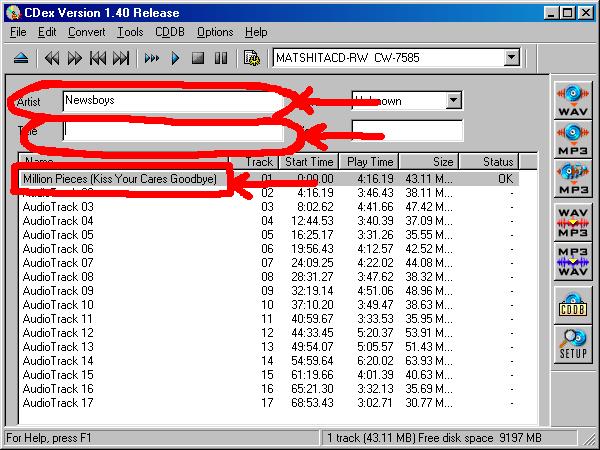
| 7. Fill in important information like artist, album title, and song title. |
|
|
 |
|
|
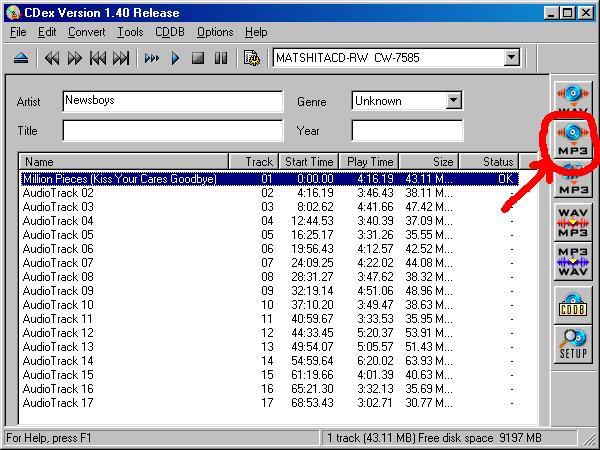
| 8. Highlight the songs you want to convert and click the convert button. |
|
|
 |
|
|
| 9. Now you have a mp3! |
|
|
|
main |
|
|
|

|
|
|
|