| GBA Flash Advance Linker Xtreme |
 |
| After installing the USB drivers and pugging the unit in I was able to then install the latest version of the Visoly Extreme Link Software. Which allows you to: 1) Download a Gameboy Advance game from an original cart and store it to your PC as a so called " ROM " file. 2) Upload a GBA game (ROM file) to any Visoly Flash Advance Xtreme Cart 3) Upload and Download SRAM data from or to a Visoly Flash Advance Xtreme Cart 4) Intergrate further plug-ins to be relased shortly into the software So basically you can upload and download "ROMS" and save games. As well as Format your Flash Cart if it is acting weird and not writing correctly. When you get the install CD, don't bother installing the drivers from there. Just go to Visoly's Web site. You can find that here. And simply install all the latest drivers. The one's I got from the CD would not work with XP. Now that we are done with that. Let's load up our first ROM. Double click on the Icon on your Desktop (assuming you have the linker plugged into your USB port and the cart is inserted) and then click the tab that says "Write to Cart". |
 |
 |
 |
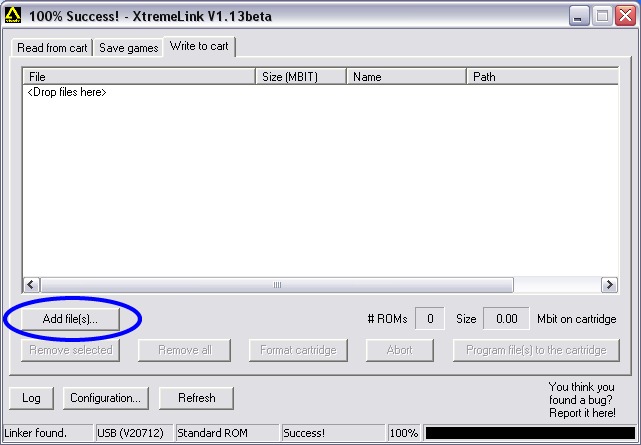 |
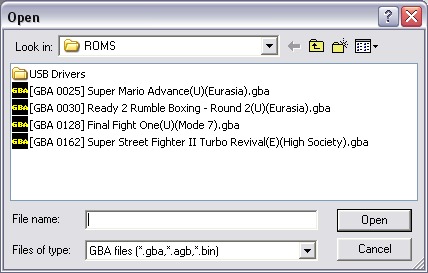
| Now click on "Add Files" . Then the screen below will appear. From here you can browse and fine the "ROMS" you are looking for. |
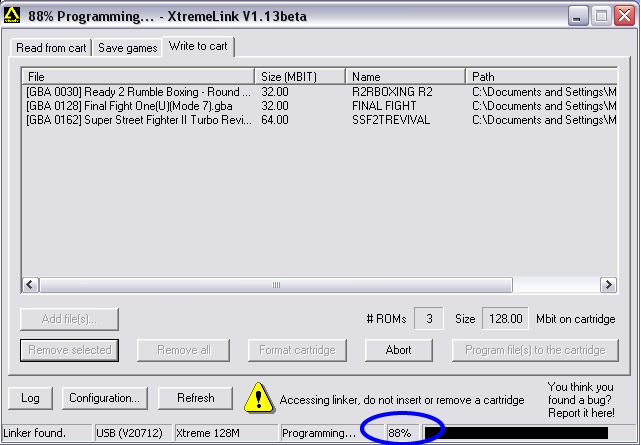
| Now choose the ROMS you want and hit "open". They will now be listed on your screen. Then simply hit "Program file to the cartridge". Why they called it that instead of transfer "ROMS" I have no idea! ; ) Then you will see the nex screen which tells you how fast they are transferring to the cart. Also the little light on your Flash Linker will start blinking green as it transfers and writes to the Flash Cart. It calls this "Programming". Right now this screen shows it is at 88%. |
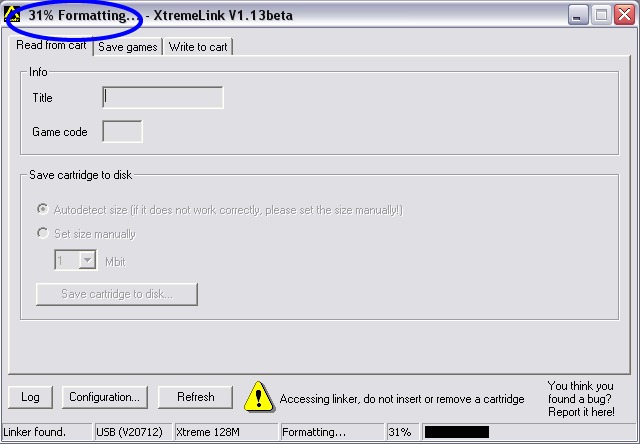
| There you go. Now you have 3 games written to your GBA Cart. Awesome huh? Another near feature of the FLASH Linker is it's ability to format your cart. Just like Windows or Mac can format a Floppy Disk. All you do is click on the "Write to Cart" tab and then click on "Format Cartridge". As you can see below it even tells you how far it has gotten. 31% in the example below. |
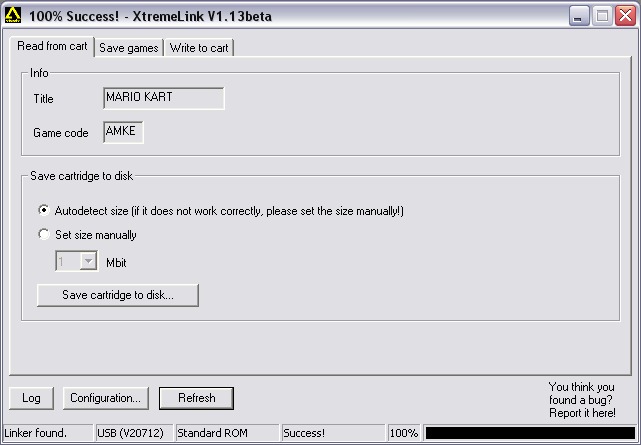
| Another neat feature of the Flash Linker is that it can "back-up" games into "ROM" files. This is easy to do and actaully is a quite cool feature. To be honest this is how most games are made into pirated "ROMS". You simply "rent" or borrow the actual cart/game from your friend or local store. Then you put the cart into the FLASH LINKER click on the "Read from cart" tab and then as you see in the screenshot below simply click on "Save Cart to disk". It even autodetects the size of the cart for you. |
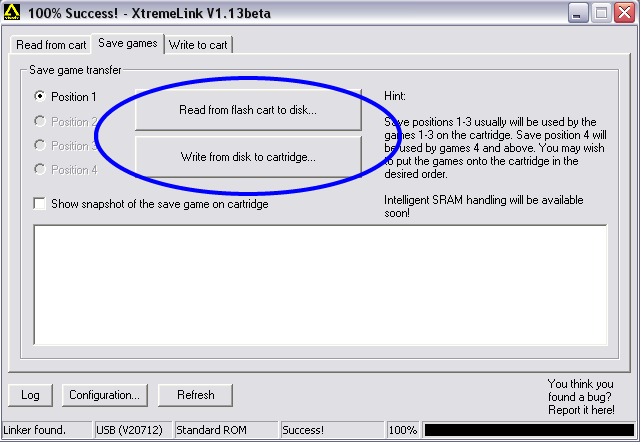 |
| And fianlly the last thing the Flash Linker can do is save games from a cart to your HD for future use. This is a cool feature in that much like Sega Dreamcast's VMU you can trade save games or even swap them over the Net with other people. Simply click on the "Save Games" tab and then choose your options. You can even choose to show a snapshot of the save game on the cartridge which will show what the file looks like in Hexadecimal Code. Over all the Flash Advance Linker Xtreme is the best GBA Development Tool out there right now. The software is flawless and handled all tasks perfectly. I highly recommed you pick one up yourself if you have the $$ to spend. I purchased mine at Lik-Sang. Thanks! |
| Copyright 2002. |
 |